PPC
June 11, 2026
5 best PPC reporting tools in 2026 (reviewed & tested)


Running Pay-Per-Click (PPC) campaigns across Google Ads, Meta, and LinkedIn is one thing. Knowing what's working, proving it to clients, and not rebuilding the same reports from scratch every month is another problem entirely.
The best PPC reporting tools solve this issue by collecting campaign data automatically, turning it into client-ready reports, and delivering the reports on a schedule.
This guide compares five of the strongest options based on features, pricing, and real customer feedback to help you find the platform that fits how your team actually works.
Not every PPC reporting tool is built for the same type of team. To identify the best options, we evaluated each platform using the criteria that matter most to agencies, freelancers, and in-house marketing teams:
Before getting into the full reviews, here's how all five tools compare at a glance.
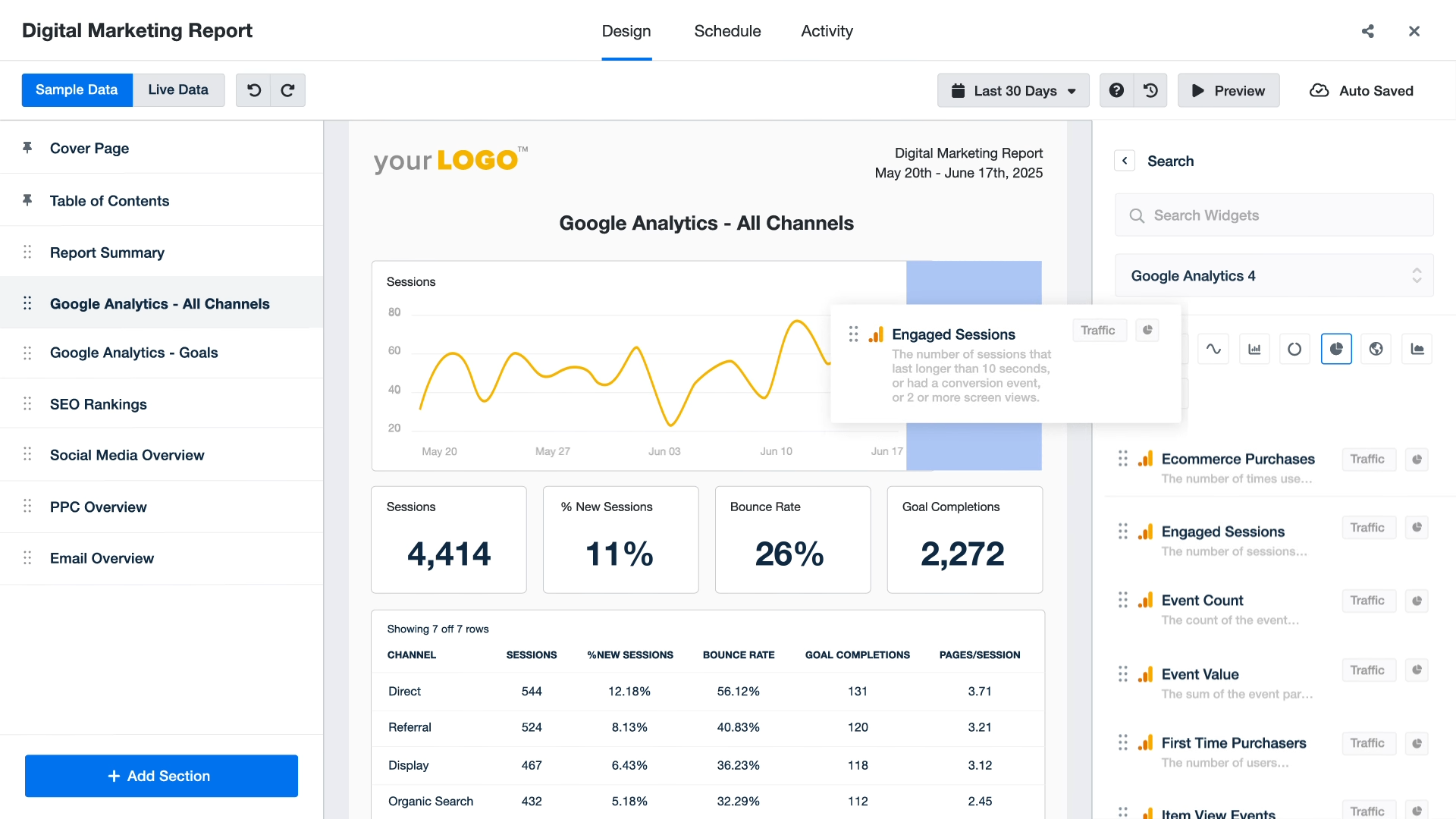
AgencyAnalytics is an all-in-one platform for running client relationships, combining live dashboards, SEO rank tracking, and automated reporting in one place. With more than 80 integrations across SEO, PPC, social, and web analytics, it's built for agencies that want to manage the whole client relationship from a single login rather than stitch together separate tools for each job.
A drag-and-drop builder pulls data from more than 80 platforms, including Google Ads, Meta, LinkedIn, GA4, and Google Search Console, into a single client view. Useful for agencies reporting across paid, organic, and social without manually combining exports.
Reports go out automatically by email or through a branded client portal on whatever schedule you set. Clients only see data from their own accounts.
Keyword rank tracking is included, so agencies managing both paid and organic search don't need a separate tool for it.
“I most appreciate how easy it is to integrate with client channels, and the responsiveness of their customer support.” - Nina M., verified G2 review.
“They have a lot of the right features, but they don’t connect together in the way I’d want, so there are still some updates and work to do. Metric alerts are awesome, but you can’t have them email you about those alerts.” - Sarah A., verified G2 review
For a closer look at how AgencyAnalytics compares with other options, see our AgencyAnalytics alternatives guide.
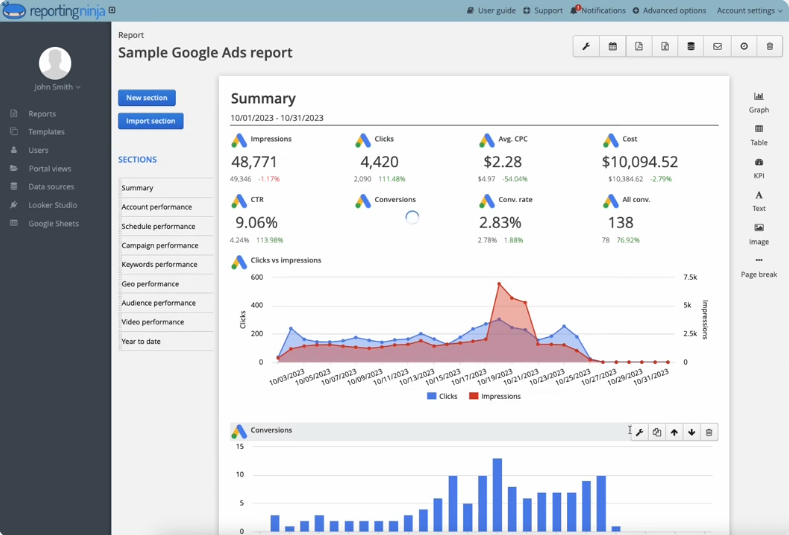
Reporting Ninja is a reporting platform built for freelancers, small agencies, and lean marketing teams that need automated client reporting without enterprise-level costs or complexity. It pulls PPC, SEO, social media, and analytics data into one place so you can build, brand, schedule, and share client reports from a single account.
What sets it apart is its pricing model. Every paid plan includes all features, integrations, and reporting destinations. There’s no tier upgrade to unlock core functionality, and no per-client fee that climbs as you go.
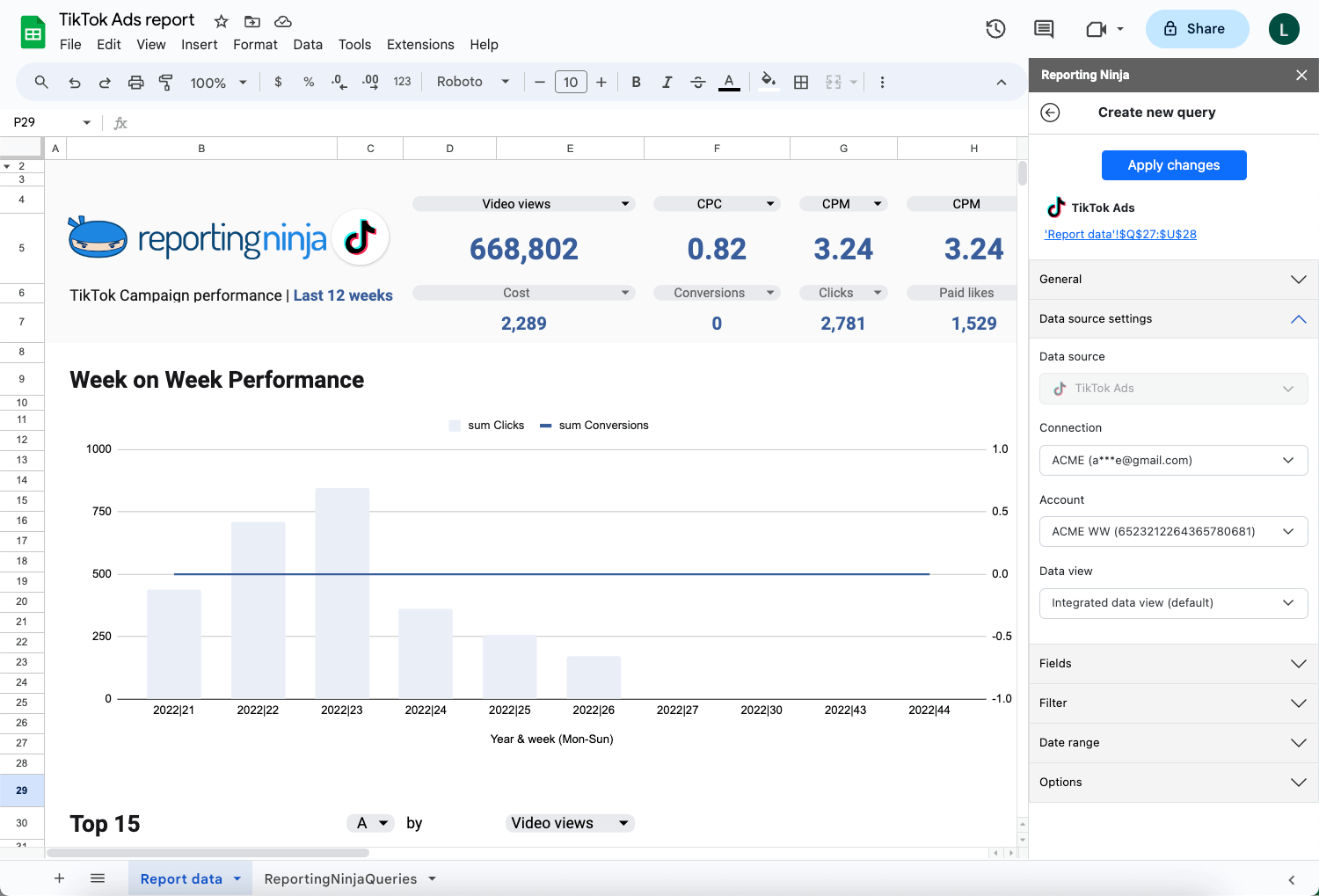
You also get four ways to work with your data. Report inside the native custom reports platform, connect to Looker Studio, or build through the Google Sheets add-on. And with the REST API, you can pull unified data straight into your own apps, scripts, and AI assistants.
Reporting Ninja's three strongest capabilities all target the same problem: the hours a small team loses to recurring reporting. Here's how each one works in practice.
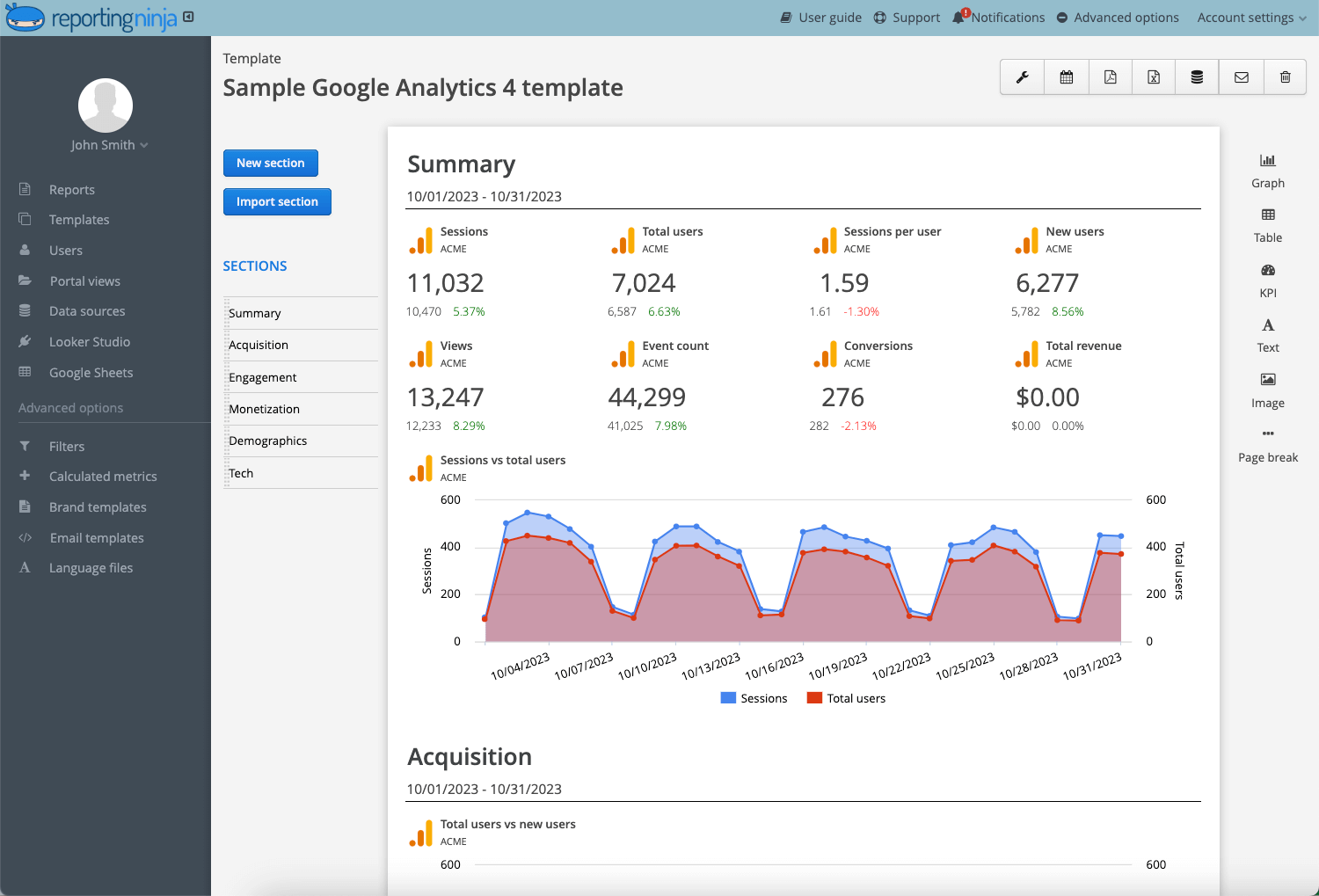
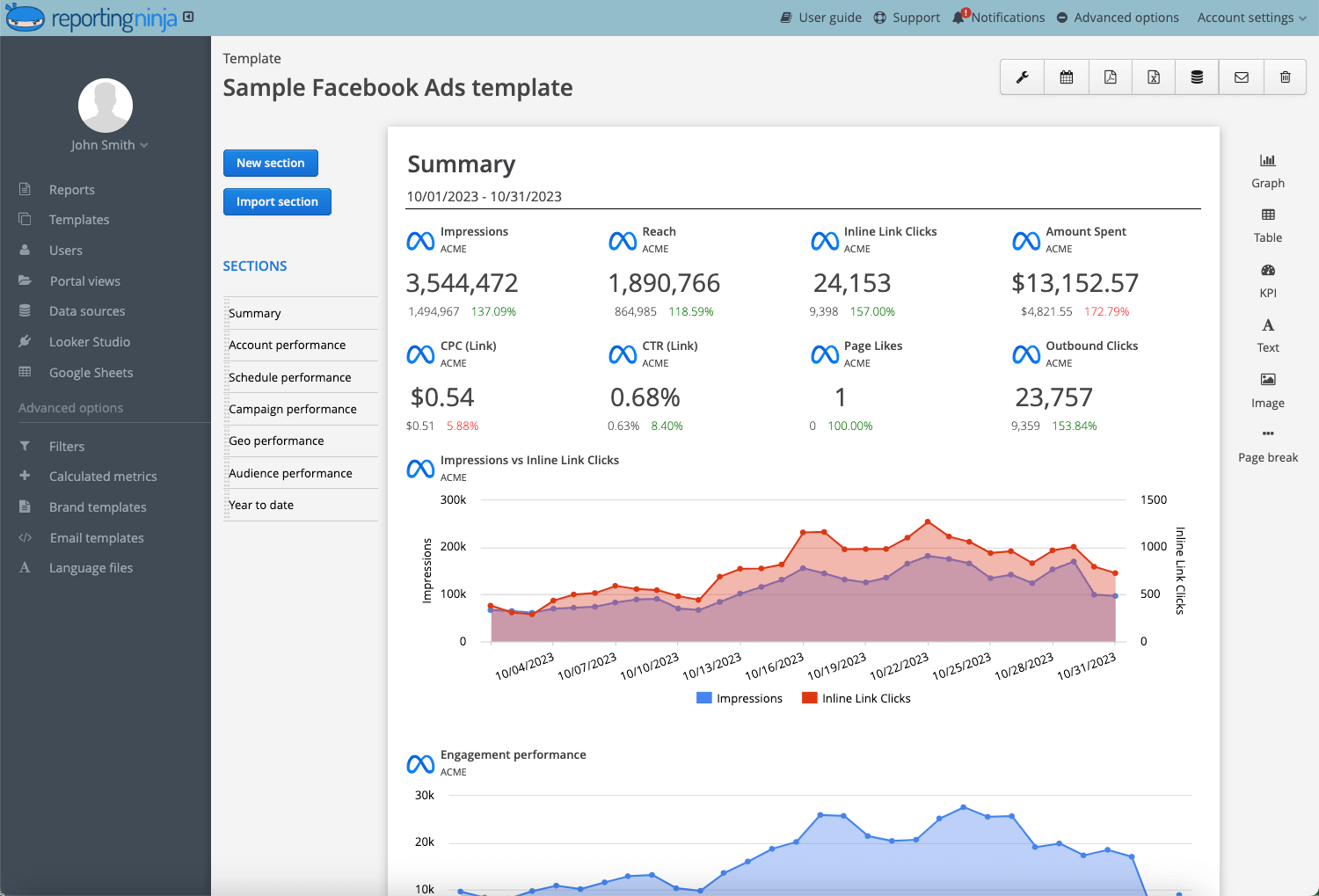
Once a report is configured, Reporting Ninja refreshes the data and delivers it on a daily, weekly, or monthly schedule, as defined. Reports go out by email or as live dashboards, which removes the manual cycle of exporting, formatting, and sending updates by hand every period.
Manual exports invite mistakes like wrong date ranges, missed platforms, and stale data. Reporting Ninja removes entire classes of errors. For example, a scheduled report with the platform pulls the same data the same way every time, so the numbers a client sees are consistent month to month.
{{cta-block-v1}}
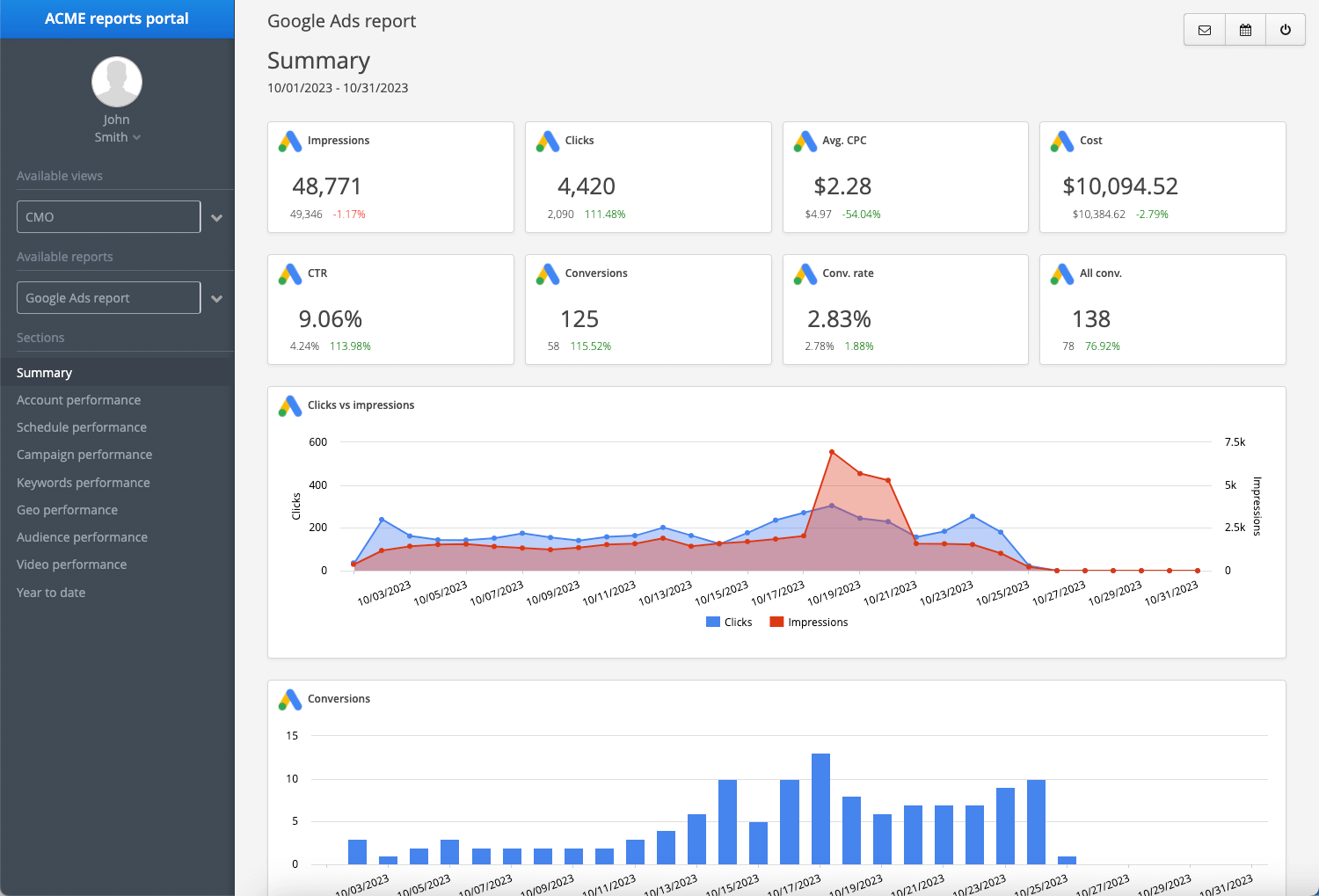
Reports can be branded with your logo, colors, and a custom domain, so the deliverable looks like it came from your agency rather than a third-party tool. Clients get a dedicated portal where they can view live dashboards whenever they want.
Most ad-hoc reporting requests are clients asking where a number stands between scheduled reports. A live portal answers those questions without pulling you into another export, which cuts down on the back-and-forth emails that eat into billable time.
For agencies, the branding goes beyond appearance. A white-labeled metrics dashboard keeps your agency as the visible owner of the work and the relationship.
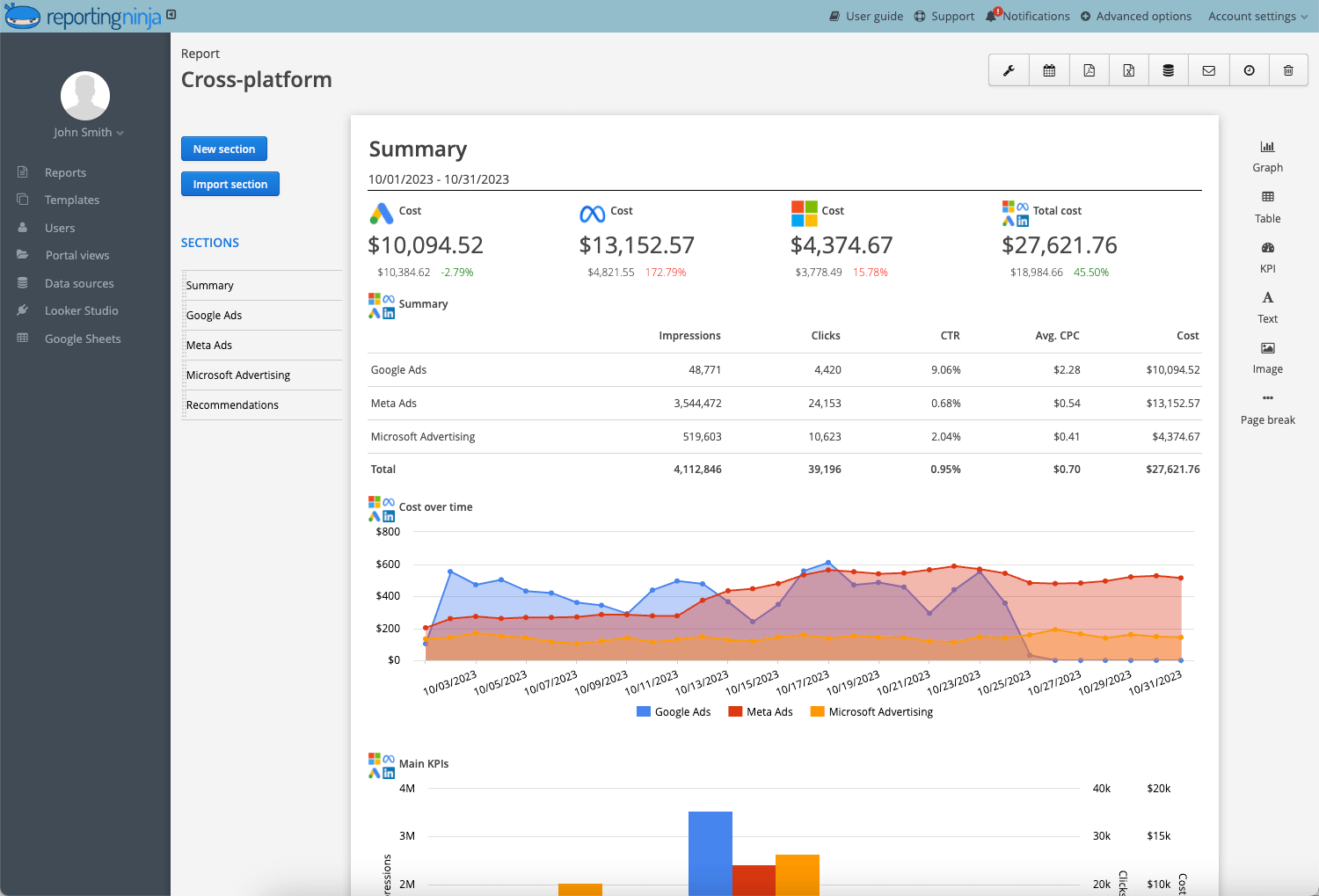
Reporting Ninja combines data from Google Ads, Meta Ads, LinkedIn Ads, and Microsoft Advertising into one reporting view. Platform-native reports only show their own numbers, which means combining them is a manual job you repeat every cycle.
That manual reconciliation is slow and easy to get wrong. Each platform names metrics differently and defaults to different date ranges, so lining them up by hand introduces the exact errors a report is supposed to prevent. Reporting Ninja does the consolidation automatically every time the report runs.
As a result, clients see total spend, blended cost per result, and other important PPC metrics side by side, which is the view that actually informs budget decisions.
All features, destinations, and integrations are included on every plan. Billing is also available at a per-month rate; the figures above reflect the annual price.
“The ability to integrate data from various marketing channels and turn them into such well-crafted reports saves us a lot of time while enhancing our clients' experience." - Stephanie Barbieri | Studio 33
“It’s easy to use and comes with very good customer support. It works with many data sources, can send automatic reports by email, and also includes connectors for Google Data Studio and Google Sheets.” - László V., verified G2 review
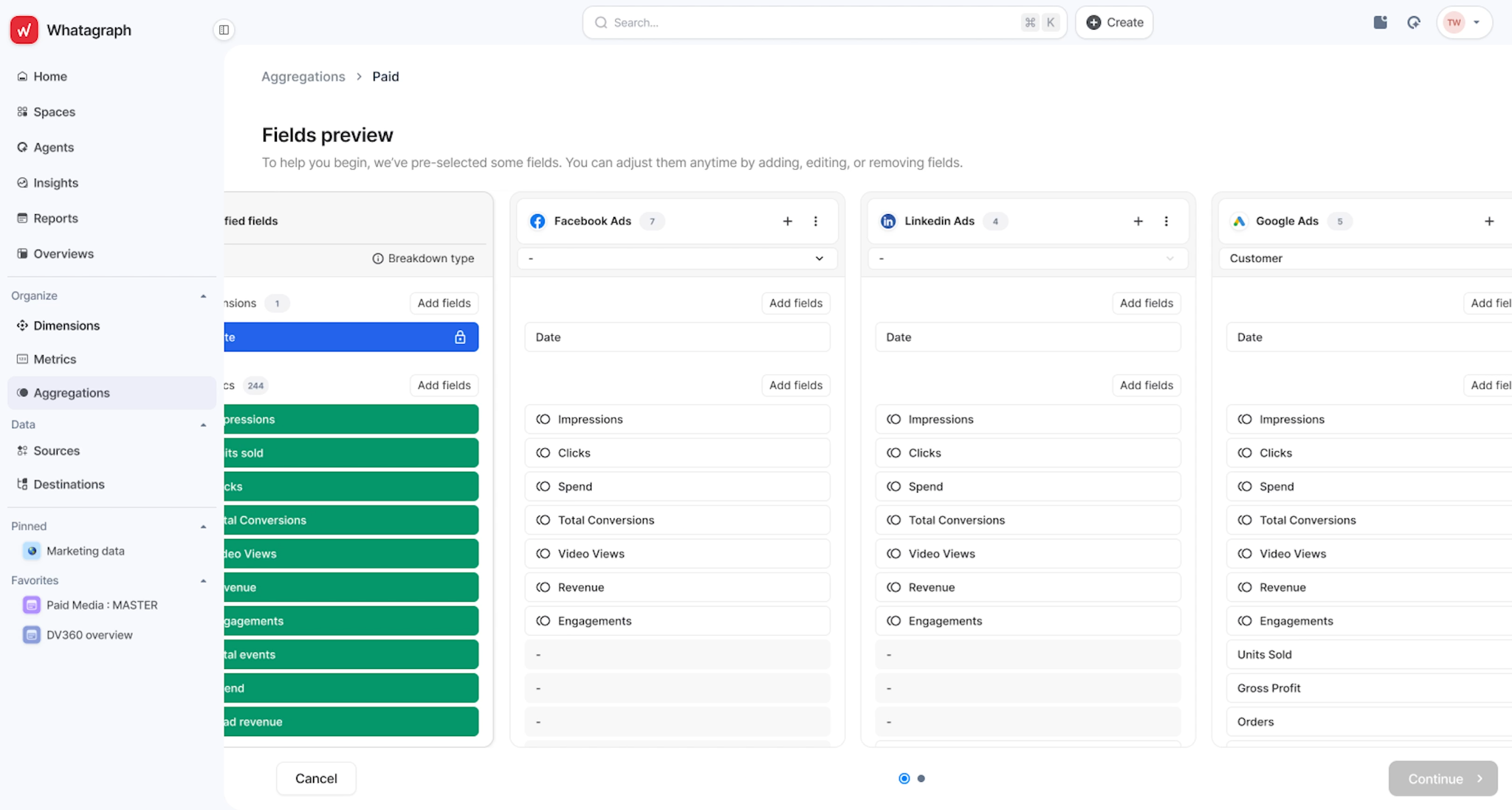
Whatagraph is built for agencies where report presentation is part of the client experience. Its dashboards are visually distinctive, and its templates are more design-flexible than most competitors'. In addition, Whatagraph’s AI Insights feature automatically generates plain-language performance summaries as new data comes in.
AI Insights automatically surfaces trends, anomalies, and key takeaways within reports. Account managers spend less time writing monthly commentary and more time acting on it.
With more than 50 integrations, Whatagraph can combine data from multiple platforms into a single chart or widget, making cross-channel comparisons cleaner to present to clients.
Pre-built templates cover PPC, social media, and cross-channel reporting, with more layout and branding flexibility than most competing tools. Reports look client-ready without design work.
* Limited free plan available
“I like how easy the reports are and how it is visually” - Verified G2 review.
“If two people are editing a report at the same time, the widgets can glitch or break, which is frustrating on tight deadlines. There's also no option for a custom URL, and it still doesn’t support X Ads (Twitter)... ” - Bruhith I., verified G2 review
For a closer look at how Whatagraph compares with other options, see our Whatagraph alternatives guide.
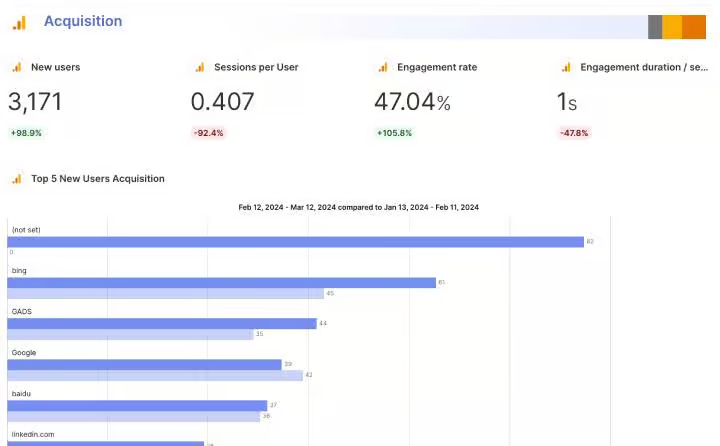
Swydo is a reporting platform built specifically for PPC agencies and digital marketing teams. It connects to more than 32 data sources, including Google Ads, Meta Ads, Microsoft Advertising, GA4, and LinkedIn, and comes with templates for paid media workflows. Setup is straightforward, with unlimited users and clients on every plan.
Templates are designed specifically for paid media reporting, with layouts for Google Ads, Meta Ads, Microsoft Advertising, and cross-channel campaigns. Most agencies can start with a built-in template and share it with clients after minor adjustments.
Cross-client KPI dashboards let you spot accounts that need attention without opening individual reports. Useful for agencies managing several active PPC campaigns at once.
Automated scheduling and white-label branding are included from the base plan, alongside unlimited users and clients and no seat-based pricing.
* Every connected account counts as a separate data source.
“Great platform with strong channel integrations. The reporting system is easy to use and looks great, and the support team is very good as well.”- Verified G2 review.
“It not set up for complex reports and their Shopify integration is deprecated even tho it's still advertised as a connection on their website” - Martin D., verified G2 review.
For a closer look at how Swydo compares with other options, see our Swydo alternatives guide.
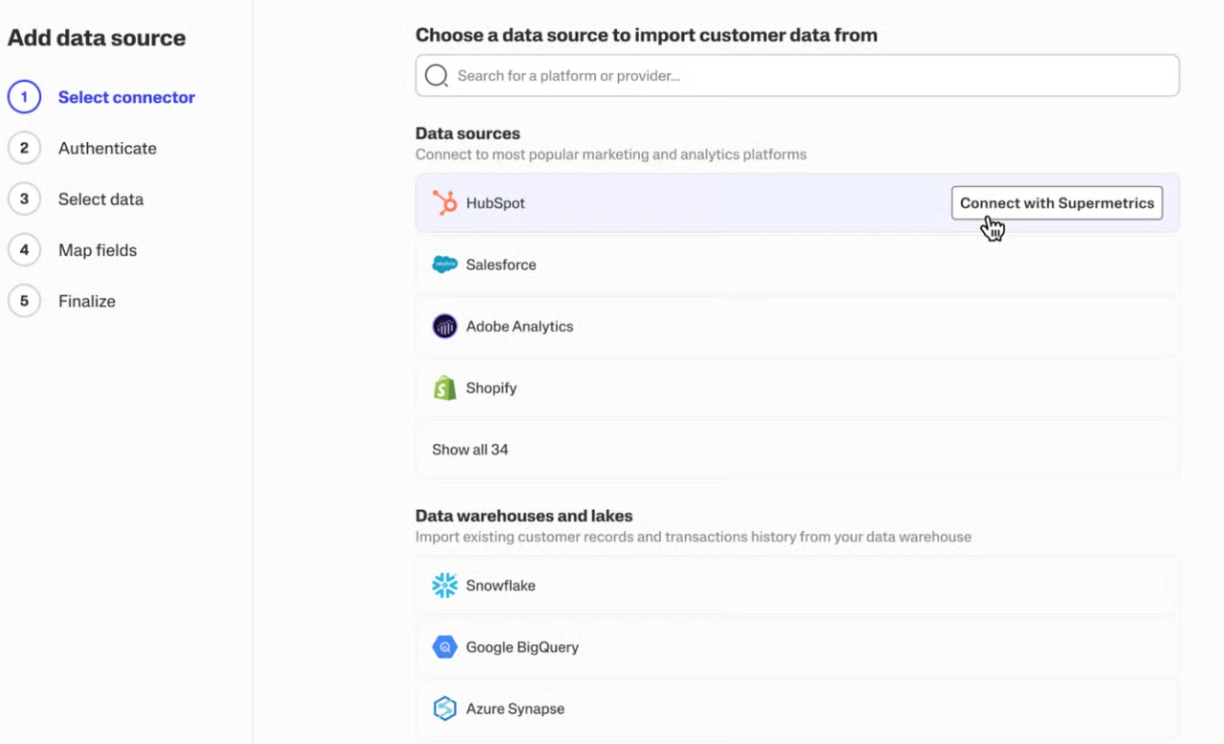
Supermetrics isn't a client reporting platform in the traditional sense. Instead of building dashboards and scheduling client reports, it moves marketing data from more than 100 sources into tools your team already uses, be it Google Sheets, Looker Studio, Excel, and Power BI.
The platform works best when you already have a reporting destination and process in place. If you're starting from scratch, you'll need to set up both the data pipeline and the reporting layer before you can send anything to a client.
Supermetrics supports one of the largest connector libraries in the market, covering major advertising, analytics, e-commerce, CRM, and social media platforms.
Data refreshes automatically inside Google Sheets, Looker Studio, Excel, and other supported destinations, removing the need for manual exports and imports on a recurring basis.
Rather than locking teams into a proprietary dashboard system, Supermetrics feeds data directly into the tools they already know.
* Costs increase as additional sources, destinations, and users are added.
“Saves my team hours every week. Pulls ad data into one dashboard cleanly. Client reporting went from painful to push-button.” - Moe A., verified G2 review.
“Supermetrics could improve connecting to data sources a bit by making new user and data-source connections more automated.” - Andi J., verified G2 review.
Not every agency needs the same type of reporting platform. Before comparing features and pricing, focus on the three factors that have the biggest impact on day-to-day reporting workflows.
A tool that pulls data is not the same as a tool that collects, formats, and delivers reports automatically. When evaluating a platform, check whether scheduled reporting, white-label delivery, and client access are included in the base plan or reserved for higher-priced tiers.
Reporting Ninja automates the full cycle, from marketing data collection to branded, scheduled delivery, on every plan, including the entry-level tier.
Many reporting tools charge per client, per data source, or per user. That can work for smaller teams, but costs increase quickly as you add new clients, platforms, or team members. Before committing, model your expected costs six to twelve months out rather than focusing solely on the entry-level price.
Reporting Ninja uses a flat pricing model, with all features available on every plan. You’re not charged for more clients, so scaling is predictable.

Alongside collecting data from multiple sources, the strongest reporting platforms help you combine these into a single story. Prioritize tools that blend performance data from channels like Google Ads, Meta Ads, LinkedIn, and GA4 into unified dashboards and reports.
For example, Reporting Ninja supports integrations with major marketing platforms for data collection, as well as Microsoft Excel and Google Sheets for client reporting and visualization.
The right PPC tool depends on the size of your operation. Larger agencies that want a broad platform with deep client management will lean toward the bigger suites. Teams that live in data pipelines have their own specialist tools.
For freelancers and small agencies, you need automated, branded, cross-channel reports without paying for features built for a team of twenty. That's where Reporting Ninja shines, offering flat pricing, every integration included, and your first report running the same day you connect your accounts.
Start your 15-day free trial today.
{{cta-block-v1}}
No. They handle the data collection and formatting, not the analysis. A tool like Reporting Ninja automates the repetitive pull-and-format work so the analyst spends time on what the numbers mean and what to do next, which is the part software can't do for you.
Yes, usually within the first few clients. Manual reporting is time-consuming and error-prone, and that time is unbillable. With Reporting Ninja, flat rates start around $20/month, so the hours saved on recurring reports typically cover the cost well before you hit a handful of accounts.
Sometimes, depending on the tool. Pipeline tools like Supermetrics assume you'll build the reporting layer yourself. Platforms built for marketers, like Reporting Ninja, are self-service by design. You connect accounts and pick a template, with no developer or onboarding call required.
It depends on the pricing model. Per-client and per-source tools rise in a straight line as you grow. Flat-rate platforms like Reporting Ninja are predictable, so adding clients doesn't change the monthly cost, which makes budgeting predictable as your roster expands.
Sign up for a 15 days free trial. No credit card required.

Build and automate amazing custom reports in a few clicks. Save time, be more productive, impress your clients.