Analytics
May 27, 2026
Marketing data integration in 2026: types, process, & examples


Your marketing data is scattered across Google Ads, Facebook, email campaigns, and CRM tools—each holding valuable insights. But trying to make sense of it all? It’s like solving a jigsaw puzzle with missing pieces. Reports take forever. Metrics don’t line up. Decisions are made on gut instinct instead of real data.
Marketing data integration fixes this.
It pulls everything together into one clear, unified system—so you see the full picture, not just scattered pieces.
In this guide, we’ll break down the best integration methods, real-world examples, and the top tools to take the headache out of reporting and put you back in control of your marketing data.

Marketing data integration is the process of consolidating data from multiple marketing platforms into a single, unified view. This integration eliminates data silos, providing marketers with accurate, real-time insights to create effective marketing reports and optimize campaign performance.
Without integration, businesses struggle with fragmented data, leading to inefficiencies and missed opportunities. By centralizing data, marketers can track performance across all channels, improve SEM reporting, and make data-driven decisions with confidence.
Different businesses require different approaches to marketing data integration, depending on their needs and technical setup. Here are five common methods:
The right integration method depends on your business needs, but using an automation tool like Reporting Ninja can simplify the process, helping you unify data without the hassle of manual work.
Integrating marketing data doesn’t have to be complicated. When you break it down into clear stages, the process becomes predictable, repeatable, and far easier to automate. Here’s the practical workflow most marketing teams follow when unifying data across ad platforms, analytics tools, CRMs, and email systems.
Start by mapping every platform that influences your reporting. This typically includes PPC channels, social platforms, web analytics, CRM tools, and email providers. Listing them creates a clear view of what needs to be connected.
Different platforms use different naming conventions and data structures. Decide which metrics matter most across channels, such as conversions, spend, ROAS, sessions, leads, or revenue. This ensures consistency once the data comes together and makes analyzing marketing data across platforms much easier.
Depending on your size and workflow, you might use manual exports, native APIs, middleware tools, or automated reporting platforms like Reporting Ninja that support Google Sheets data connectors alongside other reporting destinations. The right approach depends on how much data you manage and how often you need reports refreshed.
Once you choose a method, start linking each data source. With automated tools, this usually means authorizing access through secure connectors. With manual methods, it means exporting and preparing data each time you report.
Each platform structures data differently. Unifying fields, aligning naming conventions, removing duplicates, and fixing inconsistencies ensures your reporting stays accurate and reliable. Automation tools help eliminate this manual work.
Some teams need historical data in a warehouse; others only need real-time access for dashboards. Your storage choice determines whether you’ll use live connectors or an ETL-style workflow.
Once the data is unified, you can feed it into Looker Studio, Google Sheets, dashboards, or client reports. Automated tools run these updates on a schedule, so you never repeat the same manual steps.
APIs update, platforms change, and client accounts evolve. Regular checks ensure your dashboards stay accurate. With tools like Reporting Ninja, monitoring and refreshing connectors happens automatically.
A smooth integration process gives you consistent, reliable data that’s ready for fast reporting and confident decision-making.
{{cta-block-v1}}
Even with strong tools and clear workflows, integrating marketing data comes with its own set of obstacles. Understanding these challenges helps you plan better and avoid delays or reporting issues.
Marketing data typically lives in separate platforms, each with its own structure, permissions, and export rules. When teams can’t easily combine this information, they lose visibility into performance and struggle to compare results across channels. Breaking down silos requires consistent processes and the right automation tools to pull everything together reliably.
Raw data often includes missing values, inconsistent naming, duplicate records, and mismatched date ranges. Even small discrepancies can distort reports and lead to inaccurate analysis. Standardization, validation, and automated cleaning are essential to avoid wasted time manually correcting errors each time a new report is needed.
Different platforms use different APIs, formats, and access limitations. Some tools update frequently, while others require workarounds to retrieve certain metrics. This complexity creates ongoing maintenance for marketing teams that lack technical resources. Automated connectors reduce much of this friction by handling authentication, schema updates, and API changes behind the scenes.
The more campaigns you run, the more complex your data becomes. As datasets grow, manual workflows slow down, spreadsheets become unstable, and dashboards take longer to refresh. Scalability problems typically appear as teams add clients, launch more channels, or rely on larger historical datasets for analysis. Automated integration helps maintain performance as your reporting needs expand.
When you centralize marketing data, you also inherit responsibilities around privacy, storage, and access control. Regulations such as GDPR and CCPA require businesses to manage user information responsibly, ensure secure data transfers, and control who can access sensitive fields. A consistent integration framework reduces compliance risks and simplifies audit requirements.
Using a marketing data integration tool like Reporting Ninja can help businesses overcome these challenges by automating data collection, standardizing reporting, and ensuring compliance with minimal effort.
Integrating marketing data becomes far easier when you follow a set of reliable practices. These guidelines help ensure your reporting stays accurate, scalable, and consistent as your data needs grow.
Document every platform, account, metric, and team involved in your reporting process. Understanding how data flows across your tools gives you a solid foundation for clean, conflict-free integration.
Manual exports slow teams down and increase the risk of errors. Using automated connectors or reporting tools ensures your dashboards stay up to date without repetitive data entry.
Platforms often label similar metrics differently. Aligning definitions for conversions, revenue, leads, and attribution rules creates accuracy and avoids misinterpretation when combining results from multiple sources.
Choose systems that can handle growing datasets, more client accounts, and additional marketing channels. This prevents performance issues as your reporting becomes more complex.
APIs change, access tokens expire, and new campaigns appear. Routine monitoring helps catch issues early, ensuring your dashboards stay trustworthy and your insights remain reliable.
Clear documentation helps teams onboard faster, reduces dependency on individual employees, and ensures consistency in how reports are created and maintained across the organization.
Consistently applying these best practices gives you a more stable, predictable data foundation that supports faster reporting and more confident decision-making.
Managing Google, Meta, and LinkedIn ads separately caused mismatched metrics, inconsistent reporting, and hours lost reconciling data.
Unified all PPC accounts through automated connectors, standardizing naming, aligning metrics, and refreshing dashboards on a scheduled cadence.
Reporting time dropped significantly, and account managers delivered accurate cross-channel performance insights to clients in minutes.
Customer journey touchpoints lived in separate analytics, email, and CRM tools, making attribution and lifecycle analysis unreliable.
Connected Google Analytics, Shopify, Klaviyo, and CRM records into one integrated dataset with automated transformation rules applied.
The team identified high-value segments, optimized campaigns faster, and improved ROI with clear purchase-path visibility across channels.
Weekly leadership updates required manual data pulls from multiple platforms, delaying reporting and creating frequent accuracy issues.
Linked PPC, SEO, and email sources into a unified dashboard that refreshed automatically and standardized all core KPIs.
Executives accessed real-time performance trends instantly, enabling quicker decisions and reducing reporting workload across departments.
Bringing these systems together gives teams faster insights, more reliable reporting, and a stronger foundation for data-driven decision-making.
{{cta-block-v1}}
Using marketing data integration software gives teams a faster, cleaner, and more reliable way to consolidate performance data, eliminate repetitive tasks, and build accurate, real-time reports across every channel.
Automated data collection removes the need for exports, spreadsheets, and repetitive cleanup tasks, giving marketing teams more time to refine campaigns and focus on meaningful analysis like generating SEM report examples automatically.
By standardizing naming conventions, aligning metrics, and removing duplicates, integration tools ensure every report reflects clean, trustworthy data stakeholders can rely on with confidence.
Centralizing results from PPC, SEO, email, social, and analytics platforms helps marketers compare channels easily, understand the full customer journey, and identify insights hidden in disconnected datasets.
Automatic refresh schedules keep dashboards current, allowing teams to spot performance shifts, budget waste, or emerging opportunities long before manual reporting would reveal them.
As campaigns, channels, or client accounts expand, integration software handles increasing data volumes without slowing down, removing the need for technical resources or complex infrastructure upgrades.
Streamlined workflows cut down on manual labor, reduce reliance on internal data teams, and eliminate the need to maintain multiple disconnected processes. By utilizing the best SEM reporting tools, agencies can consolidate their search and social data into a single, cost-effective workflow.
Bringing these advantages together gives marketing teams a clearer, more dependable data foundation that supports smarter planning and stronger long-term performance.
Platforms like Reporting Ninja simplify marketing data integration by connecting directly to your favorite tools, automating data flows, and generating customized reports in minutes.
Ready to take control of your marketing data?
Ditch the spreadsheets and automate your reports with Reporting Ninja. Explore the platform now!
Reporting Ninja gives marketing teams a simple, dependable way to pull data from multiple platforms, automate recurring reporting tasks, and build unified dashboards without dealing with manual exports or technical setup.
Reporting Ninja connects directly to PPC, social, analytics, email, and SEO tools, pulling fresh data into one place through secure, reliable integrations. The platform manages authentication, API updates, and refresh schedules automatically, so teams avoid broken connectors and eliminate hours of manual exporting and cleanup work each month.
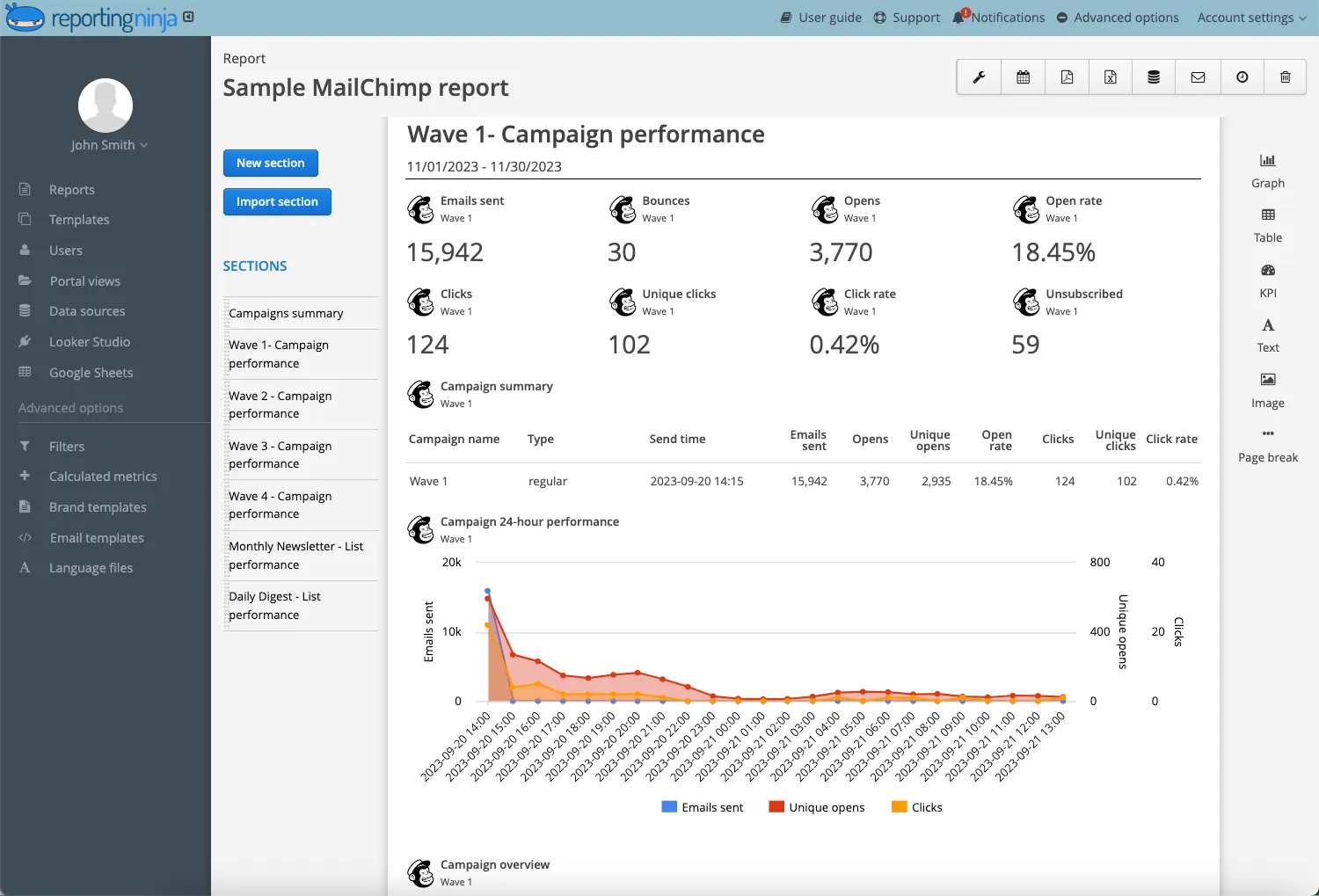
Data from each platform is pulled in a stable, consistent structure, making it easier to combine sources inside Reporting Ninja’s dashboards or Looker Studio reports. Marketers can blend Google Ads with Facebook, Compare SEO and PPC trends, or combine CRM and analytics data, all without manipulating spreadsheets or manually aligning fields.
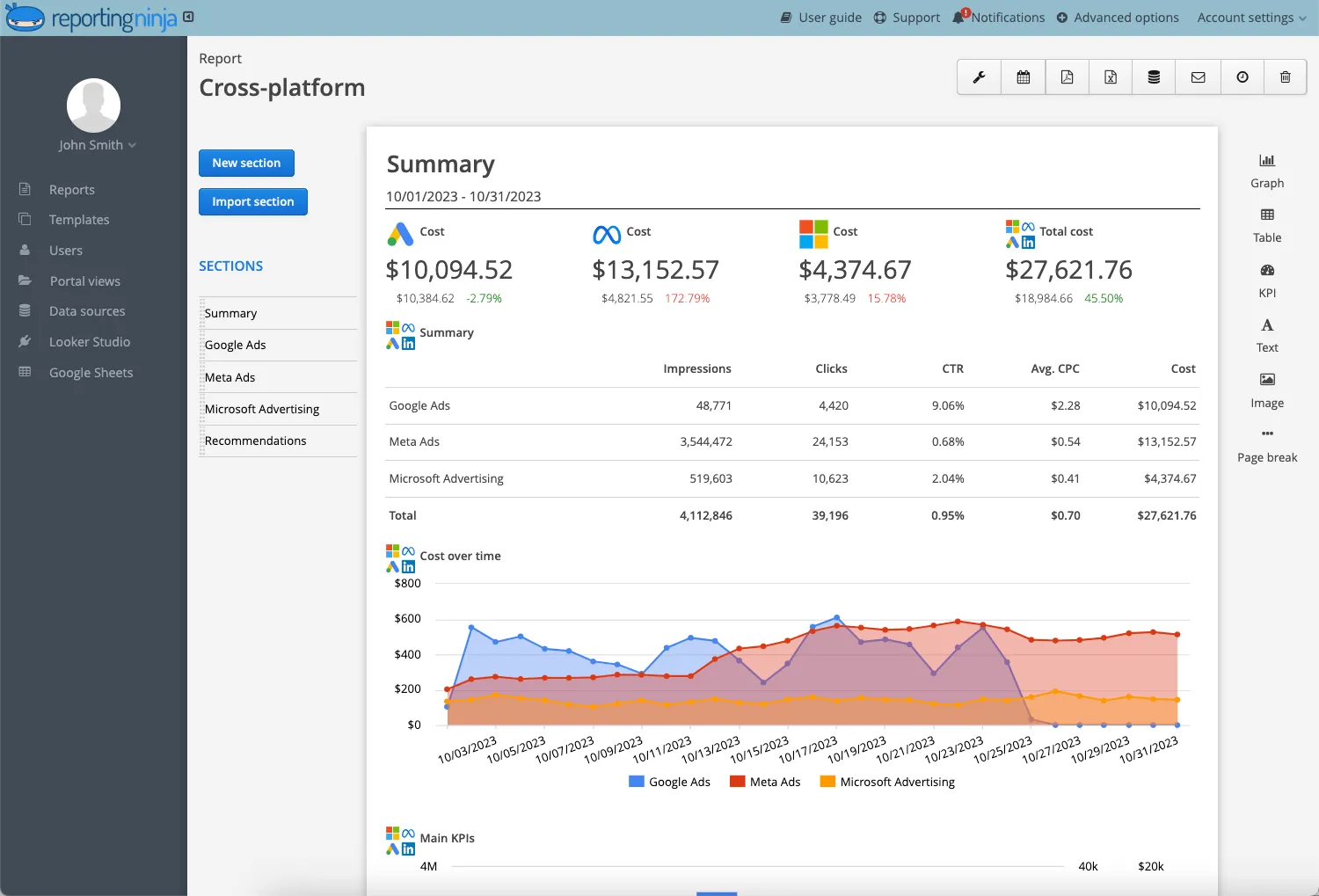
See how Reporting Ninja uses marketing API connections to automate executive dashboards across your marketing channels.
Once connected, Reporting Ninja routes data into Looker Studio, Google Sheets, and other reporting environments with automated refreshes. Teams can schedule recurring reports, share live dashboards, and keep stakeholders updated without rebuilding or re-exporting anything. This flexibility supports agencies, in-house teams, and consultants using different reporting stacks.
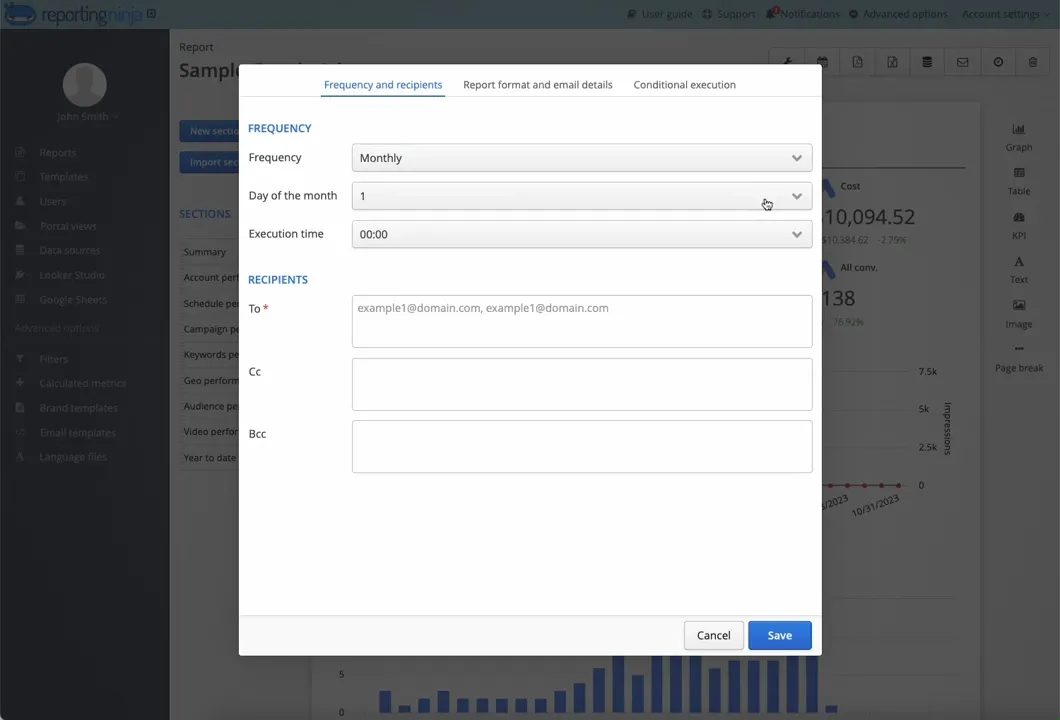
Reporting Ninja streamlines the entire reporting workflow, giving marketing teams a faster, more reliable way to unify performance data and deliver accurate insights at scale.
Manually compiling marketing reports? That’s costing you time and money.
Jumping between platforms, copy-pasting numbers, fixing errors—it’s inefficient and holding you back.
Reporting Ninja changes everything.
Instead of wasting hours on spreadsheets, you get automated, real-time reports pulled from Google Ads, SEO, email, and more—all in one place.
No more data silos. No more guesswork. Just clear insights that help you scale faster.
Less time wrestling with data. More time growing your business. Try Reporting Ninja now!
{{cta-block-v1}}
Sign up for a 15 days free trial. No credit card required.

Build and automate amazing custom reports in a few clicks. Save time, be more productive, impress your clients.