SEO automated reporting: How to create reports fast in 2026
Manolo Pereira
Contributor
Key takeaways
SEO automated reporting standardizes how data from tools like Google Search Console, GA4, and rank trackers is collected, structured, and delivered on a schedule.
The biggest impact is consistency: fixed KPIs, aligned date ranges, and comparable month-over-month performance.
Effective automation focuses on insights and decisions, not raw dashboards, highlighting what changed and what action to take.
Platforms like Reporting Ninja help centralize SEO data, apply reusable templates, and automate report delivery without adding workflow complexity.
If you’re still exporting data from multiple SEO tools every month, you’re wasting time and risking inconsistencies.
Proper SEO automated reporting solves this by turning scattered performance data into structured, recurring reports that update automatically.
This guide shows you how to build client-ready reports, what to track, and which tools scale best in 2026.
Why SEO reports fail without proper automation in place
Most SEO reports don’t fail because of tools. They fail because the reporting process itself is fragmented, manual, and unclear.
SEO data lives across too many platforms. Rankings, traffic, backlinks, and conversions sit in separate tools, which forces manual pulling, merging, and QA before a report is even readable.
Reports are built manually under time pressure. A MarketingProfs survey of 700+ marketers found that 24% of data-related time is spent gathering and preparing information, and 18% is spent presenting it in reports. Respondents estimated that up to 63% of this work could be partially or fully automated. Manual reporting drains time that should be used for analysis and strategy.
Stakeholders receive metric-heavy updates instead of insights. When reporting is rushed, numbers are exported and shared without explaining what changed, why it matters, or what action is required.
Goals and KPIs aren’t clearly defined. Without fixed definitions and consistent date ranges, reports drift over time. Comparisons break. Trust in the data weakens.
Automation helps, but only when reporting is first designed around clarity, consistency, and decision-making. Otherwise, it simply accelerates a broken process.
Problem SEO automated reporting solves
SEO automated reporting removes repetitive work and turns raw data into consistent, decision-ready updates.
Time leakage from manual reporting
SEO teams repeatedly pull data from GSC, GA4, rank trackers, and backlink tools.
This work happens every week or month, often under deadline pressure.
Automation eliminates repeat exports and formatting so time goes into analysis instead of assembly.
Inconsistent metrics and broken comparisons
Manual reports often change KPIs, filters, or date ranges without notice.
That breaks trend analysis and erodes trust in the data.
Automated reports enforce fixed definitions, making month-over-month and year-over-year comparisons reliable.
Low-impact reports that don’t drive action
Many SEO reports show numbers but hide what changed.
Automation surfaces trends, deltas, and performance shifts over time.
This makes reports easier to understand for non-SEO stakeholders and more useful for decisions.
Once these problems are fixed, the next step is straightforward: define your KPIs, connect your data sources, and automate a template you can reuse across clients.
How to create automated SEO reports for clients easily
Automated SEO reporting only works when the setup is structured correctly. Follow these steps to build consistent, client-ready reports from metrics to delivery.
Step
Purpose
Define SEO goals and KPIs
Decide what success looks like before building reports
Choose reporting tools
Select tools that connect all required SEO data
Connect and validate data
Ensure sources are accurate and aligned
Design the report layout
Make reports easy to read for non-SEO stakeholders
Automate generation and delivery
Schedule reports to run and send automatically
Customize by client or use case
Adjust views without rebuilding reports
Review and refine regularly
Improve reports as goals and strategies change
Step #1: Define key SEO metrics and KPIs
Start with business outcomes, not tool metrics. Traffic alone isn’t enough.
Align KPIs to goals like lead volume, revenue contribution, or keyword visibility.
Lock definitions early so metrics don’t shift between reports.
Pro Tip:Fewer KPIs make trends easier to spot and explain.
Avoid setups that rely on manual exports or fragile spreadsheets.
Platforms like Reporting Ninja centralize these integrations inside a single reporting workspace, making automation easier to manage at scale.
Step #3: Connect and validate data sources
Check date ranges, filters, and attribution models before automating.
Validate numbers against native tools to catch mismatches early.
Pro Tip:Test one full reporting cycle manually before turning automation on.
Step #4: Design a clear, stakeholder-friendly report template
Lead with outcomes, then supporting metrics.
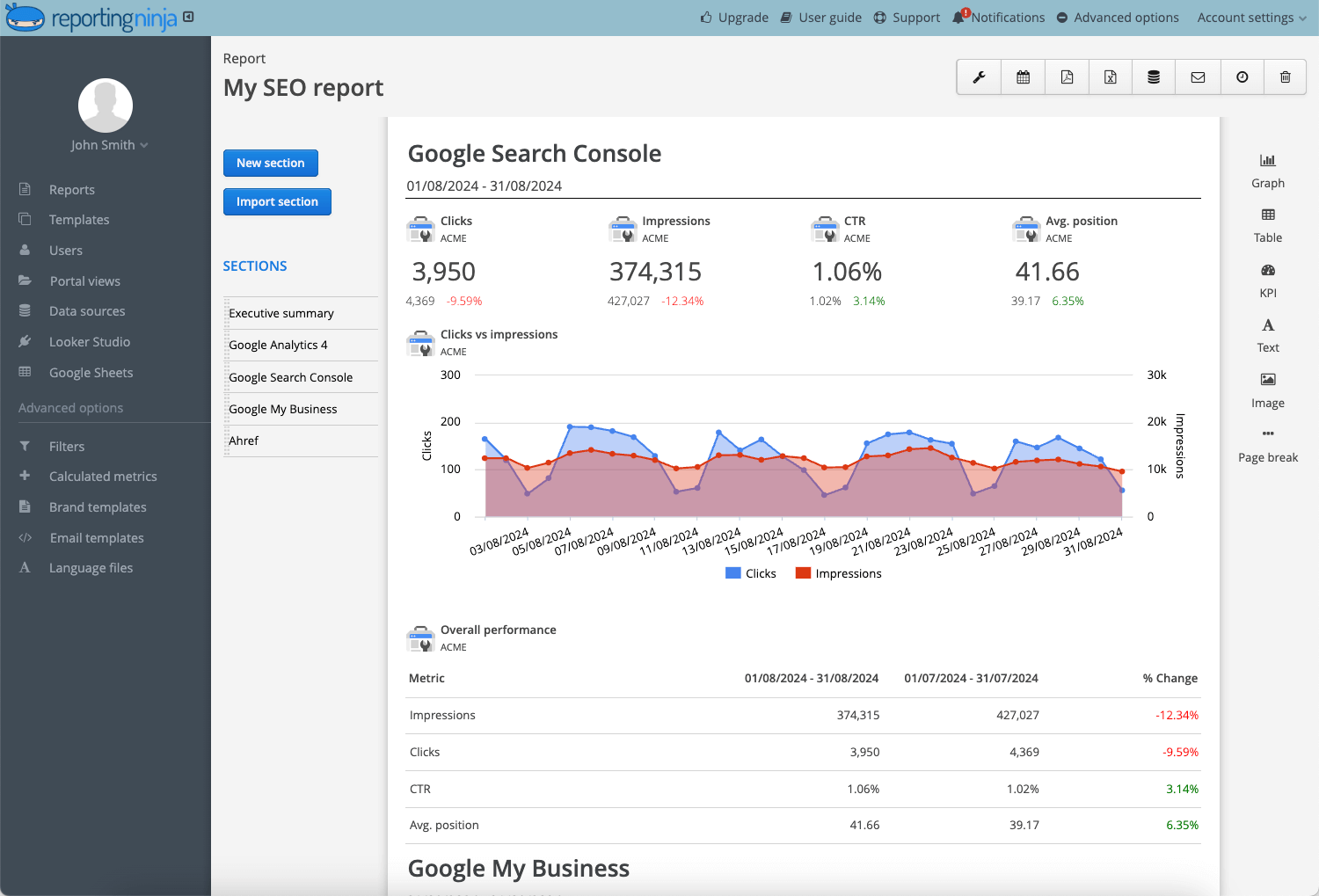
Use simple charts or a custom SEO dashboard to show change over time, not dense tables.
Separate executive summaries from detailed SEO views to avoid overload.
{{cta-block-v1}}
Step #5: Automate report generation and delivery
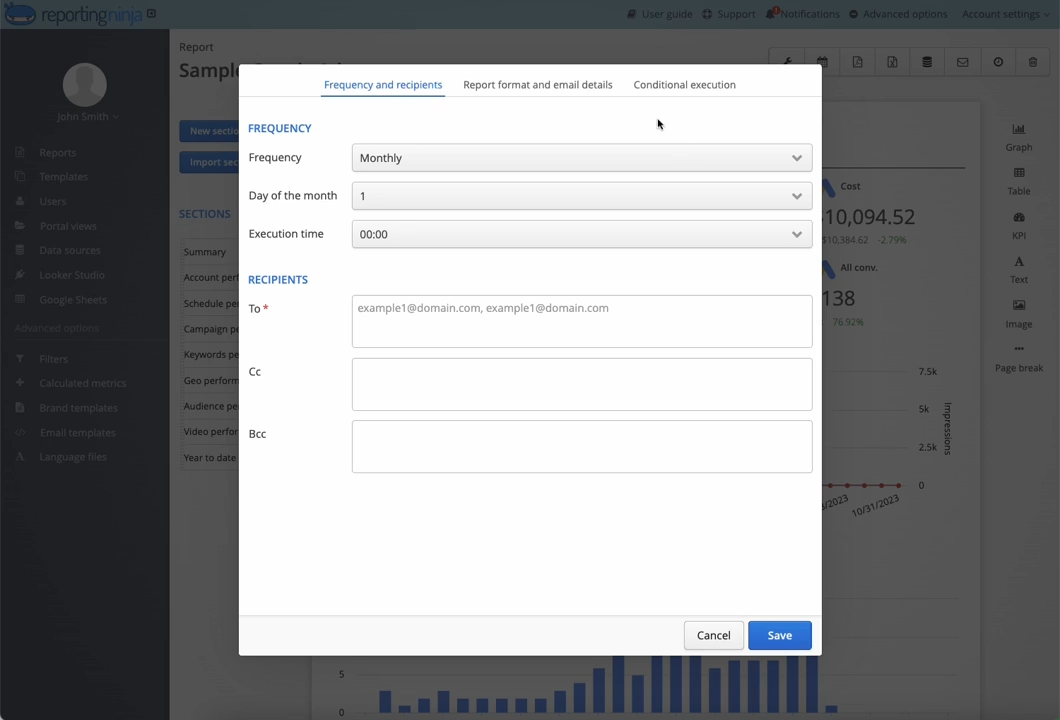
Schedule reports weekly or monthly based on decision cycles.
Automate delivery via email or shared links so reports don’t get lost.
Reporting Ninja allows scheduled generation without rebuilding reports each period.
Pro Tip:Align report frequency with decision cadence. Weekly reports work for active campaigns; monthly reporting fits strategic reviews.
Schedule reports, reuse templates, and deliver consistent updates without manual work. Start automating with Reporting Ninja.
Step #6: Customize reports for different clients or use cases
Agencies often need similar structures with client-specific views.
Use templates with adjustable filters instead of duplicating reports.
This keeps setup time low while preserving consistency.
Step #7: Review, test, and refine over time
Review reports quarterly to ensure KPIs still match goals.
Remove metrics that don’t influence decisions.
Pro Tip:Ask stakeholders what they act on, then design reports around that.
Top SEO reporting automation tools and software in 2026
Here’s a side-by-side look at three SEO reporting tools commonly used for automation, with a focus on reporting flexibility, data coverage, and scalability.
Tool
Best for
Pricing (starting)
Reporting Ninja
Agencies and in-house SEO teams
From $20/month
AgencyAnalytics
Small SEO agencies
From $239/month
Databox
Marketing teams with mixed channels
From $199/month
Reporting Ninja
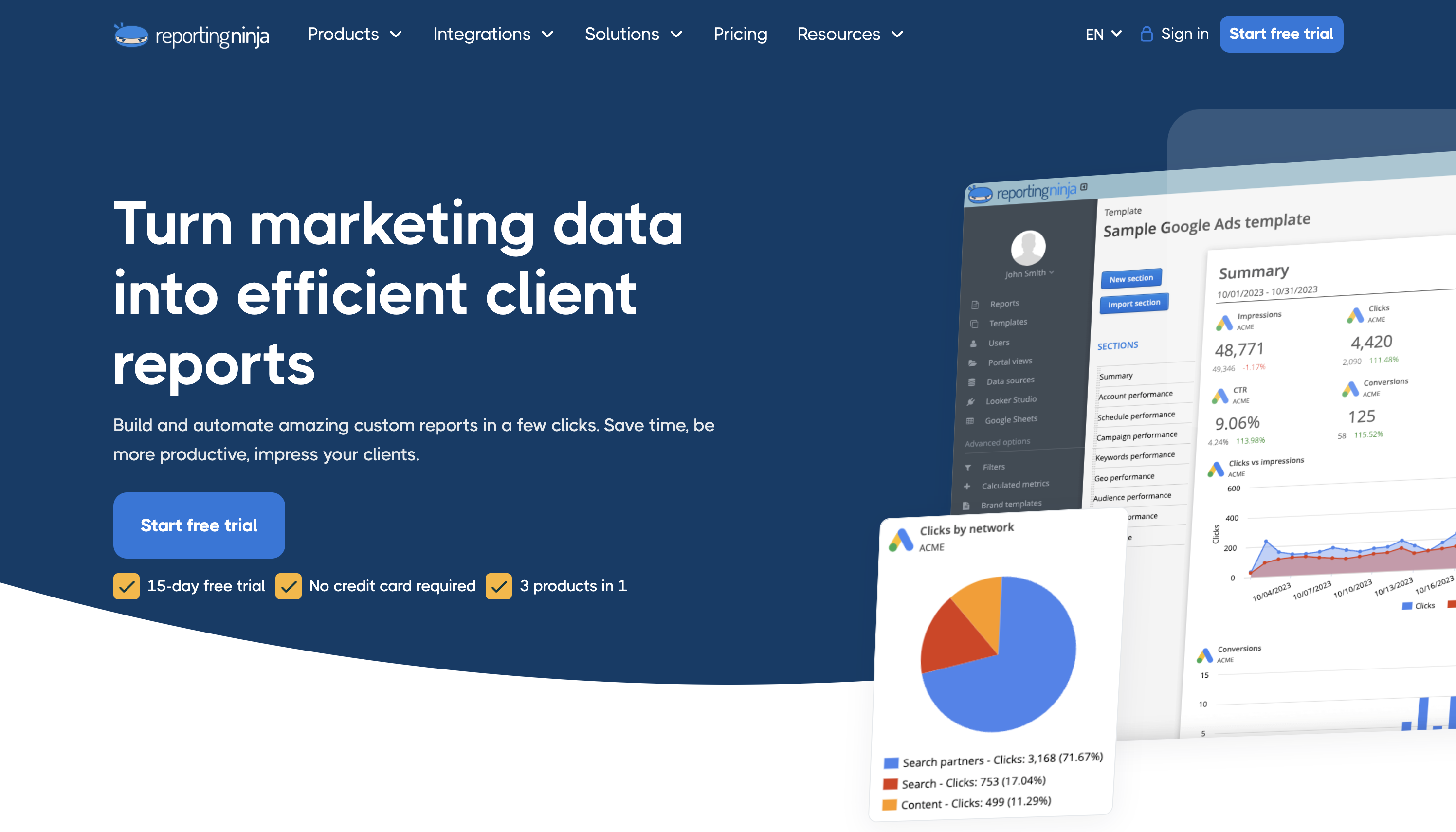
Reporting Ninja focuses on end-to-end automated reporting for marketing teams that want reliable, repeatable outputs without enterprise complexity. It centralizes common marketing sources, provides reusable client-ready templates, and schedules report generation and delivery so teams stop rebuilding reports every month.
Not an enterprise BI platform - fewer advanced modeling and governance features.
Who it’s best for
Freelancers, small agencies, and lean in-house teams that want fast, repeatable SEO reports without enterprise overhead.
See how Reporting Ninja centralizes your data, standardizes templates, and automates delivery in one streamlined workflow: Explore the SEO reporting tool or view pricing plans.
{{cta-block-v1}}
AgencyAnalytics
AgencyAnalytics combines SEO reporting with basic monitoring features, which suits smaller agencies managing a limited number of clients.
Key features
Rank tracking and SEO monitoring included
Client-facing dashboards
Pricing
Starts around $239/month for 10 clients, increasing with scale.
Pros
All-in-one for small client lists
Built-in SEO tracking
Cons
Costs rise quickly with more clients
Less flexible reporting layouts
Who it’s best for
Small agencies that want rank tracking plus reporting in one tool and that manage a modest number of clients.
Databox
Databox focuses on multi-channel performance reporting rather than SEO-specific workflows, which can add setup overhead for SEO teams.
Key features
Broad marketing integrations
Real-time dashboards
Pricing
Starts around $199/month, with higher tiers for advanced analytics and deeper insights.
Pros
Strong cross-channel visibility
Good for executive dashboards
Cons
SEO reports require more manual configuration
Automation depth depends on plan level
Who it’s best for
Teams that must combine SEO with paid, CRM, and revenue metrics in one place for high-level visibility.
How to choose the right automated SEO reporting tool
The right tool should reduce manual work, keep metrics consistent, and scale without adding reporting overhead.
Feature to consider
Why it matters
How Reporting Ninja supports it
Data source coverage
Fewer gaps mean fewer manual fixes
Connects core SEO tools in one reporting layer
Report flexibility
Rigid templates limit insight
Reusable templates with dynamic filters
Automation and delivery
Reports should run without follow-ups
Scheduled generation and delivery built in
#1: Data source coverage and reliability
A reporting tool is only as good as the data it can pull. SEO reporting usually spans GSC, GA4, rank tracking, and backlinks. Gaps force manual work and break consistency. Reporting Ninja focuses on direct connections to common SEO sources, reducing the need for exports or workarounds.
#2: Report flexibility without rebuilds
Many tools lock you into fixed layouts or duplicate reports for each client. That doesn’t scale. Look for flexible templates that can be reused with filters. Reporting Ninja lets teams adjust views per client or use case without rebuilding reports from scratch.
#3: Automation, scheduling, and delivery
Automation should cover the full workflow, not just dashboards. Reports need to generate, refresh, and send automatically. Reporting Ninja supports scheduled reporting so updates arrive on time, without manual checks or reminders.
Automate the entire reporting workflow, not just the dashboard. Start scheduling SEO reports with Reporting Ninja.
{{cta-block-v1}}
Examples of different types of SEO reports you can automate
Automated SEO reporting works best when it supports recurring reviews, clear trends, and repeatable decisions.
Monthly SEO performance report
This report tracks organic traffic, conversions, and keyword visibility over time. Automation ensures each month uses the same metrics and date ranges, making trends easy to spot without manual setup.
Keyword ranking report
Automated ranking reports monitor keyword movement across locations and devices. Instead of manual exports, teams get consistent updates that highlight gains, drops, and overall visibility changes.
Technical SEO audit report
This report surfaces crawl issues, indexation errors, and page health metrics. Automation helps teams track recurring technical problems and confirm whether fixes actually improved performance.
Backlink analysis report
Automated backlink reports monitor new, lost, and high-risk links over time. This keeps link profiles visible without manual checks and supports faster response to link quality changes.
Automate the reports you run every month so the work shifts from assembling data to making decisions. Start with one repeatable report, lock the KPI definitions, automate the template and delivery, then scale templates across clients.
Stop wasting hours on manual reports – start automating with Reporting Ninja
Manual SEO reporting consumes time that should be spent on analysis and strategy. Automation replaces repetitive exports with consistent, scheduled reports that highlight what changed and what action to take.
If your team is still rebuilding the same report every month, it’s time to streamline the workflow.
See how Reporting Ninja simplifies SEO reporting with reusable templates, centralized data, and automated delivery.
By clicking “Accept”, you agree to the storing of cookies on your device to enhance site navigation, analyze site usage, and assist in our marketing efforts. View our Privacy Policy for more information.