SEO
February 12, 2026
How to create SEO reports for your clients in 2026 (+ examples)



Most SEO reports overwhelm instead of clarify. If you’re wondering how to create SEO reports for your clients in 2026, the answer is simple: focus on business impact, not raw data.
This guide shows you how to build SEO reports that are easy to scan, easy to understand, and hard to argue with.
Regular SEO reporting isn’t just about transparency. It directly affects trust, retention, and how long clients stay with you.
When reports are clear and consistent, clients understand what they’re paying for and why it matters. When they’re not, confidence drops fast. In a Forbes Agency Council roundup, lack of transparency and unclear reporting were cited as common complaints clients have about past agency partners.
Well-structured SEO reports help agencies:
If you don’t control the story in your report, clients fill in the gaps themselves. The fix is simple: fewer metrics, more meaning.
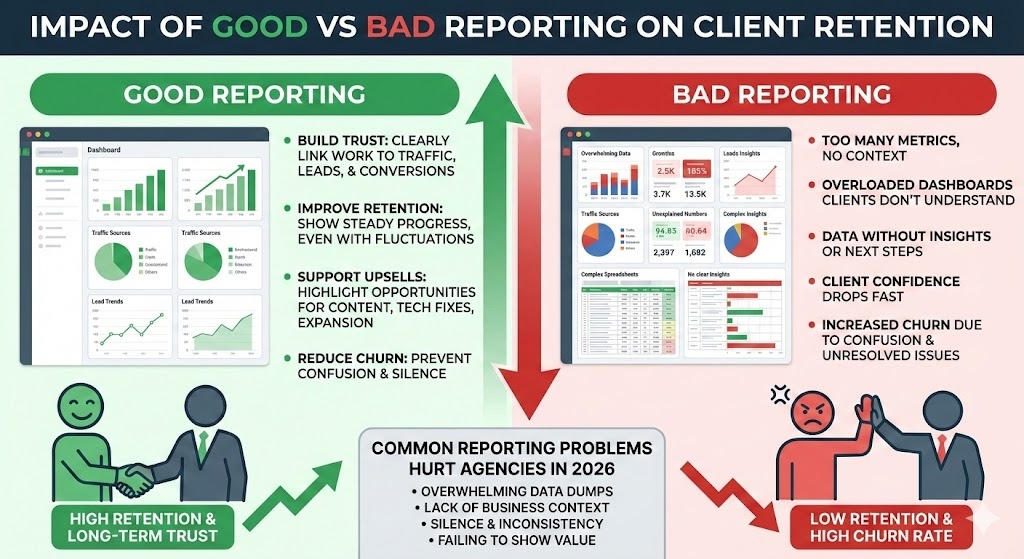
Clients don’t want every SEO metric. They want clear signals that show growth, impact, and whether the work is paying off.
A clear, repeatable process keeps reports focused, consistent, and easy for clients to understand.
Start with one question: what does the client need to understand this month?
Every metric should support that objective. If it doesn’t? Remove it. A goal-led report stays focused and reduces follow-up calls.
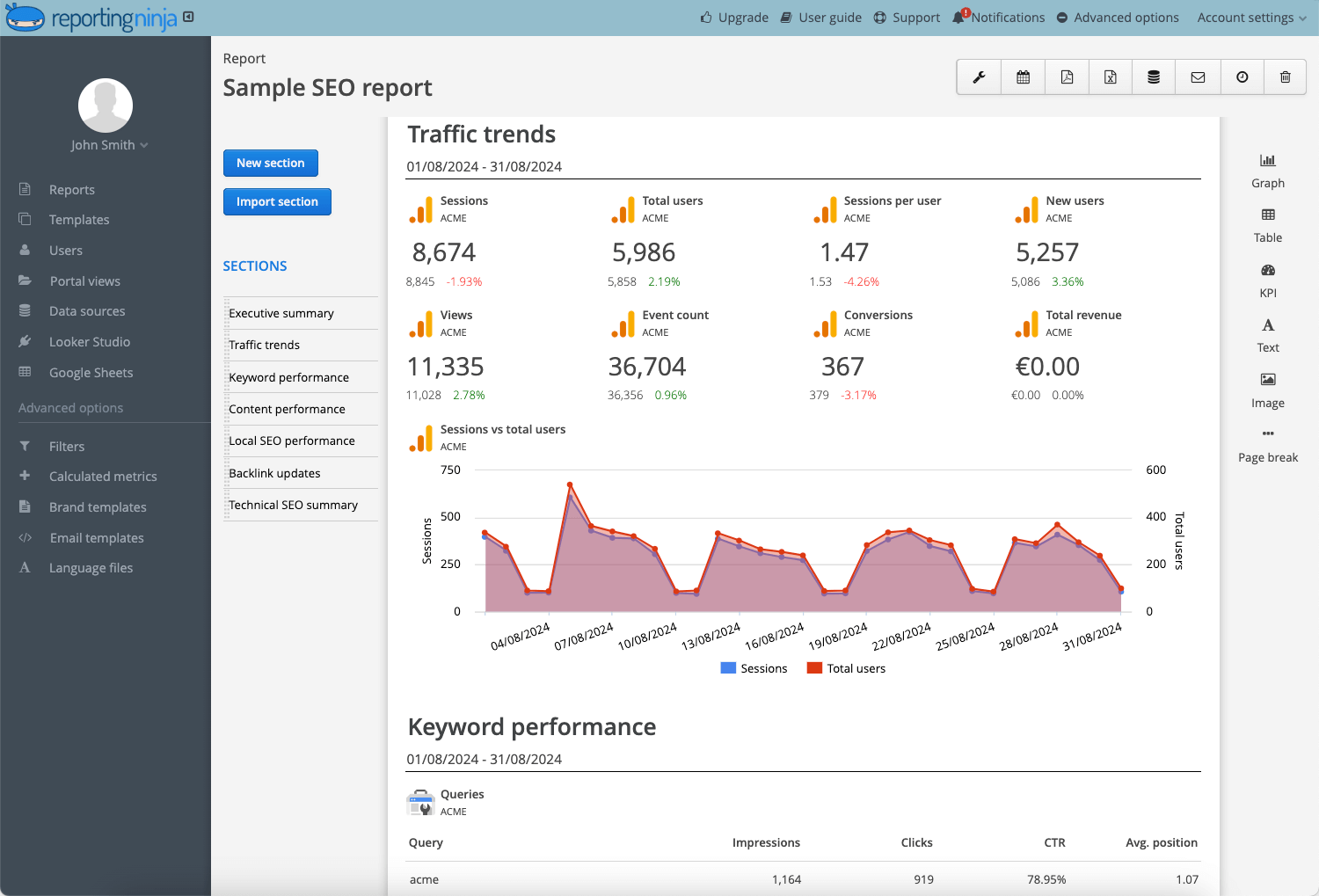
Tools like Reporting Ninja can standardize report structures across clients for faster delivery, and let you set up a custom SEO dashboard to see all your key metrics in one place.
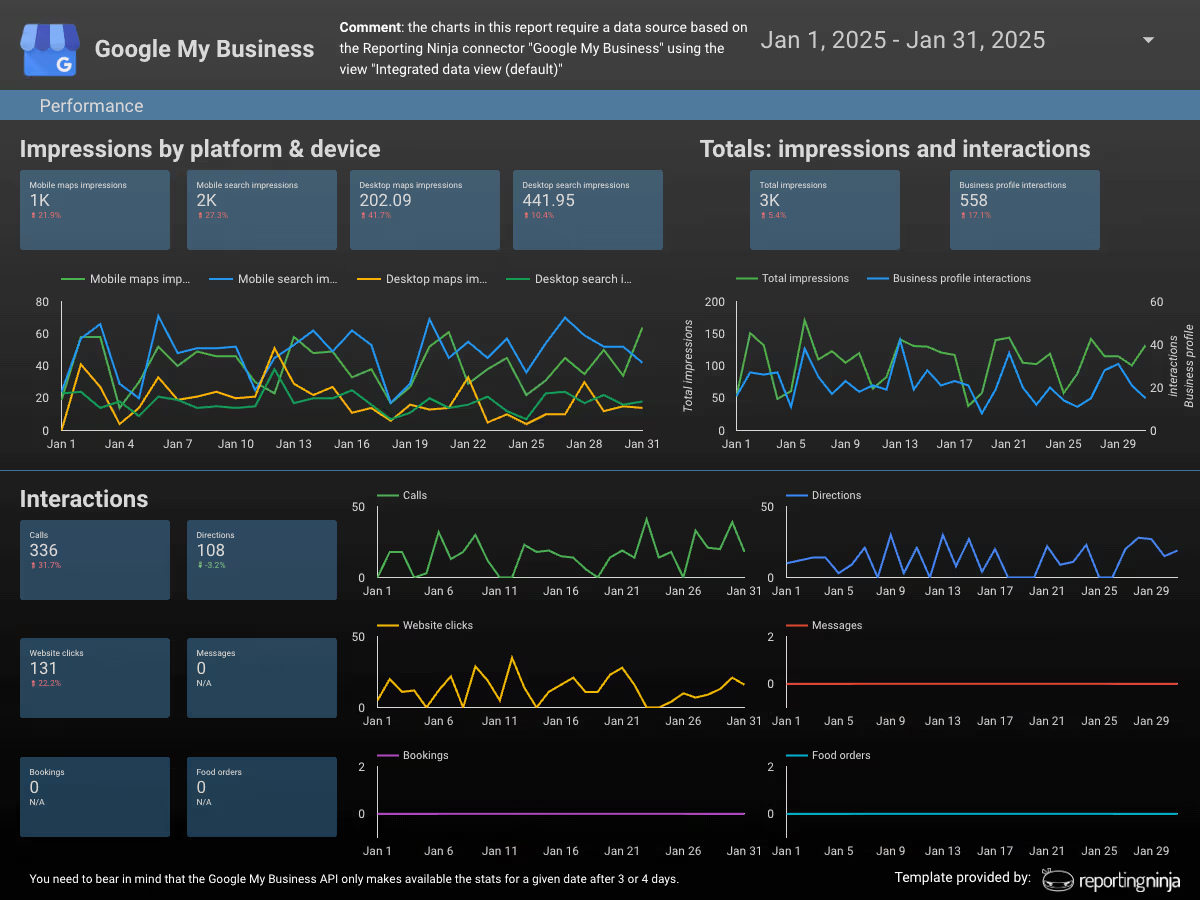
Select metrics tied directly to business outcomes.
Avoid vanity data. If a metric doesn’t influence a decision, exclude it.
Tools like Reporting Ninja make it easier to keep KPIs consistent across clients by using repeatable templates and automated reporting.
Metrics without context create confusion. Numbers go up or down, but clients want to know why. Add brief context for every major shift.
Clarify:
Examples include algorithm updates, new content, technical fixes, or seasonality. Keep explanations short and factual.
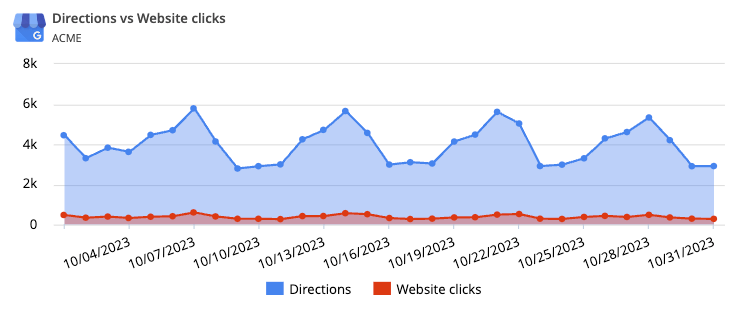
After presenting the metrics, summarize what they mean in plain language. Focus on patterns, trends, and implications, not individual data points.
After each section, summarize:
Limit each section to 1–2 key insights. Avoid repeating numbers already visible in charts.
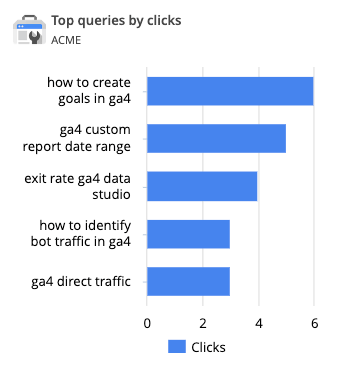
A report without recommendations feels incomplete. Clients want to know what happens next.
Every report should end with action.
Add 1–2 specific recommendations per section, for example:
Tie each action directly to the data shown.
Clients expect consistency. If reports arrive late or change format every month, confidence drops. A predictable schedule and layout makes reports easier to follow and easier to compare over time.
Consistency builds trust.
Predictable delivery reduces friction and improves comparison over time.
Tools like Reporting Ninja automate scheduling and ensure reports go out on time, every time.
{{cta-block-v1}}
Many SEO reports fail for the same reasons: they focus on data delivery instead of understanding.
The most common mistakes include:
You’ll often see this frustration echoed in agency communities:

A simple way to spot these issues is to ask: would a non-SEO stakeholder understand this in five minutes?
Clear examples help set expectations and show what “good” reporting looks like in practice. Below are three common report formats clients understand quickly, especially when paired with before-and-after comparisons. These SEO report examples show what an effective SEO report can look like in practice.
This report summarizes overall progress at a glance. It focuses on organic traffic, conversions, and key changes since the last month. A simple comparison to the previous period helps clients see momentum without digging into details.
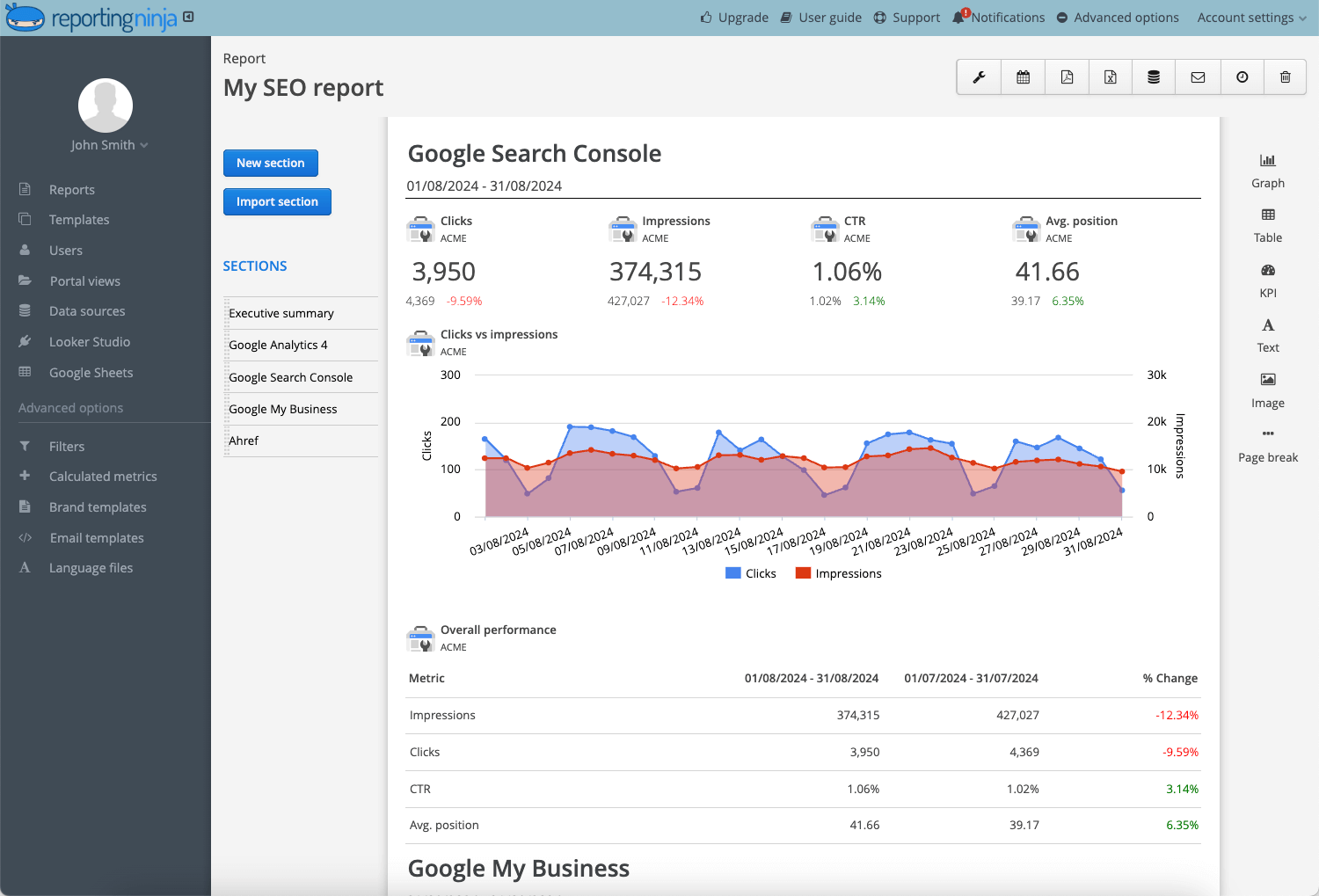
This report tracks priority keywords over time. Instead of listing every ranking, it highlights net gains, losses, and keywords close to page one. A before-and-after view makes progress easy to understand.

This report shows how authority is growing. It compares new backlinks gained this period versus the last, with context on link quality. Clients quickly see whether link-building efforts are paying off.
Manual SEO reporting doesn’t scale. As client lists grow, automation becomes essential for speed, consistency, and accuracy.
Below is a high-level comparison of popular client reporting tools used by agencies in 2026.
Reporting Ninja is built specifically for client reporting. It focuses on turning SEO data into reports clients actually understand, without heavy setup or ongoing maintenance.
Key features:
Pricing:
Pros:
Cons:
Who it’s best for:
See what a client-ready white label SEO report looks like using Reporting Ninja's templates.
What clients like
See how Reporting Ninja simplifies client SEO reporting, or explore templates built for growing agencies. Start your free trial now.
{{cta-block-v1}}
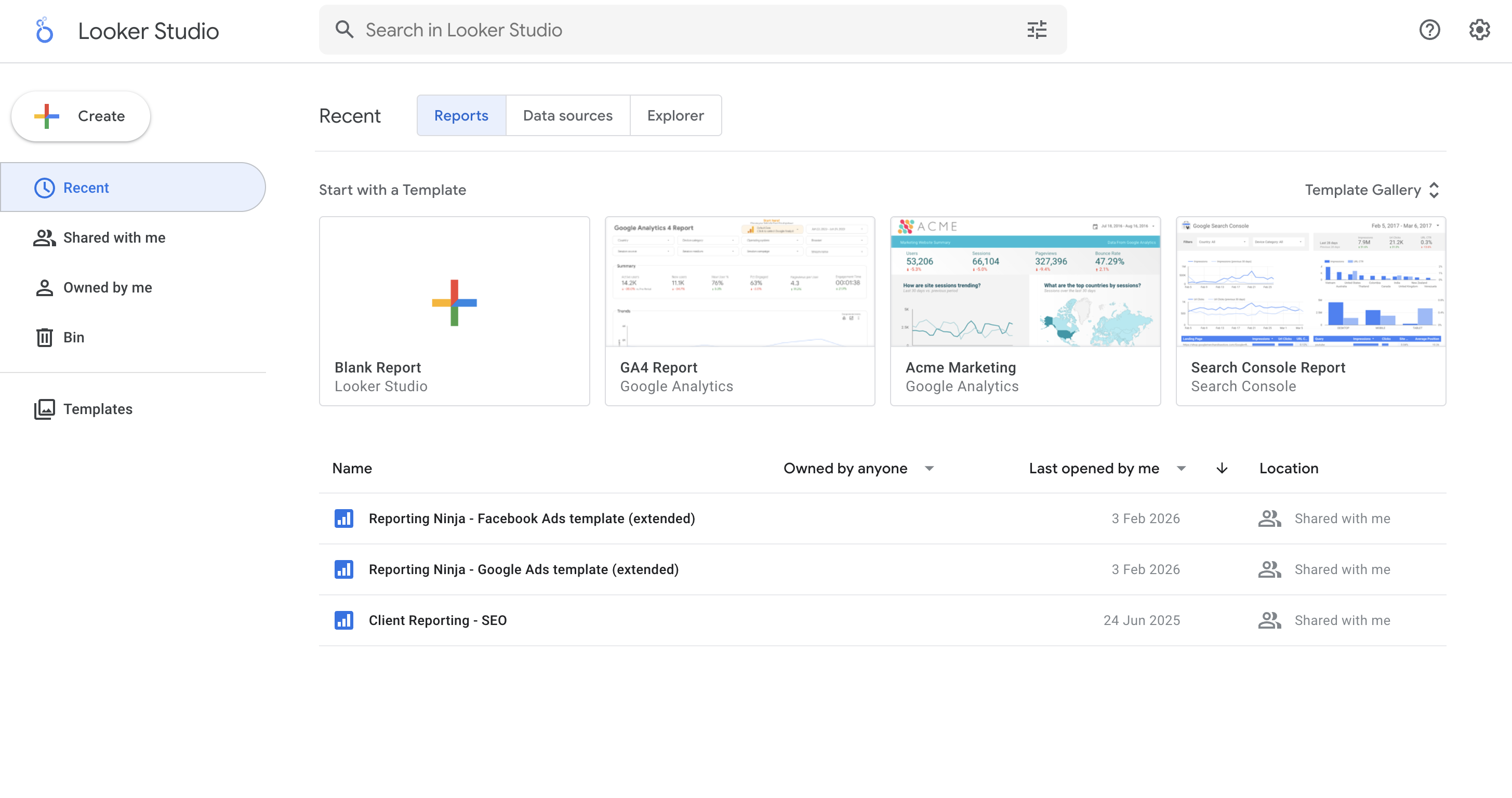
Key features:
Pricing:
Pros:
Cons:
Who it’s best for:
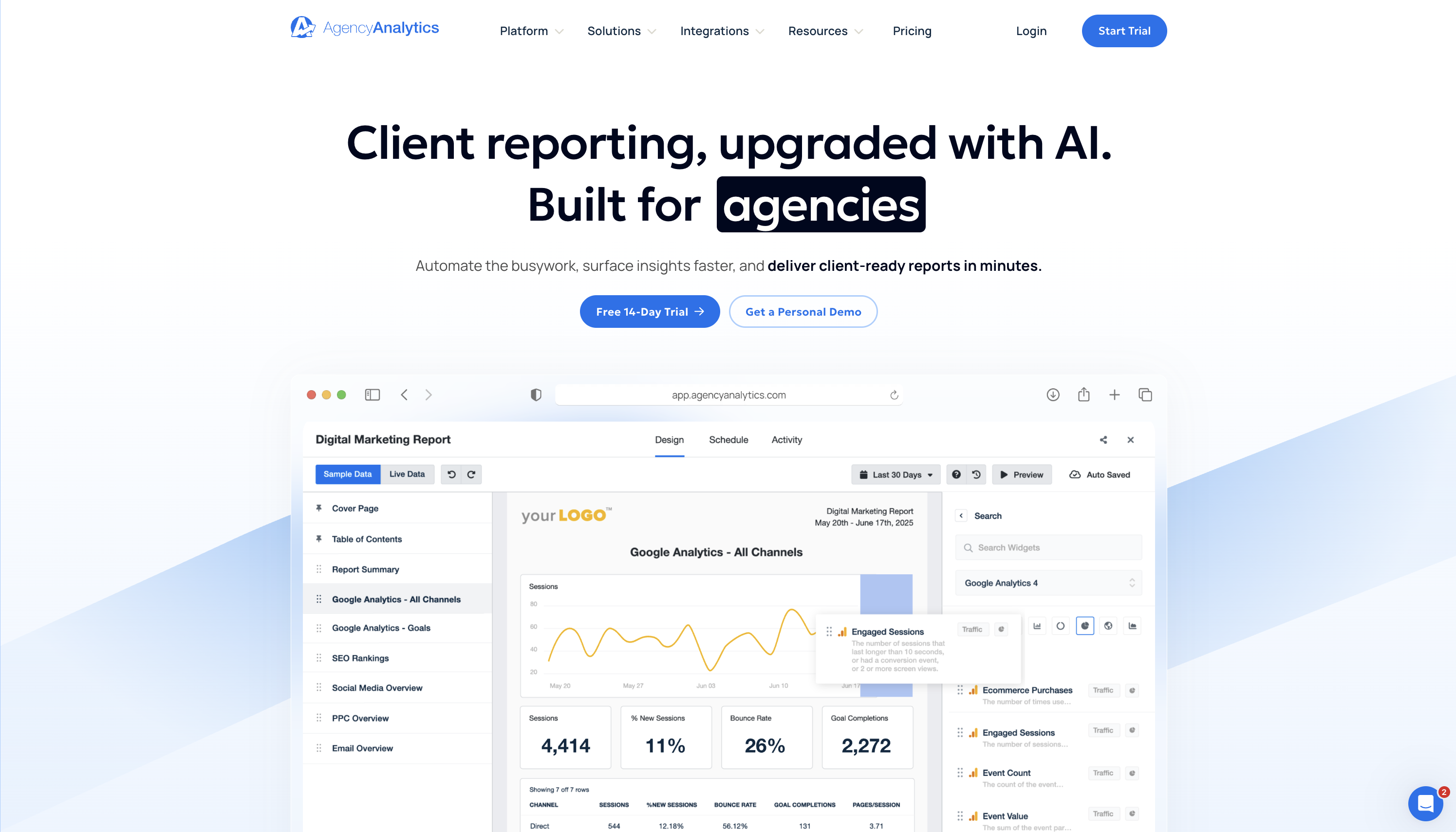
Key features:
Pricing:
Pros:
Cons:
Who it’s best for:
Good SEO reports don’t just inform. They guide decisions, and using the best tools for SEO report creation can make adding insights and recommendations effortless.
Use these practices to make reports easier to act on:
When reports connect insights to actions, client conversations shift from “what happened?” to “what should we do next?”
Clear SEO reporting builds trust, but doing it manually every month doesn’t scale.
Reporting Ninja helps you connect your SEO data, use ready-made templates, and automate delivery so reports stay consistent and easy to understand.
Instead of formatting dashboards, you can focus on insights and strategy.
{{cta-block-v1}}
An SEO report is a summary of SEO performance that explains traffic, rankings, and conversions in a way clients can understand and act on.
Monthly. It gives enough data to show trends without overwhelming clients or creating unnecessary noise.
Use a consistent structure, focus on business-impact metrics, and add clear explanations and next steps alongside the data.
Share it as a link or PDF via email, with a short summary of key takeaways and recommended actions.
It depends. Standalone reports are often priced as a one-off, while ongoing reports are usually bundled into a monthly SEO retainer.
Sign up for a 15 days free trial. No credit card required.

Build and automate amazing custom reports in a few clicks. Save time, be more productive, impress your clients.