Analytics
January 6, 2026
Dashthis pricing plans in 2026: is it worth it & top alternative


DashThis is popular for a reason: it helps you build client-ready marketing dashboards fast. But pricing is where many teams hesitate - especially once you start managing multiple clients and need more dashboards.
So, is DashThis worth it in 2026?
For agencies that want ready-made templates and a simple reporting workflow, it may well be. For teams that need more pricing control as they scale, there are stronger alternatives.
In this guide to DashThis pricing plans in 2026, you’ll see what each plan costs, what you actually get, the common hidden cost triggers, and a clear comparison to Reporting Ninja.
DashThis pricing is based on dashboard count, not users, integrations, or data sources. Every plan includes unlimited users, unlimited integrations, and unlimited data sources, so the main question is how many dashboards you need (many teams build one per client).
Example-in-action:
If you manage 10 clients and build one dashboard per client, you’re already at the Professional tier (10 dashboards). Add one extra dashboard per client for a second brand or a channel split (PPC + SEO), and you can quickly push past 20 dashboards, making the Business tier the realistic next step.
Here’s the current DashThis pricing in 2026 (monthly vs. yearly billing).
DashThis pricing is sticky in one direction: it’s easy to upgrade as you add dashboards, but harder to downgrade without deleting reporting history.
If you regularly onboard and offboard clients, plan for peak dashboard usage rather than your average month. This avoids frequent plan changes and makes costs easier to forecast over time.
Reporting Ninja is a strong alternative if you want more predictable reporting costs while still covering the core needs: client-ready dashboards, automated delivery, and multi-channel marketing reporting.
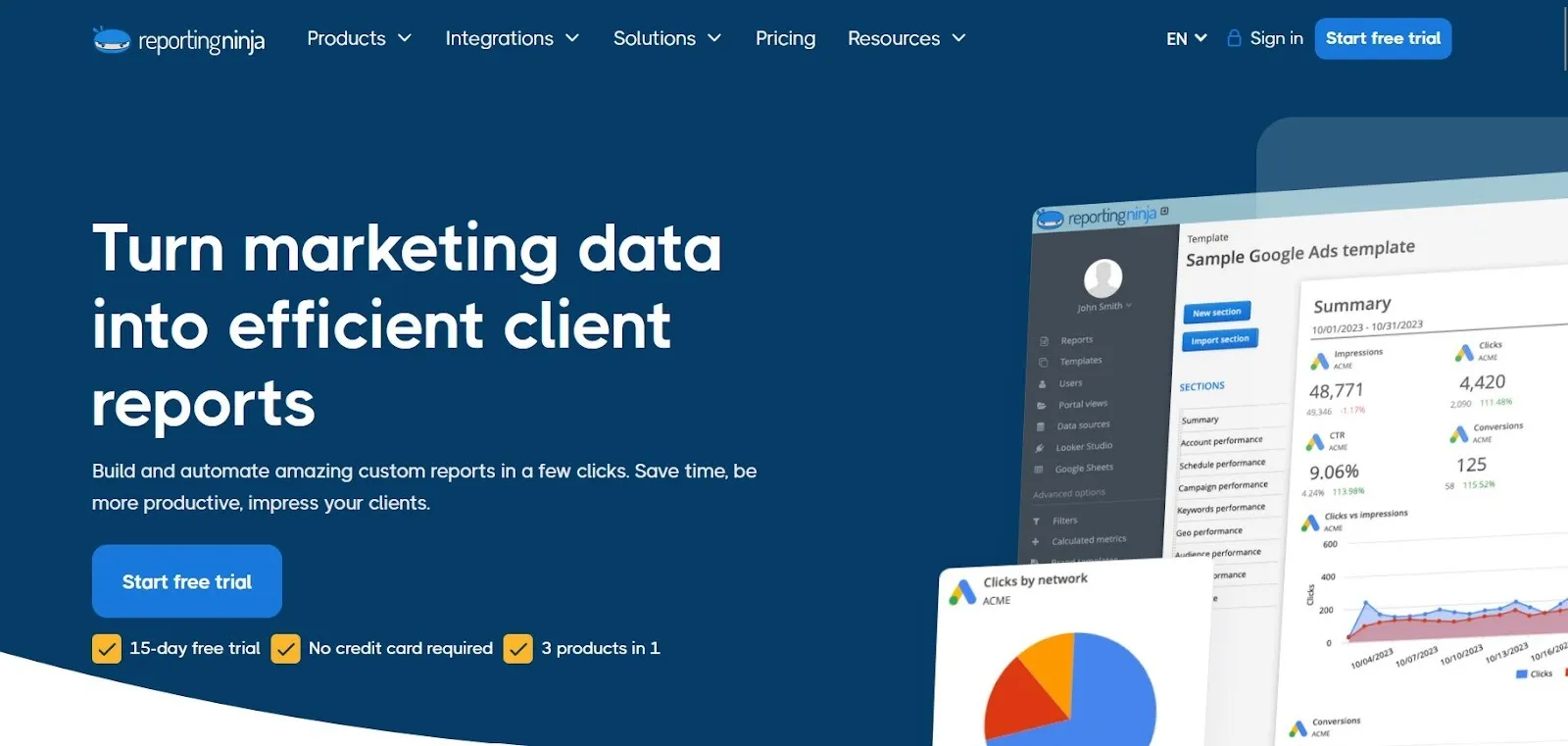
Key differences that matter if you’re comparing it to DashThis:
If DashThis pricing starts to feel restrictive as your client list grows, this is a good time to compare workflows side by side. Try Reporting Ninja free for 15 days and see how its pricing and reporting structure fit your needs.
{{cta-block-v1}}
DashThis pricing scales mainly with dashboard volume, while higher tiers unlock branding and workflow features. Costs vary by reporting setup and client delivery needs, not team size.
DashThis is priced by how many dashboards you can create. Most agencies end up building dashboards per client (or per client + channel), so dashboard count often grows faster than expected.
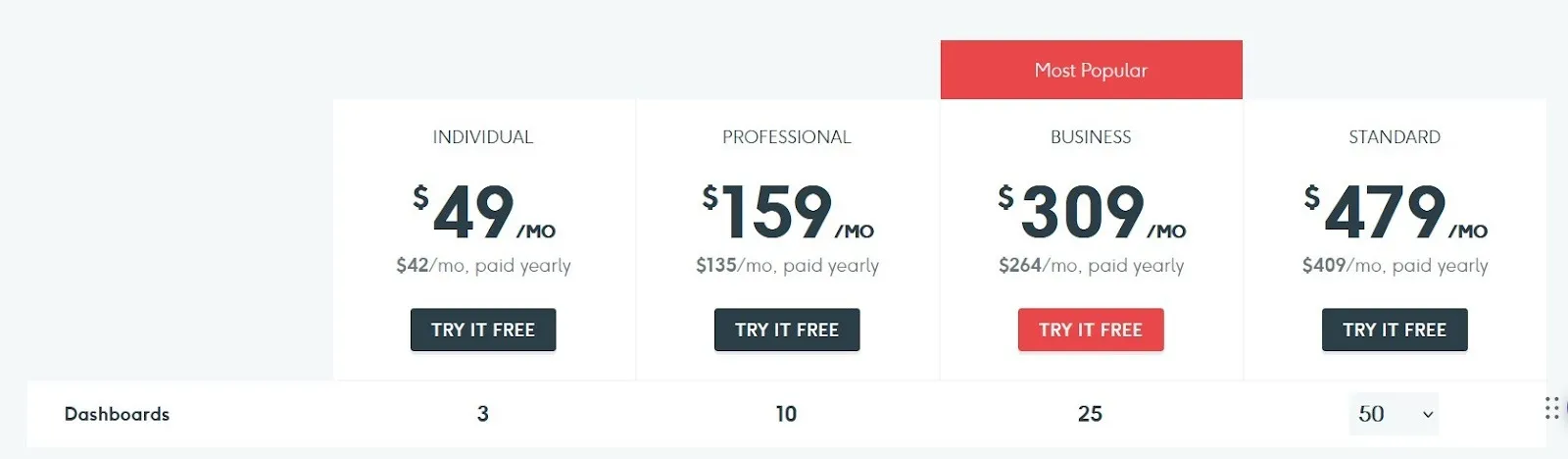
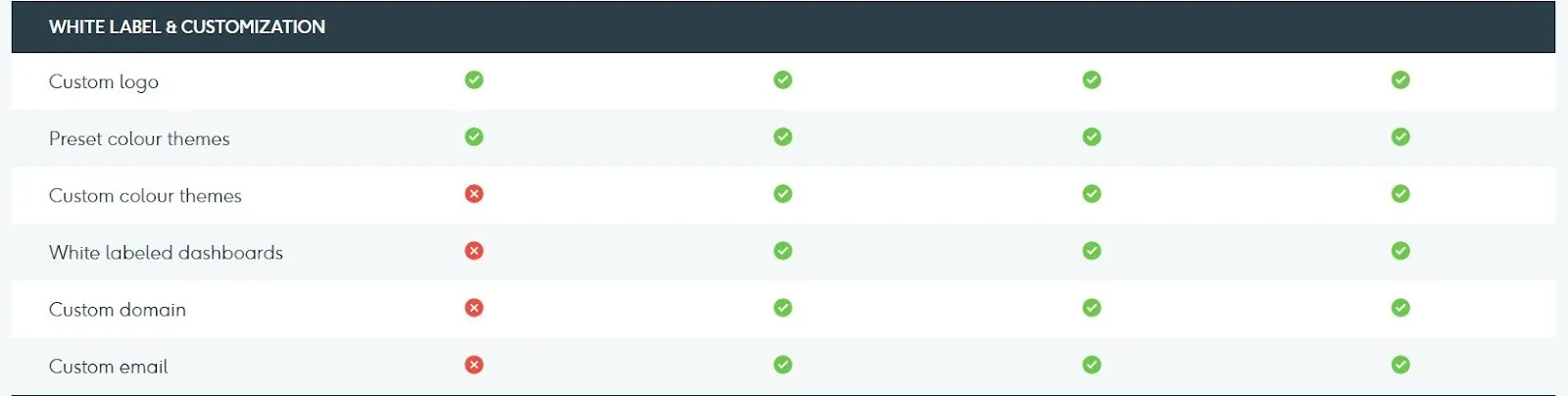
DashThis puts a lot of emphasis on branded reporting, positioning itself as a white label marketing tool for agencies that want to deliver reports under their own brand. Depending on your plan, this can include things like client-friendly branded dashboards, logos/brand styling, and custom domains (so reports can live on your own URL instead of DashThis’s).
DashThis is designed to help teams reuse reporting structures across clients. Templates and cloning reduce setup time and make it easier to run a repeatable monthly reporting process. This is one of the main reasons agencies stick with it, even when pricing climbs.
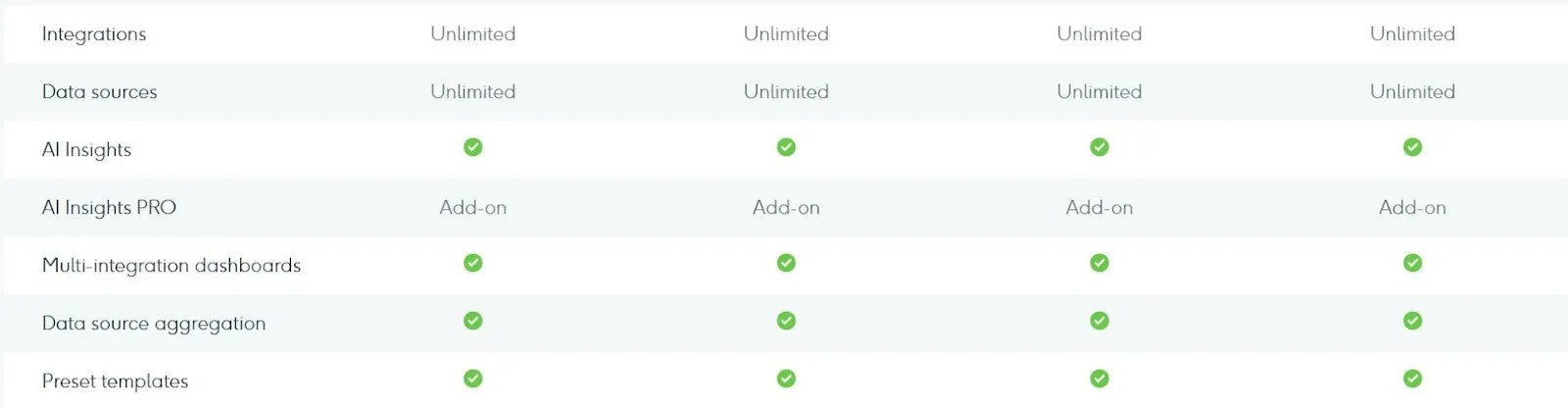
Most teams don’t just build dashboards; they need to deliver them on a schedule. DashThis supports automated reporting workflows (for example, sending reports on a weekly or monthly cadence), which is a key driver for adoption in agency environments.

Some teams don’t need one dashboard per client login. If reports are mainly delivered as scheduled PDFs or links, a single dashboard can sometimes serve multiple stakeholders with filters or scheduled variants.
Clarifying how clients consume reports (live dashboards vs. scheduled delivery) can materially reduce dashboard count — and delay the need to move into higher pricing tiers.
DashThis is simple on paper because you’re mainly paying for dashboard volume. The “hidden costs” usually show up when your reporting setup grows faster than your plan.
Common cost triggers to watch for:
DashThis is built for fast, repeatable marketing reporting. The tradeoff is that pricing can climb quickly once you need more dashboards or advanced client-facing controls.
If the pros match how you report today but the pricing tradeoffs raise concerns, it’s worth comparing alternatives. Test Reporting Ninja to see whether its pricing model and reporting flexibility better support your workload.
{{cta-block-v1}}
DashThis is best for teams that want fast, standardized marketing dashboards and don’t mind paying more as dashboard needs grow. It’s most attractive when client delivery and repeatable reporting matter more than deep customization.
If you run monthly or weekly reporting for several clients and want a consistent format, DashThis fits well. Templates and cloning help you move faster, and the dashboards are polished enough to share directly with clients.
DashThis works well when you need to pull performance views across multiple channels and share them internally. Since users aren’t the pricing driver, it’s also a solid fit if multiple stakeholders need access to dashboards.
If reporting is part of your service and you want a “done-for-you” dashboard structure, DashThis is a strong option - especially if you work with a small number of clients and can stay within a lower dashboard tier.
If your reporting workflow is template-driven and you mainly need polished dashboards you can deliver on a repeatable cadence, DashThis is a solid fit. Just make sure your dashboard count will stay predictable as you add clients, brands, or channel views because that’s what will ultimately determine how affordable it remains over time.
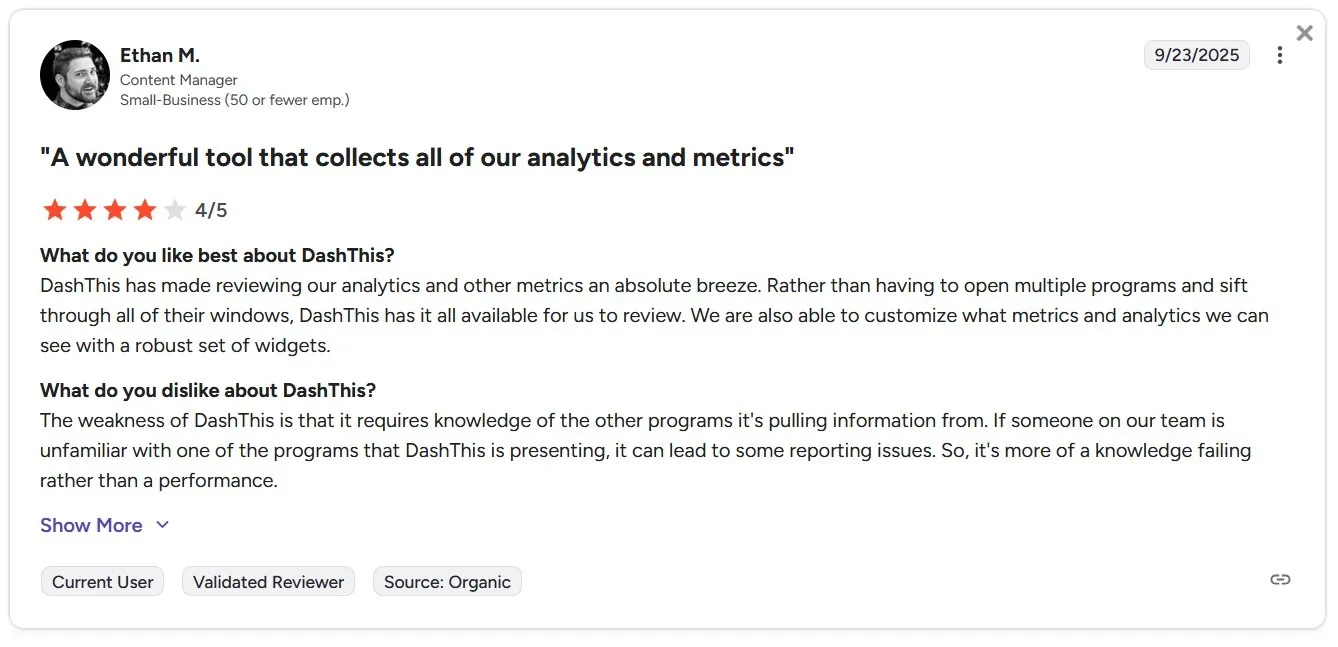
DashThis reviews are consistently positive on ease of use, time savings, and customer support. The main complaints tend to be pricing as you scale dashboards, limits that push upgrades, and customization gaps when teams want more control over visuals or reporting logic.
A verified G2 reviewer highlights DashThis for its ease of use, noting that even users without a data or technical background can build dashboards quickly.
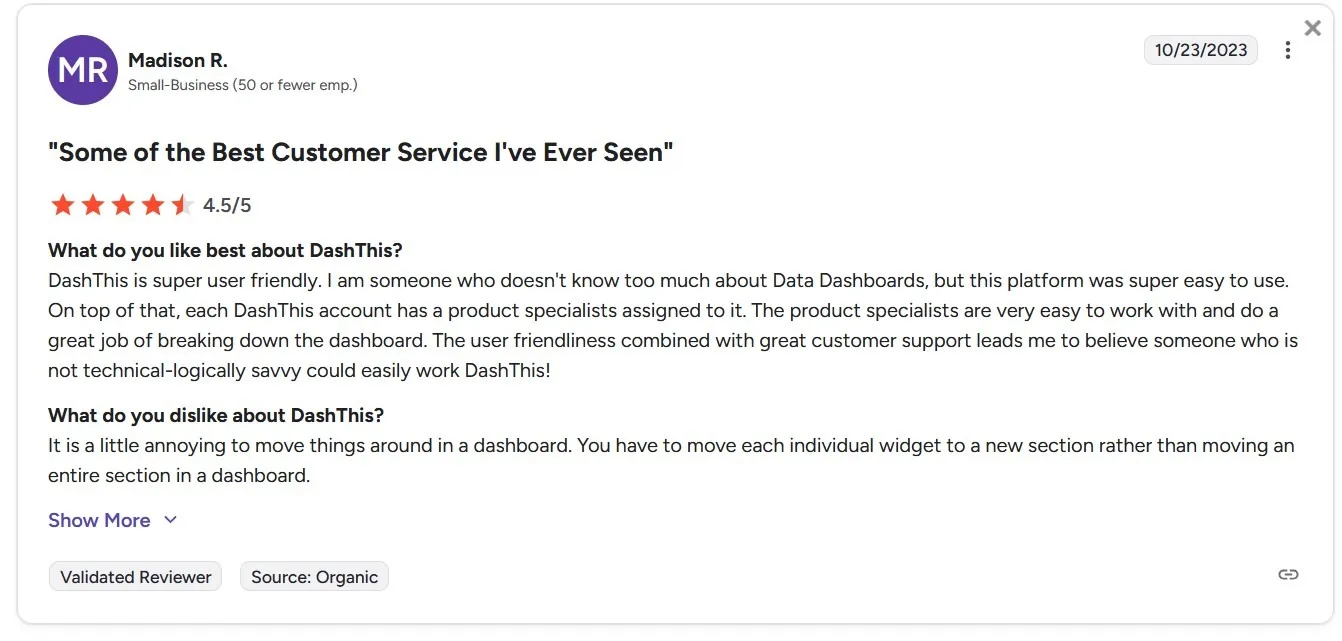
A criticism from this reviewer is that DashThis assumes familiarity with the platforms it connects to. When team members lack experience with certain data sources, reporting errors or confusion can occur (even though the tool itself performs reliably).
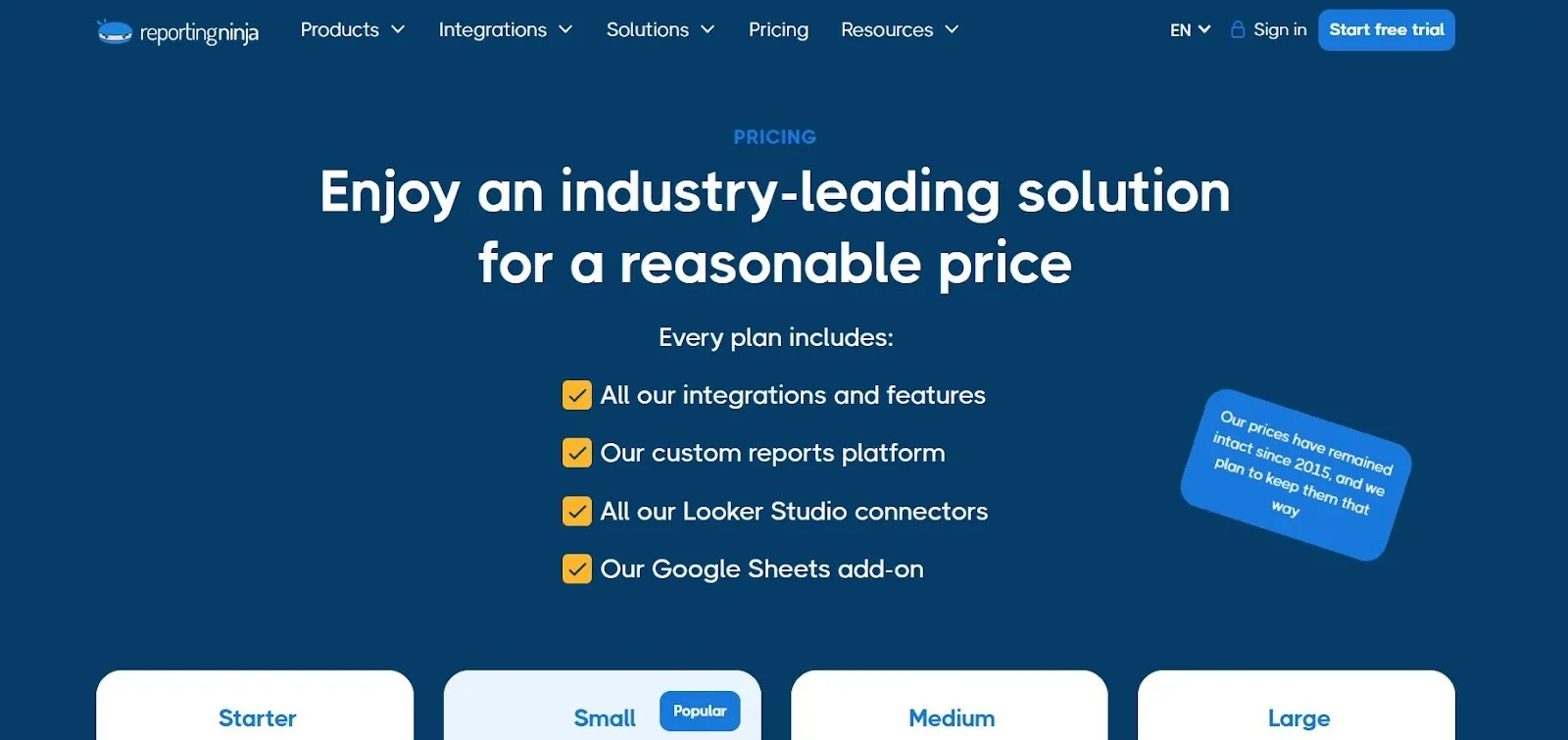
If DashThis pricing starts to feel tight once you add more clients or dashboards, Reporting Ninja is one of the cleanest alternatives to compare. You still get automated marketing reporting, but the pricing model is easier to scale because plans are based on report volume and account limits (not dashboards).
All-in-one reporting stack (not just dashboards)
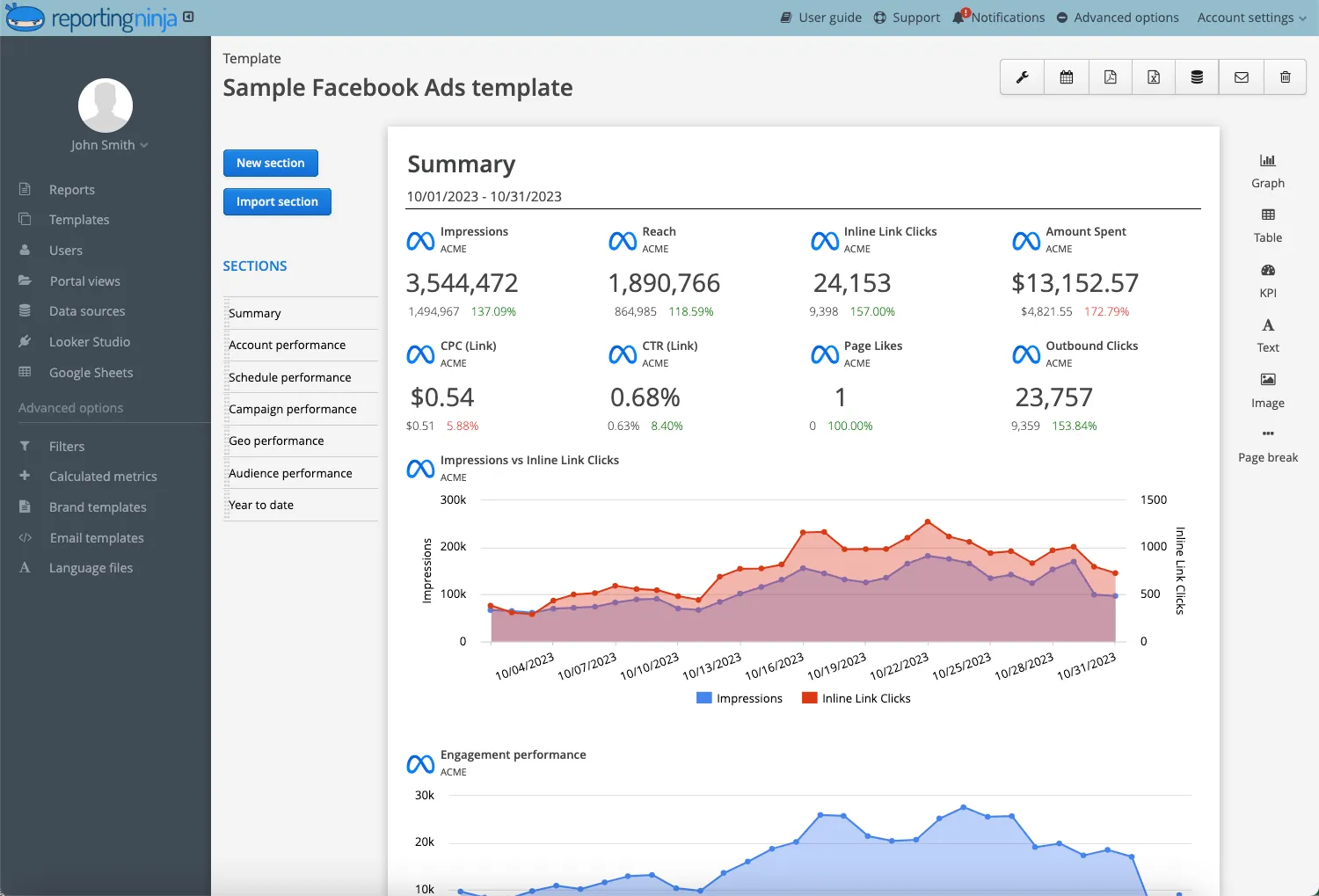
Reporting Ninja includes three ways to build and deliver reports in every plan: its own reporting platform, Looker Studio connectors, and a Google Sheets add-on. That gives you more flexibility if one format doesn’t fit every client or stakeholder.
All connectors and destinations included in every plan
You don’t have to upgrade to unlock specific connectors or reporting destinations. Every tier includes the full connector set and supports reporting into Looker Studio and Google Sheets from day one.
Scenario: medium-sized agency with 30 active clients, white labeling required, and 1 dashboard/report per client.
If dashboard-based pricing no longer fits how you report, this is a good point to test a different model. Start with Reporting Ninja’s 15-day free trial and see how report-based pricing scales with your clients.
DashThis can be a smart buy if you know your dashboard needs won’t balloon. If growth is the plan, run the numbers now—because the tier jump is where the budget gets tested.
If you’d rather scale reporting without dashboard math, Reporting Ninja is the cleaner model to trial before you commit. Try our free 14-day trial to rebuild one or two real client reports and sanity-check the pricing before you upgrade DashThis.
{{cta-block-v1}}
Sign up for a 15 days free trial. No credit card required.

Build and automate amazing custom reports in a few clicks. Save time, be more productive, impress your clients.