
AI reporting tool
Say what you need in plain English. Reporting Ninja picks the right sources from the accounts you already have connected, lays out the sections and fills every widget. You see the plan before a single page is created.


Three ways to stop assembling reports by hand
All three work the same way: you describe what you want, and what comes back is built from the data you already have connected. It is only kept if you approve it.
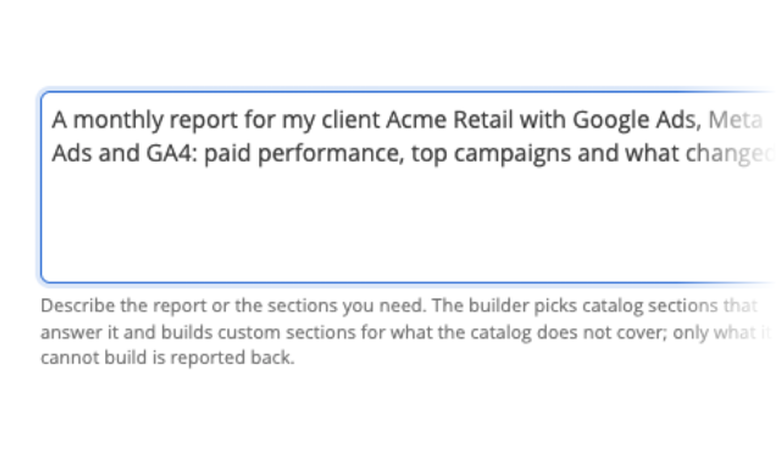


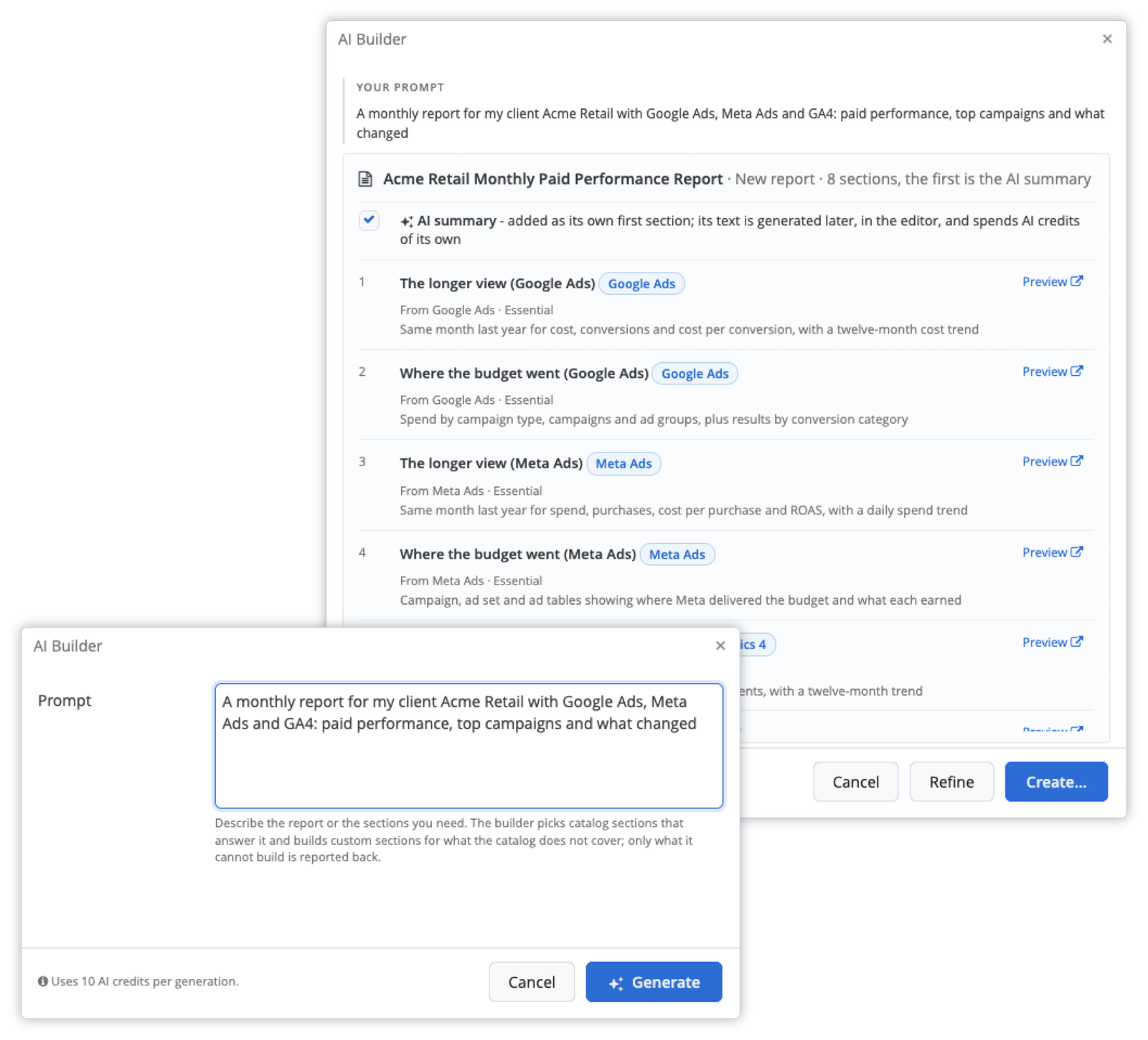
AI Builder
A sentence becomes a whole report. Sections, widgets and sources, proposed for you to approve.
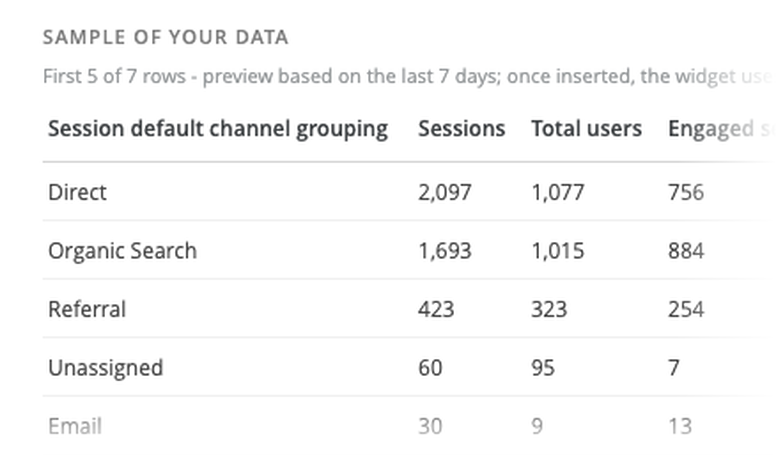
AI Widget
A sentence becomes the chart that was not in the palette, with a sample built from your own data.
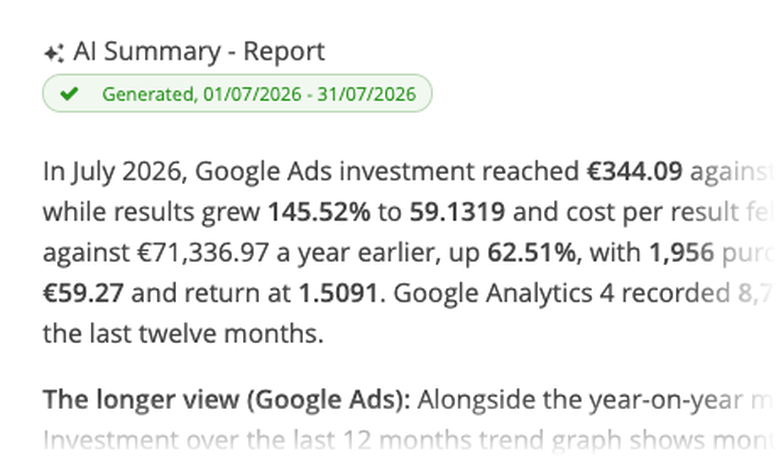
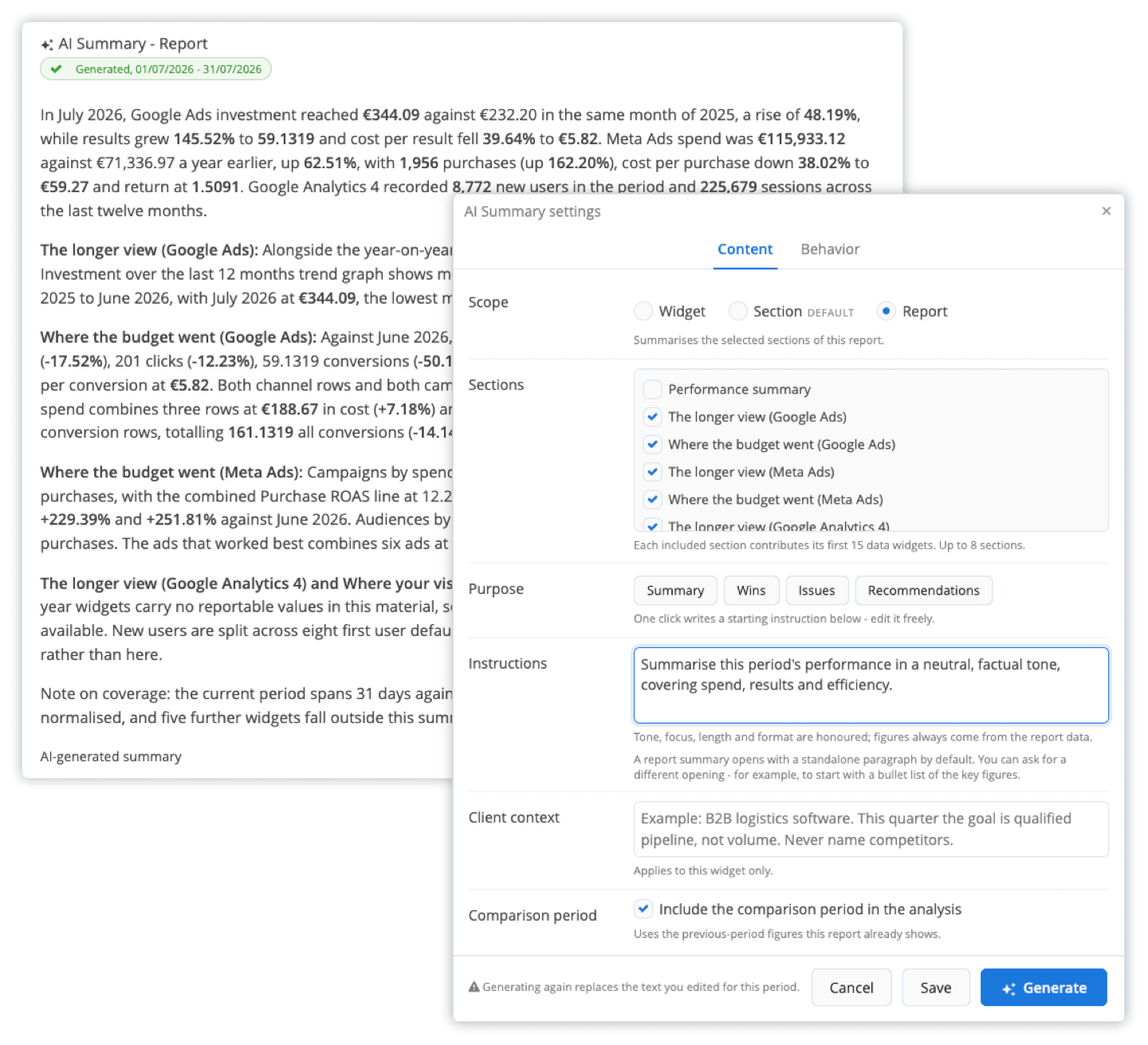
AI Summary
Your reports arrive with the analysis already written: in the PDF, Excel, share link, client portal and scheduled email.
A whole report from one sentence
Tell Reporting Ninja what you need and it comes back with a proposal: the sections, the widgets inside them and the sources they read.
“Monthly report for an e-commerce client, Google Ads, Meta and GA4, with a summary at the front.”

Nothing is created until you say so
You read the proposal first, and another sentence refines it.

A report or a template
Build it for this client, or save it as a template and roll it out to the rest.
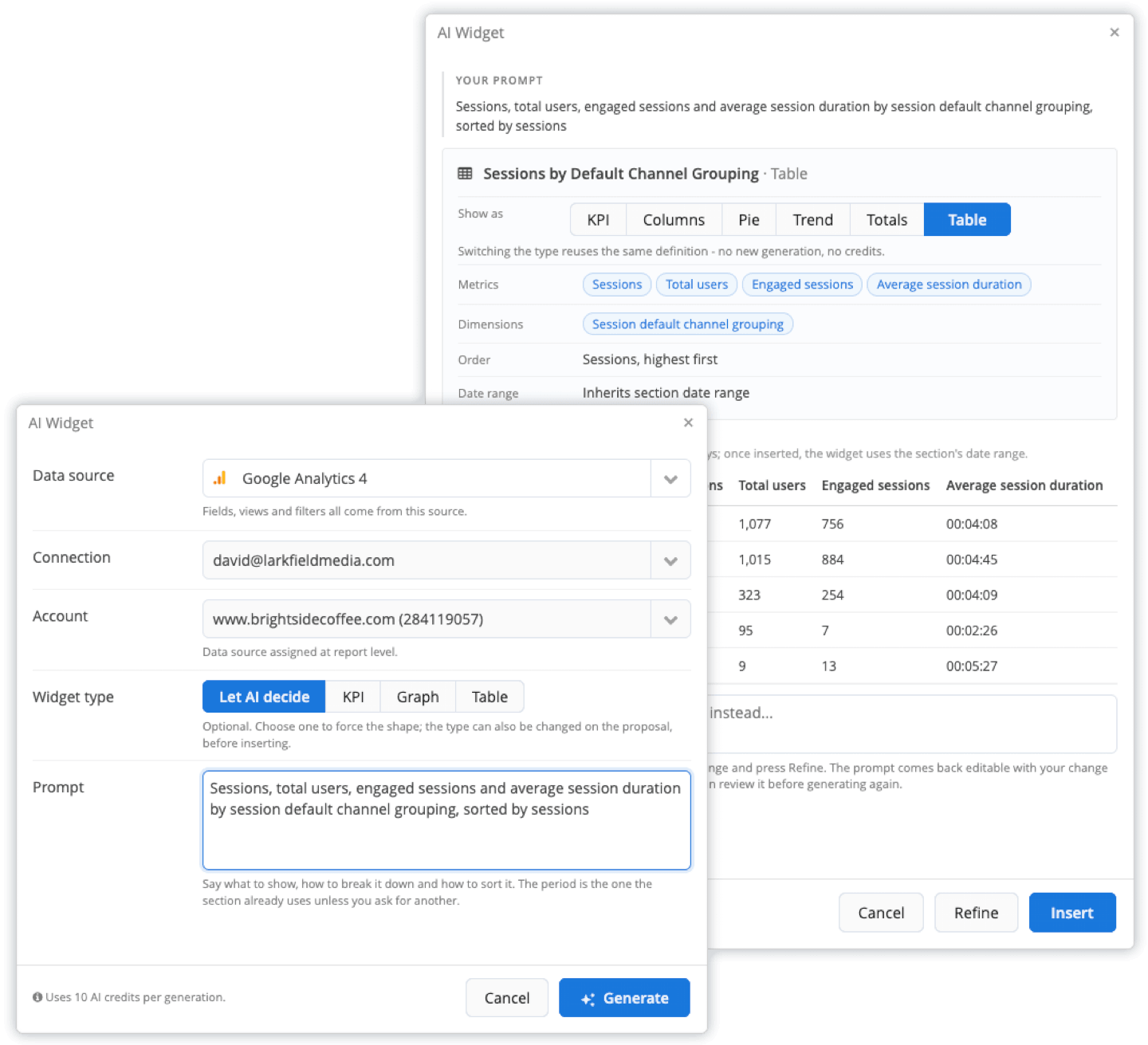
The widget that was not in the palette
Describe what you want to see and it picks the source, the metrics, the dimensions and the shape.

You see it before you keep it
The proposal comes with a sample built from your own data.

Changing it is another sentence
Weekly instead of daily, one more column, sorted the other way.
Reports that explain themselves
Drop a summary into a widget, a section or the whole report. It is written from the numbers your client is looking at, not from a generic template.

You set the brief
Tone, your own instructions and context for each client.

It travels with the report
PDF, Excel, share link, client portal and scheduled email, in the report's language.
Edit it and it stays
Your version is kept, not overwritten on the next run.
It runs on your data, in your formats

Your connected sources
It only reads the accounts you have already connected. No new setup, nothing to upload.

Your formats
Currency, decimals, date ranges and language come from the report, not from the model.
A proposal, not a surprise
Nothing is created, deleted or scheduled until you approve it.

An ordinary report
Edit it, schedule it, share it, change it by hand.
Monthly AI credits are included on every plan, free trial too.
Already working in Claude or ChatGPT? Build the report there.
Connect Reporting Ninja to your assistant, ask about every channel, and have it create the report, its sections and widgets, the brand, the schedule and the portal view. It lands in your account as an ordinary report, ready for AI Summary and for your client.


Frequently asked questions
Which plans include the AI features?
All of them, and the free trial as well. What changes between plans is the size of the monthly credit allowance.
What does it cost in credits?
It depends on what you ask for: a single widget is the cheapest, a full report the most. The AI Center lists the price of every action and your remaining balance, and only successful generations are charged.
Can the AI change my campaigns or my data?
No. It reads the data you have connected and proposes reports, widgets and summaries. It never writes to your advertising or analytics accounts.
What language does it write in?
The language of the report. If the report is in Spanish, the summary is in Spanish.
Can I edit what it produces?
Yes. What it builds is an ordinary report: every widget, filter and format can be changed by hand, and a summary you have edited is kept as you left it.
Can I build reports from Claude or ChatGPT instead?
Yes. With the AI connector, your assistant can create the report, add sections and widgets, schedule it and set up the client portal view in your account, once an account owner switches on write access. The connector is included on every plan, and no AI credits are used.
Your next report is one sentence away
Describe it, review the plan, send it.
