
AI connector - MCP
Connect your marketing platforms to Claude or ChatGPT, ask in plain language, and get the analysis, not just the data.



One connector, every assistant
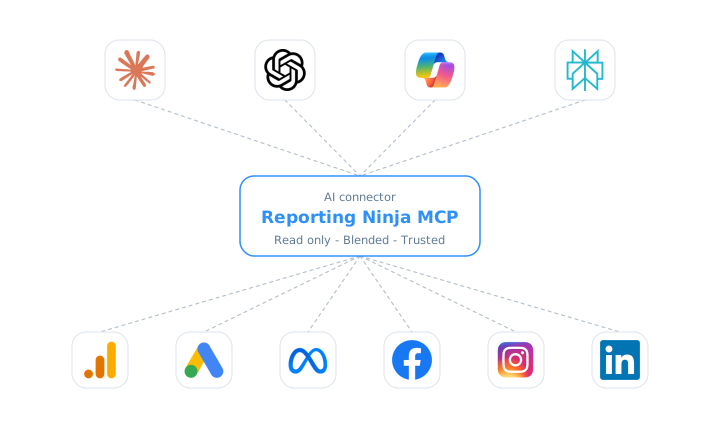
Every channel flows through one connector,
into whatever AI tool you use.
Query everything. Build reports when you say so
Add one connector URL in Claude, ChatGPT, Copilot, Gemini or any MCP client, and start asking. Out of the box the connector is read-only and scoped to your account: it can query and analyze, but not change a thing. When you want more, an account owner switches on write access and your assistant can also create, schedule and share reports, always with a preview first and your yes before anything is deleted. Rotate your key or remove the connector to revoke access whenever you want.












What you can ask
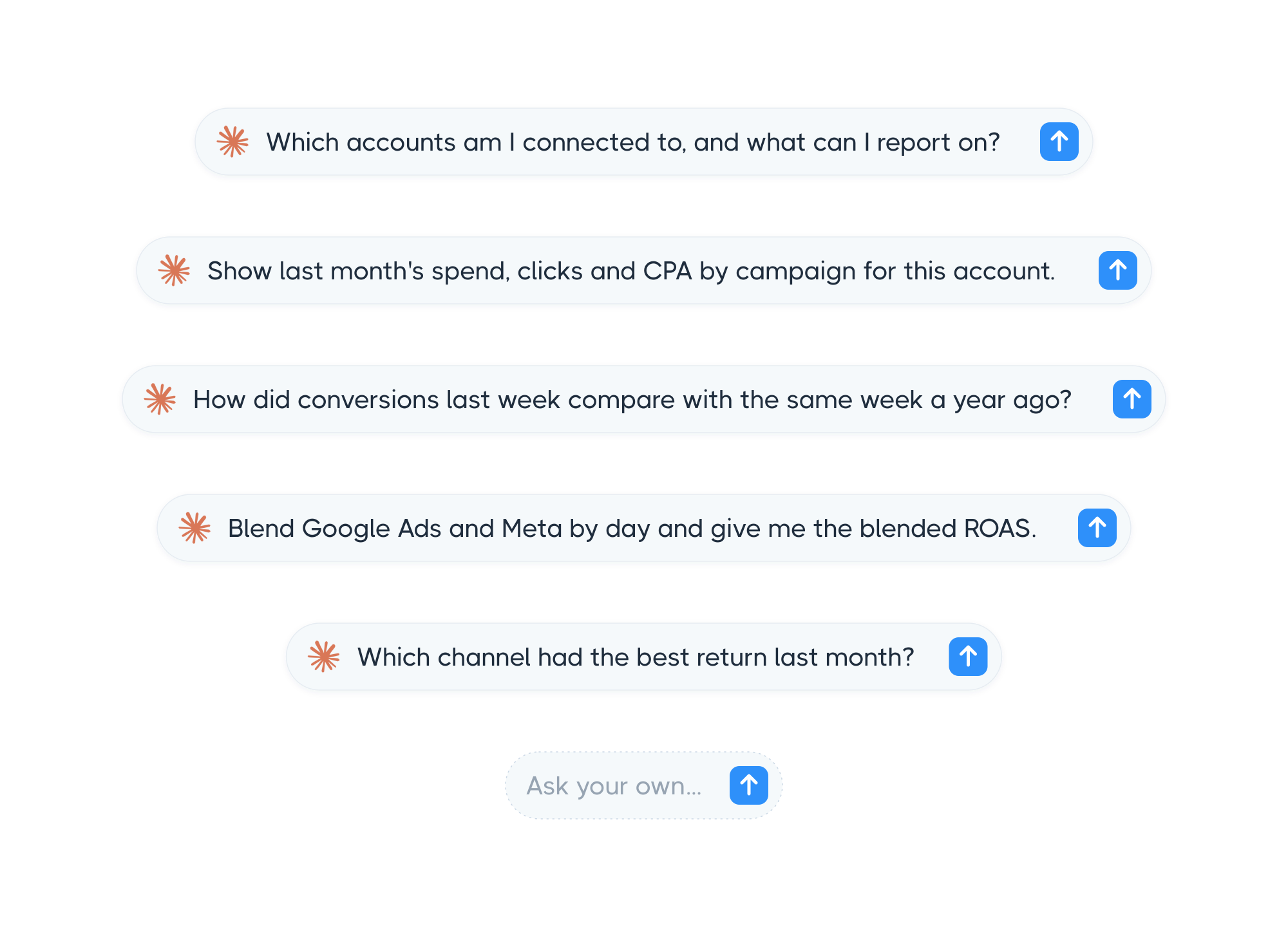
Ask in your own words, about any account and any date range. Reporting Ninja figures out what you have connected, pulls exactly the fields you want, compares periods and blends channels, then hands the answer to your assistant.
There is no query language to learn and no report to build first. Start with a quick number, then drill into a full breakdown, filter down to a single campaign, or pull several platforms into one view, all in the same conversation.
Start from a guided analysis
When you want the full report without writing the prompt, start from one of these. Each one runs the right steps, pulls the numbers from your accounts, and hands you a complete answer you can act on straight away.

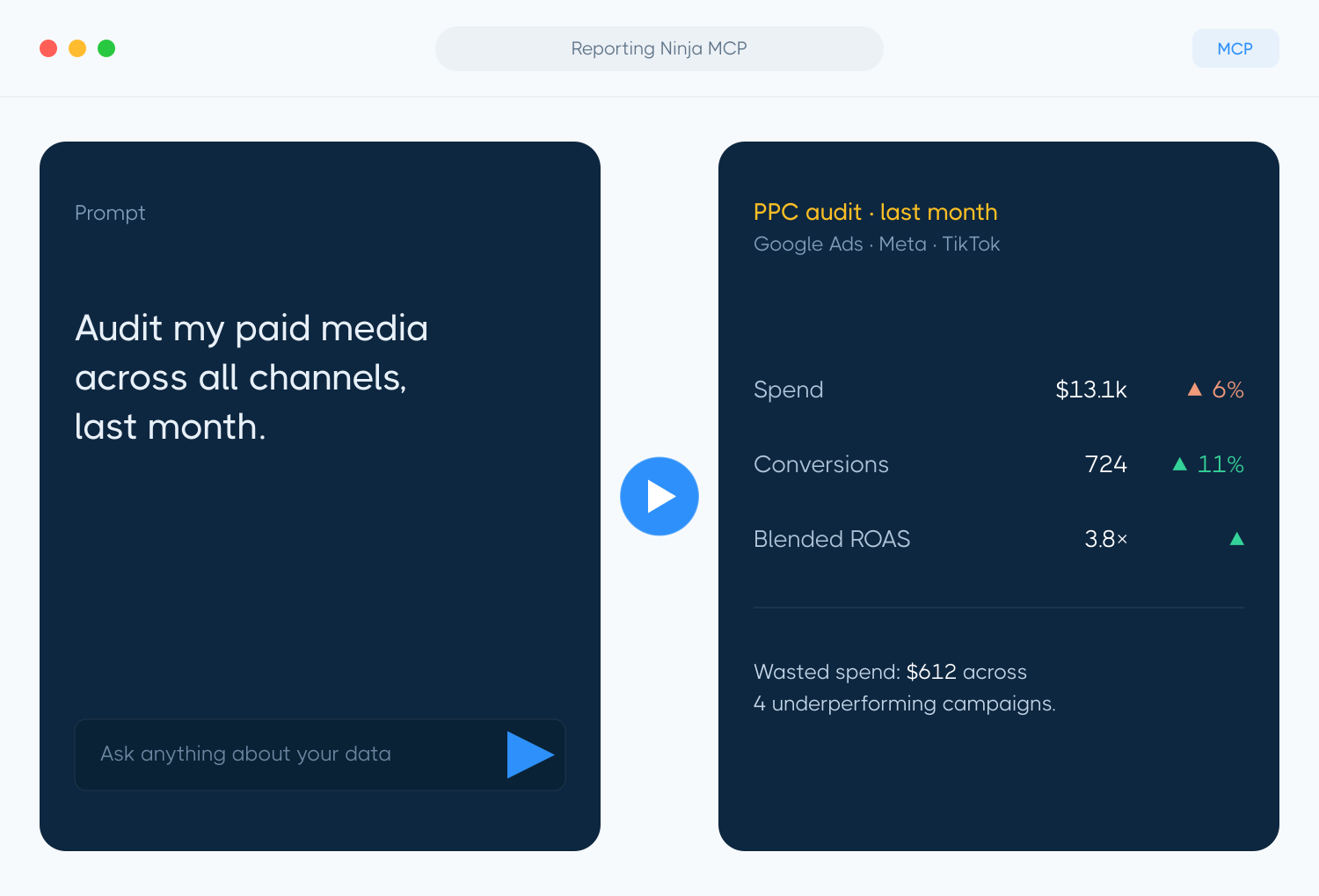
PPC audit
Spend, conversions, CPA and ROAS for an account, with the trend versus last period and where budget is leaking.

Cross channel ROAS
Spend, revenue and ROAS side by side across your channels, so you see where to put your budget next.

Anomaly sweep
Scans an account for sudden drops or spikes, and tells real changes apart from missing data.

Period comparison
A clean week over week, month over month or year over year read, with the biggest movers called out.

Budget pacing
Month to date spend against budget, with an end of month projection.

Account health
A quick snapshot of whether the account is returning data and how the headline numbers look versus last period.
Frequently asked questions
What is MCP?
MCP, or Model Context Protocol, is the open standard that connects AI assistants like Claude or ChatGPT to systems like Reporting Ninja. No copy and paste into the chat, your assistant reads straight from the source.
Does it cost extra?
No. The AI connector is available on every plan at no additional cost. It uses the same per-source account limits as the rest of Reporting Ninja.
Which assistants are supported?
Claude and ChatGPT via sign-in, plus Microsoft Copilot, Gemini CLI, Manus, Cursor/VS Code, n8n and any MCP client via a Bearer key.
Can the assistant change my campaigns or data?
It never changes anything in your ad platforms: it only reads them to bring you the data. By default it cannot change anything in Reporting Ninja either. If an account owner switches on write access, it can create, schedule and share reports inside your account and delete what it created, always with a preview first and your explicit confirmation before anything is deleted.
Can the assistant create reports?
Yes, when an account owner switches on write access in the "AI connector (MCP)" tab. It is off by default, applies to every assistant connected to your account and can be switched off again with one click. If you connected Claude or ChatGPT before write access existed, remove the connector and add it again so the new sign-in asks for write permission. Deleted reports wait seven days in a trash, so a mistake is one request away from being undone.
How much of a report can it set up?
All of it, except two things. It writes everything the report's settings window holds (brand template, front cover and the PDF it prints, PDF options, currency and date format, language file, substitution variables, the snapshot switch and the AI brief its summaries read), and it maintains the brand templates, saved filters, calculated metrics, language files and email templates your reports are built from. What stays in the app on purpose: the settings of your account (its default localization, its default brand template and your agency brief), and the level at which a report assigns its data sources, because switching that deletes the bindings.
Is the data secure?
The MCP connection uses the same authentication and access controls as your Reporting Ninja account, so each user only reaches the accounts and data they are authorized to see. Nothing is stored on the AI side: every request is resolved in real time, querying each platform's API directly through Reporting Ninja.
Start asking your marketing data
Add the connector in Claude, ChatGPT or any MCP client and get your first answer in a minute. Audits, ROAS checks, anomaly sweeps and, with write access, your first client report, all just by asking.