9 best referral traffic tools reviewed for tracking & analyzing
Javier Pozo
Product Marketing at Reporting Ninja
Key takeaways
Reporting Ninja is best for agencies and marketers who need automated, white-labeled referral traffic reporting combined with other marketing data from multiple channels.
Google Analytics 4 is best for anyone who wants a free, already-installed way to see referral data without buying another tool.
Fathom Analytics and Plausible Analytics are best for teams that want a lightweight, privacy-first alternative to GA4 with a cleaner referral view.
Peec AI and Profound are best for brands tracking referrals from AI answer engines. Both are built for AI search visibility rather than website analytics.
You know your site gets referral traffic. Knowing where it comes from, how much of it converts, and whether a partnership is paying off is a different question.
A referral traffic tool answers all three. This list covers GA4, two privacy-focused analytics tools, two competitive intelligence platforms, the newer category of AI referral tracking, and Reporting Ninja for automated cross-channel reporting.
For each tool below we’ll go over what it does well, where it falls short, what it costs, and who it is built for.
9 best referral traffic tools compared for 2026
These tools do not all solve the same problem. Match the category to your goal before comparing price or features.
Tool
Best for
Standout feature
Starting price
Reporting Ninja
Agencies automating referral reports across marketing channels
Cross-platform custom reports with white-label branding
$20/month (billed annually)
Google Analytics 4
Anyone who wants referral data for free
Built-in traffic acquisition reports at no cost
Free
Fathom Analytics
Privacy-first teams wanting a simple GA4 alternative
UTM campaign tracking with forever data retention
$15/month
Plausible Analytics
Small sites needing a lightweight, cookie-free option
One-page dashboard with a clear referrer breakdown
$9/month
Data Studio (formerly Looker Studio)
Teams that want a free way to visualize referral data
Native GA4 connector with drag-and-drop dashboards
Traffic & Market toolkit with a referral dashboard
$289/month (add-on toolkit)
Ahrefs
SEOs who want referral data tied to backlink data
Free web analytics with built-in LLM referral tracking
Free (Web Analytics)
Peec AI
Brands tracking visibility across AI answer engines
Daily prompt tracking across ChatGPT, Perplexity, and Gemini
$95/month
Profound
Enterprise teams building an AI search visibility program
Answer engine insights with citation-level tracking
$99/month
Most of these tools stop at showing you the data. If you report referral traffic to clients alongside other channels, that still leaves you exporting numbers into a spreadsheet or slide deck by hand every cycle. Reporting Ninja handles that step automatically.
Start a free trial for Reporting Ninja and build your first cross-channel referral report, with no credit card required.
1. Reporting Ninja: best for automated referral traffic reporting across marketing channels
Reporting Ninja is a cross-platform marketing reporting tool for agencies, freelancers, and in-house teams. It turns raw data from Google Analytics, ad platforms, and social channels into client-ready reports without manual exports.
You connect the accounts once, let the numbers update automatically each cycle, and scheduled reports handle the rest. That replaces the cycle of rebuilding a referral report from scratch every time a client asks for one.
Referral reporting here comes from several features working together. The data arrives automatically, stays consistent across every client report, and gets presented in whatever format the client prefers.
Cross-channel custom reports
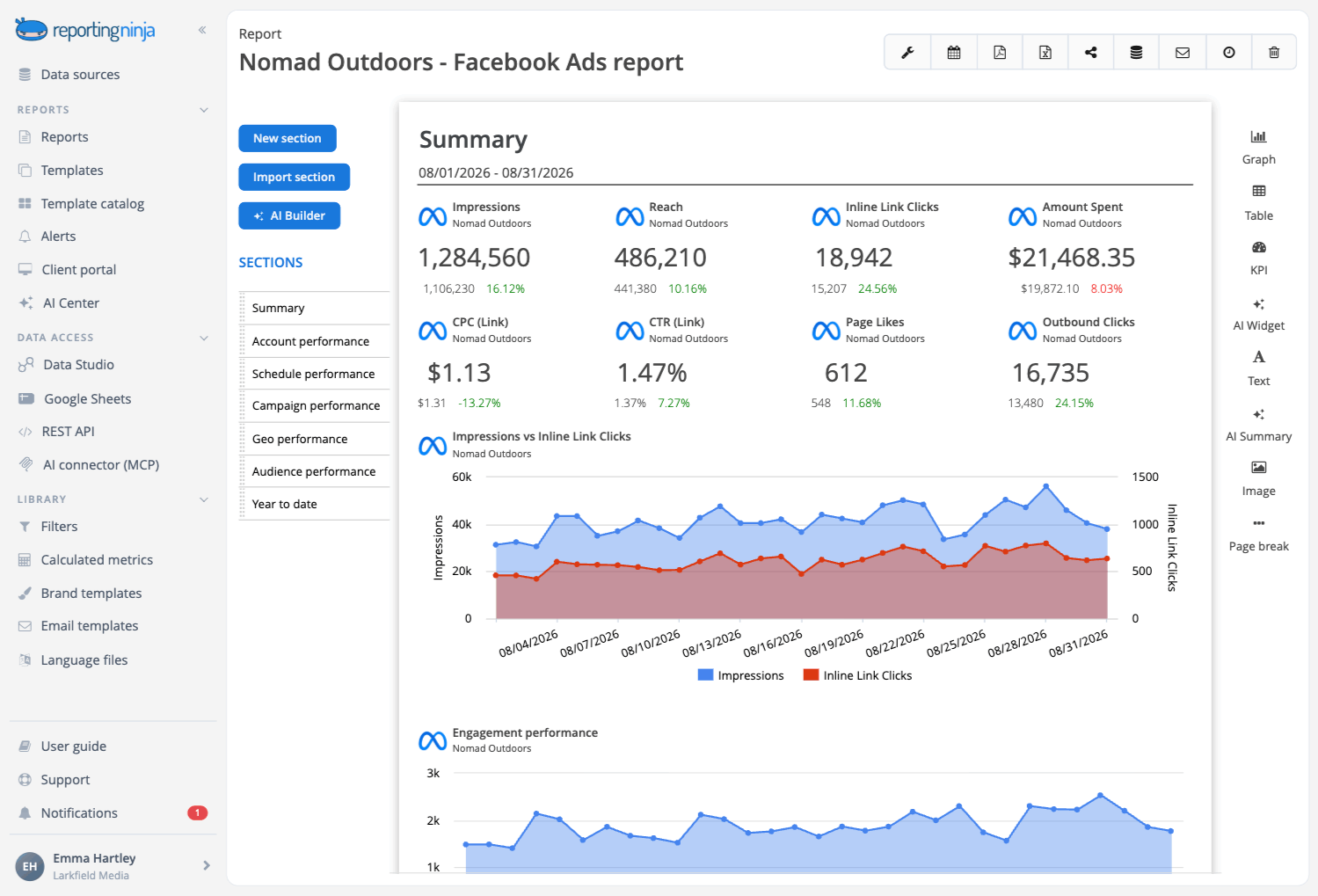
The custom reports platform combines referral data with paid, organic, and social metrics in one report. A client sees the referral spike and the paid performance side by side without opening a second document.
You build the layout once and reuse the same structure across every client account. The underlying data can come from GA4, an ad platform, or a social channel, and the report structure does not change.
For agencies, that reusability is the point. As you onboard a new client, all you have to do is connect their accounts to Reporting Ninja, and not build everything from scratch again. The same principle applies across cross-platform reporting for teams running several channels at once.
Automated GA4 data pulls
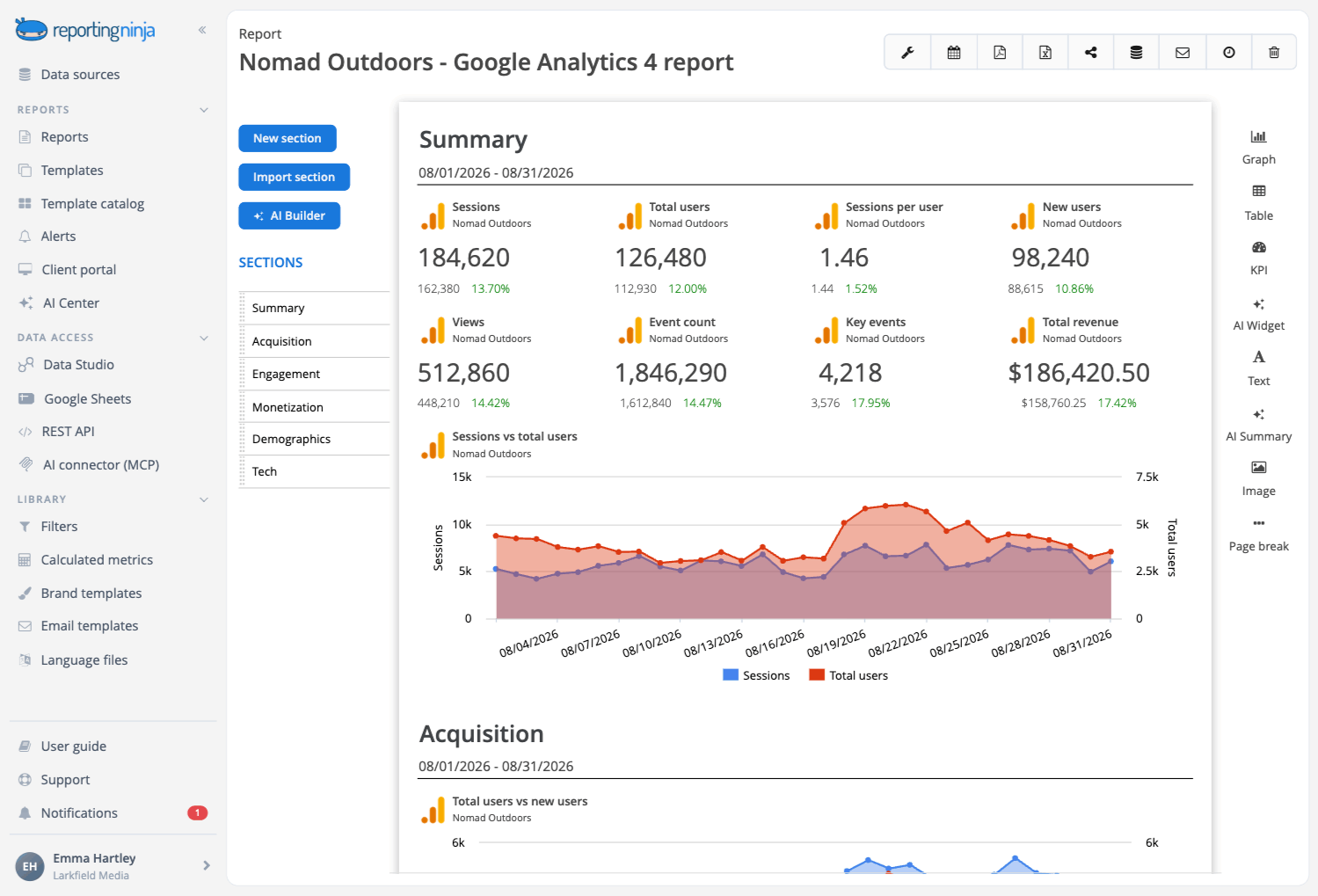
For most sites, referral traffic lives in GA4, and that is where Reporting Ninja pulls this metric from. Once the GA4 account is connected, referral and traffic acquisition data refreshes on a schedule you set.
That removes the manual copy-paste hassle. There’s no logging in, re-applying the same filters, or re-selecting the same date range every time someone asks for an update.
Automation also prevents several common website reporting mistakes: pulling the wrong date range, forgetting to exclude internal traffic, or applying a filter to one client's report and not another's.
White-label branded delivery
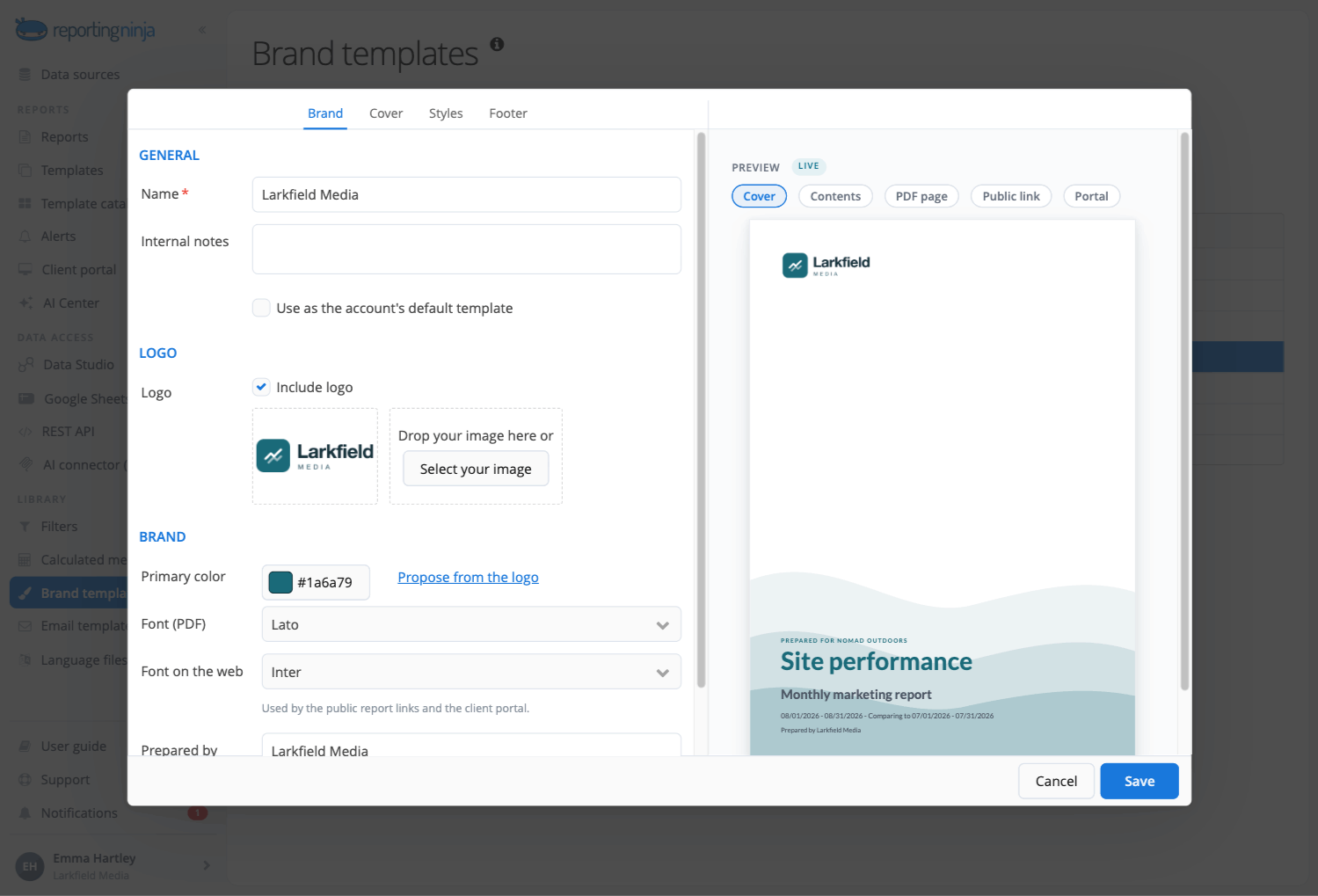
Every generated report can carry your agency's logo, colors, and domain. Reporting Ninja’s own branding does not appear anywhere in the delivered PDF or dashboard.
For agencies whose positioning depends on looking like an extension of the client's team, that matters. White-labeling is included on the $20 plan, not held back for a higher tier, which is where several automated reporting alternatives place it.
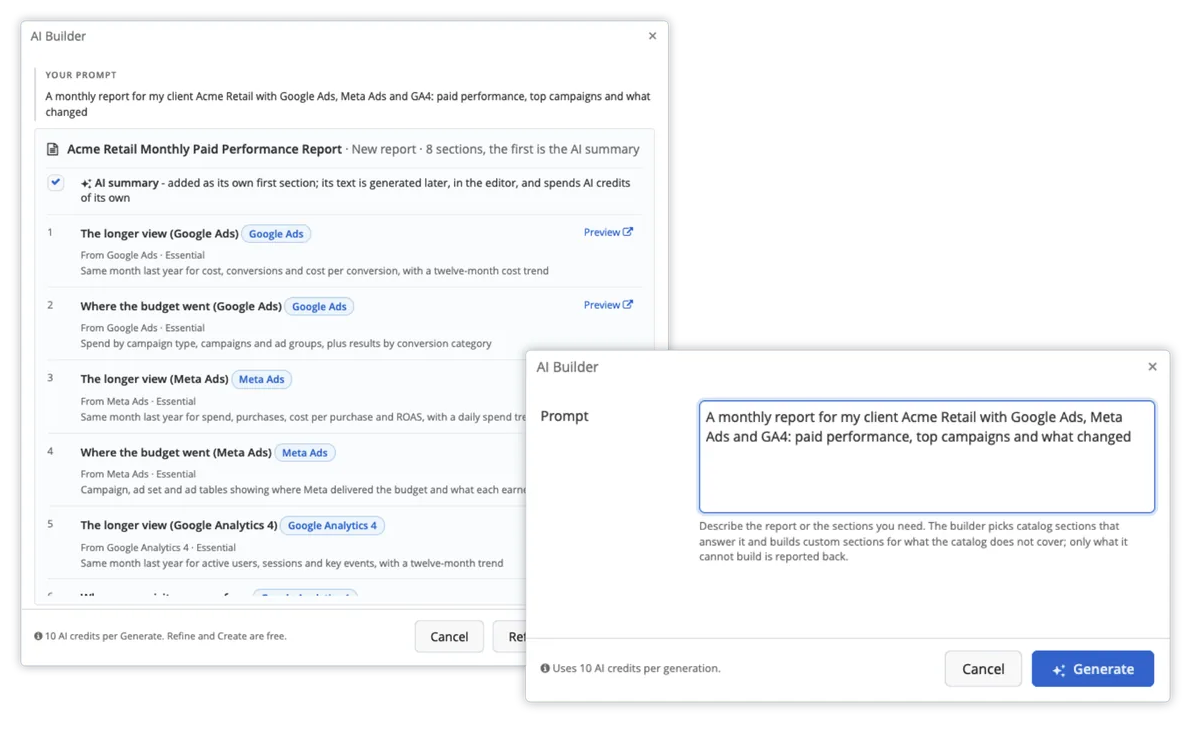
Full-fledged AI-built reports from a simple description
The AI reporting features let you build marketing reports simply by describing what you want in plain language.
Three components work together:
AI Builder proposes the full report structure, including sections, widgets, and sources
AI Widget builds a specific chart when the one you want is not in the standard palette
AI Summary writes the analysis that travels with the report into the PDF, the scheduled email, and the client portal, and which separates the report from a simple metrics dashboard
{{cta-block-v1}}
Pricing
Reporting Ninja uses one plan-based model with no feature gating. Every plan includes the full product. The only variables are how many reports and connected accounts you need.
Plan
Price (billed annually)
Reports
Connected accounts per platform
Starter
$20/month
10
10
Small
$40/month
30
30
Medium
$70/month
70
70
Large
$120/month
150
150
Every plan includes a 15-day free trial with no credit card required, and there are no contracts or cancellation fees.
Where Reporting Ninja shines
Every plan includes every feature: Adding accounts does not lock you out of white-labeling, the API, or the AI features. Only report and account limits change between tiers.
Built for agencies managing many clients: Report templates and connector setups are designed for reuse across accounts. The setup cost is paid once, not per client.
Multiple delivery destinations included: The same referral data can go to the custom reports platform, Looker Studio, or a Google Sheet. Clients who want a live dashboard and clients who want a monthly PDF can both be served from one connection.
Self-serve setup: Documentation and a free trial replace a demo or onboarding call. The integrations page lists every platform currently supported, so you can check coverage before signing up.
Where Reporting Ninja falls short
Referral reporting depends on your GA4 setup: Reporting Ninja pulls from GA4 rather than tracking traffic independently. Any gap in a client's GA4 configuration, including unfiltered referral spam, carries straight through into the report.
Email-only support: There is no phone line or live chat. Teams that want to talk a problem through in real time will find that limiting.
Customer reviews
"It's easy to use, comes with excellent customer support, works with many data sources, and can send automated reports by email." László V., G2
"I had already worked with other tools, but the balance between automation, customization, and the visuals offered by Reporting Ninja meets all my needs." Stephanie Barbieri, Studio 33
Who Reporting Ninja is best for
Agencies reporting to multiple clients: If report assembly already takes hours each week, automation returns that time immediately and keeps returning it as the client list grows.
Freelancers who need polished delivery: White-label branding on the $20 plan produces the same finished report a larger agency sends.
Teams reporting on more than referrals: Referral data appears alongside paid, organic, and social metrics in one report, which suits full-funnel reporting better than referral tracking on its own.
Compiling referral traffic from GA4, Search Console, and social platforms into one client-ready report by hand takes most agencies an hour or more per client, per cycle. Start a free 15-day trial and see how much of that time you can get back with Reporting Ninja.
2. Google Analytics 4 (GA4)
GA4 is Google's free web analytics platform and the one referral tracking tool nearly every marketer already has installed. It organizes traffic into channel groups, one of which is Referral, and gives session- and user-level views of where that traffic came from.
Key features
Traffic acquisition reporting: Referral data lives in the Traffic Acquisition and User Acquisition reports, under Reports then Acquisition. Filtering the Session Default Channel Group to Referral isolates that traffic.
Source and landing page dimensions: Adding Session Source/Medium as a secondary dimension reveals which specific domains are sending visitors. Adding a landing page dimension then shows which pages receive that traffic, which is how you work out what a partner actually linked to.
Pricing
GA4 is free for standard use, and most businesses never need more.
Plan
Price
Standard GA4
Free
Google Analytics 360
Not published; commonly reported from around $50,000/year
Where GA4 shines
It is already installed: If your site has analytics at all, it is probably GA4. No new purchase, no new implementation.
Depth beyond referrals: Referral traffic appears alongside conversion data, audience demographics, and every other channel in one place.
Free BigQuery export: Teams that later want custom referral models get raw event data at no extra cost.
Where GA4 falls short
No dedicated referral report: You build the filtered view yourself. GA4 has no built-in referral view the way Universal Analytics did.
The referrer URL is incomplete: GA4 shows the referring domain, not the full referring URL. Finding the exact linking page means searching for it separately.
Customer reviews
“The amount of data, reporting, and audience insights available makes it a valuable tool for understanding content performance and improving my overall content strategy.”Deepak S., G2
“The learning curve can be steep for beginners, especially with GA4's event-based model… Customizing reports and dashboards also requires more technical know-how than it should.” Greyfyre, G2
Who GA4 is best for
Anyone on a $0 budget: Real referral data at no cost.
Teams comfortable building custom reports: Building a saved, filtered referral view once returns more than relying on the default report.
Businesses that need referral data plus everything else: One tool covering referrals, conversions, and audience data.
3. Fathom Analytics
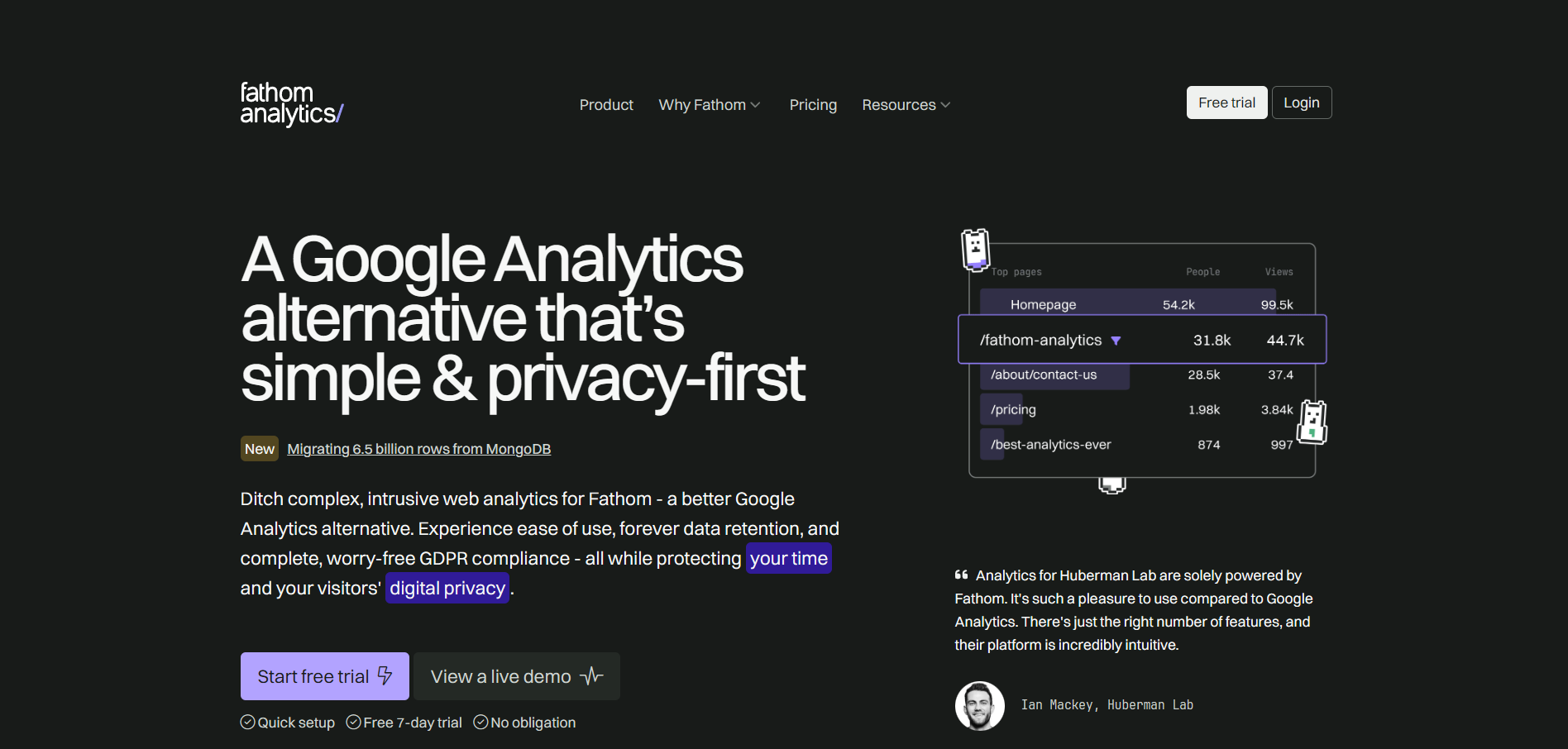
Fathom Analytics is a paid, privacy-focused web analytics tool built as an alternative to GA4. It requires no cookie banner and uses a script small enough that it does not slow page loads. Fathom's own site lists GitHub, HashiCorp, and The New York Times among its users.
Key features
Referral and UTM tracking on every plan: The dashboard shows referral sources and UTM campaign tracking on every plan. Ecommerce and event tracking carry no extra fee, so seeing where a campaign or partner link sent traffic does not require an upgrade.
Forever data retention: Every plan includes forever data retention. Historical referral trends never age out the way they do on tools with a retention window.
Pricing
Fathom prices by monthly pageviews rather than by feature tier, so every plan includes the full feature set.
Pageview tier
Price
Up to 100,000
$15/month
Up to 500,000
$45/month
Higher tiers
Scales by pageview volume
Annual billing gives two months free. Fathom states on its pricing page that it offers no other discounts at any time, including no Black Friday sales.
Where Fathom shines
No cookie consent banners: Fathom does not use cookies, so GDPR and CCPA compliance do not require the consent popups GA4 often triggers.
Forever data retention on every plan: Historical referral data stays available with no retention window.
Human email support: Fathom states that support requests are answered by people rather than an automated queue.
Where Fathom falls short
No free tier: Beyond the 7-day trial, there is no way to use Fathom without paying. GA4 and Data Studio both have permanent free options.
Less granular than GA4: Fathom has no funnels, no cohort analysis, and limited segmentation. That matters if you need more than top-line traffic metrics.
Customer reviews
“Fathom Analytics is one of the few tools in my tech stack I never have to think about, which is the highest compliment I can give software.”Kate K, G2
“The two biggest negatives of Fathom are a goofy data/filter glitch that will occasionally reset the timeframe of data returned, and there is no way… to create custom referrer 'buckets.'"Verified G2 review
Who Fathom is best for
Privacy-conscious teams and their visitors: If avoiding cookies and consent banners matters to your brand, Fathom is built around that.
Content sites and SaaS companies wanting simplicity: Clear referral and traffic numbers without GA4's setup burden.
Teams that do not need funnel or cohort analysis: If your reporting stops at referral and traffic source data, the simplicity works in your favor.
4. Plausible Analytics
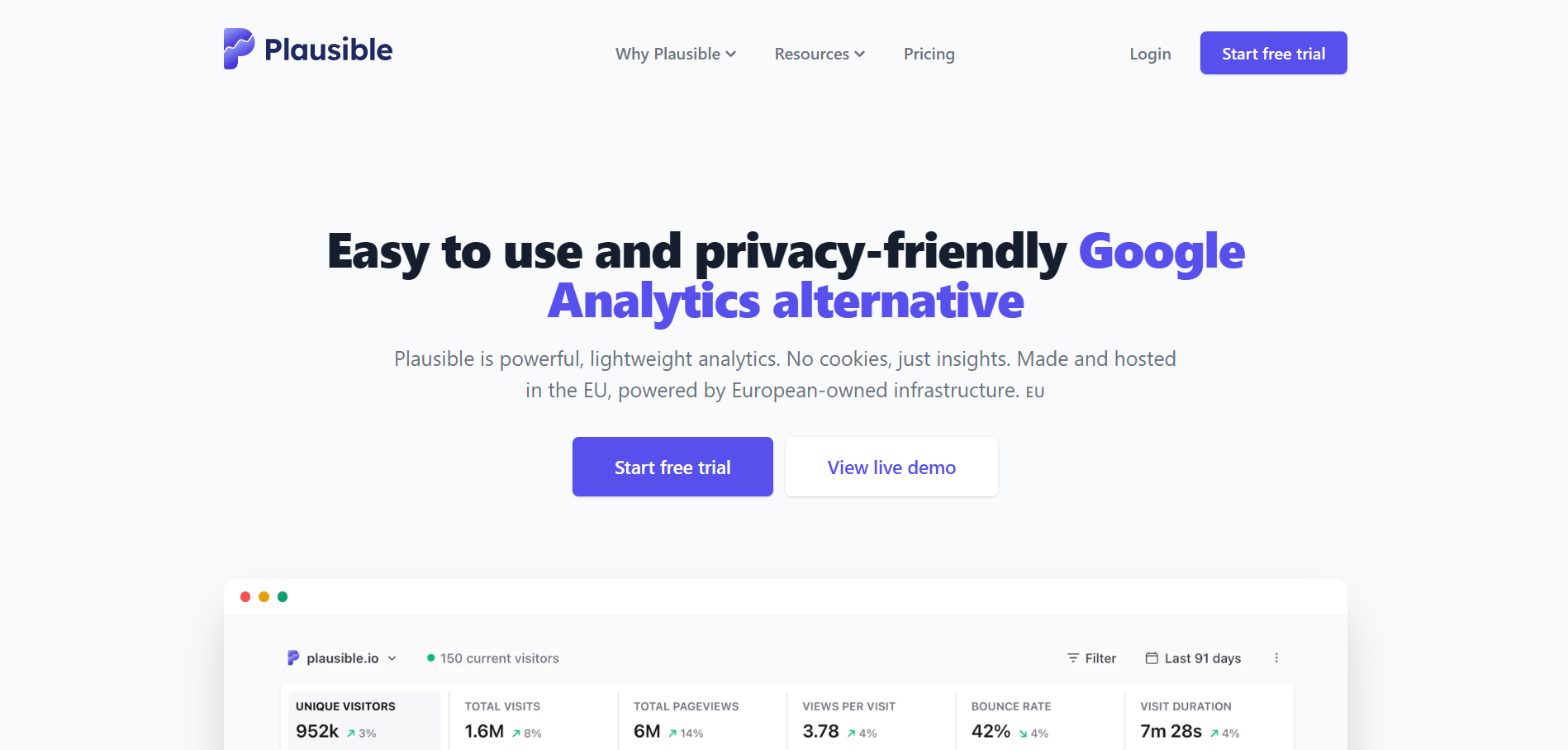
Plausible Analytics is an open-source, privacy-first web analytics tool positioned as a cookie-free alternative to GA4. It also offers a self-hosted Community Edition at no license cost alongside its hosted version.
Key features
Sources dashboard with automatic channel grouping: The single-page dashboard shows referral sources next to pageviews and visitor counts, with no custom report to build. Automatic channel grouping separates referral, search, and social traffic without manual setup.
AI-driven traffic attribution: On higher tiers, Plausible reports AI-driven traffic attribution. Referrals from ChatGPT, Perplexity, and Claude appear as their own identifiable sources rather than being grouped into generic referral traffic.
Pricing
Plausible prices by monthly pageviews across four tiers, and every paid tier includes the full feature set.
Plan
Starting price
Pageview cap
Starter
$9/month
10,000
Growth
$14/month
Scales with pageviews, adds team management
Business
$19/month
Scales with pageviews, adds funnels and API access
Enterprise
Custom
10 million+
Plausible offers a 30-day free trial with no credit card required, and the self-hosted Community Edition is free for teams running their own infrastructure.
Where Plausible shines
Cookie-free by design: No consent banner is legally required in most jurisdictions.
Self-hosting option: For teams with data residency requirements, running the Community Edition is a supported path, not a workaround.
Lightweight script: The tracking script comes in under 1KB, which is a real difference on performance-sensitive sites.
Where Plausible falls short
No free plan: The 30-day trial is generous, but the hosted version has no ongoing free tier.
Less feature depth than GA4: Plausible deliberately omits heatmaps, session recordings, and deeper segmentation.
Customer reviews
“I appreciate most about Plausible Analytics is its perfect balance of strict privacy compliance, user-friendly design, and reliable performance.”Verified G2 review
“It would be better to have more detailed documentation, especially with best practice examples, e.g., Pageview goals."Olex T., G2
Who Plausible is best for
Solo site owners and small teams: The Starter plan's 10,000 pageview cap fits personal sites, portfolios, and early-stage products.
Agencies needing a white-label option: Plausible offers a white-label version built for agencies reselling analytics to clients.
Teams tracking AI referral traffic on a budget: Its AI attribution on higher tiers costs far less than the dedicated AI visibility platforms further down this list.
5. Data Studio (formerly Looker Studio): best for teams that want a free way to visualize referral data
Google renamed Looker Studio back to Data Studio in April 2026, so you will see both names in circulation. Either way, this is not a traffic tracking tool. It is a reporting layer on top of GA4 or another source that turns raw referral numbers into a shareable, interactive dashboard.
Key features
Native GA4 connector: Data Studio connects natively to GA4 at no cost, pulling traffic source and referral data alongside conversions, audience, and engagement metrics. Native Google connectors covering GA4, Google Ads, Search Console, and Sheets are free. Non-Google platforms such as Meta Ads need a paid third-party connector, and Reporting Ninja's Data Studio connectors are one route to that.
Interactive, shareable dashboards: You build the dashboard once with drag-and-drop charts and filters, then share a live link that updates on its own. That replaces sending a static PDF that goes out of date the moment traffic shifts.
Pricing
Plan
Price
Data Studio (core product)
Free
Data Studio Pro
Paid; adds team workspaces and enterprise controls
Third-party connectors for non-Google sources
Varies by provider
Where Data Studio shines
Free core product: The dashboard-building tool costs nothing, which is unusual on this list.
Interactive rather than static: Clients can filter date ranges or open a specific referral source themselves instead of asking for a rebuilt slide.
Deep native Google integration: If your stack runs on GA4, Google Ads, and Search Console, the native connectors cover most of what you need. Building the dashboard itself is covered in this guide to a web analytics dashboard.
Where Data Studio falls short
No row-level security on the free tier: Restricting what different viewers see inside one report is difficult, which is a real problem for agencies managing several clients through one account.
Non-Google data needs a paid connector: Adding Meta Ads, LinkedIn, or any non-Google platform to the same dashboard means paying a third party for that connection.
Customer reviews
“The most useful aspect is the integration with spreadsheets that work as data sources, the ease of dragging or selecting table columns, and the recent modification designed with a mobile‑first approach…”Jaime Ricardo L., G2
“A few things could be better in Looker Studio. Performance can slow down with a larger dataset or complex dashboards, which affects the overall experience. Also, some parts of the UI feel a bit clunky when trying to fine-tune layouts or design.”Raja B., G2
Who Data Studio is best for
Teams fully inside the Google ecosystem: If GA4, Google Ads, and Search Console cover your whole stack, the native connectors do most of the work for free.
In-house marketers building one dashboard: For a single ongoing report rather than dozens of client deliverables, the setup cost is paid once.
Budget-constrained teams with time to invest: Data Studio exchanges your hours for the licensing fee a paid tool would charge.
Free resource: Building marketing reports using Data Studio? Check out Reporting Ninja’s extensive collection of ready-to-use and free Data Studio templates—for every channel from GA4 and HubSpot to Instagram and LinkedIn.
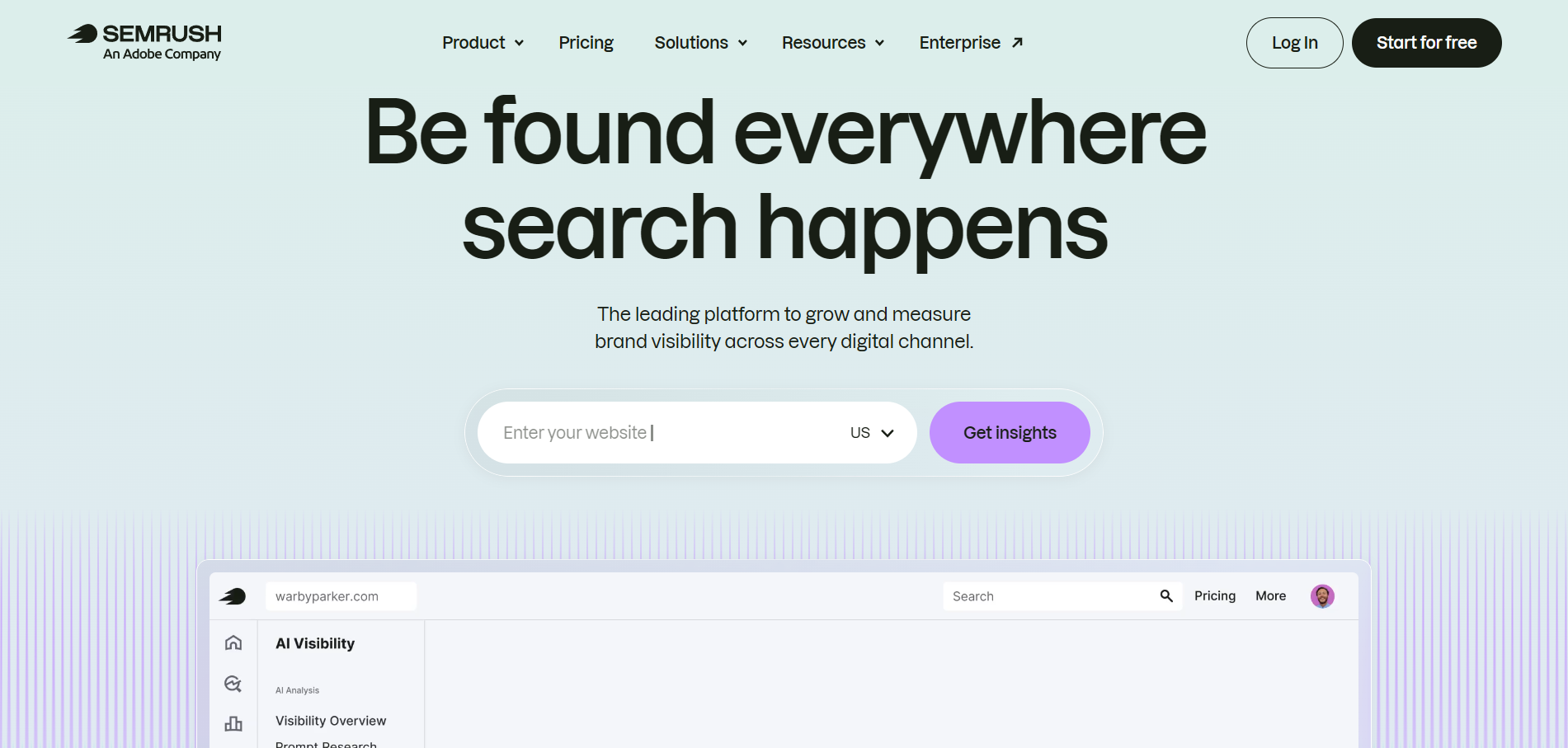
6. Semrush: best for agencies researching competitors' referral sources
Semrush is a broad SEO and competitive intelligence suite. Referral tracking lives inside its Traffic & Market toolkit rather than being the product's focus. Semrush estimates traffic to any domain you enter, including competitors, and does not only measure your own site's actual analytics.
Key features
Referral dashboard: The Referral dashboard shows which external domains send traffic to any site you analyze, including competitors you have no login access to. It includes a traffic trend graph and a list of trending referring URLs.
Sources & Destinations dashboard: The Sources & Destinations dashboard shows where a domain's visitors came from before arriving and where they went afterward. That surfaces partnership and guest-posting opportunities you would otherwise never find.
Pricing
Semrush's referral tracking is not part of its core SEO plans. It belongs to the separate Traffic & Market toolkit, which can be bought independently. The main SEO plans cover AI search visibility for your own site but do not include the Referral dashboard.
Plan
Price
Covers
Traffic & Market Pro
$289/month
Referral tracking, add-on toolkit
Core SEO
Starts at $139.95/month and goes up to $549/month
Keyword and backlink research, no referral tracking
Where Semrush shines
Competitive intelligence: No other tool here shows where a competitor's referral traffic comes from without their analytics access.
AI traffic tracking is built in: The Traffic Distribution dashboards include a dedicated AI Assistants channel covering ChatGPT, Claude, Gemini, and Copilot alongside traditional referral sources.
Bundled with a full SEO toolkit: If you already use Semrush for keyword or backlink research, the referral data joins a subscription you are probably already paying for.
Where Semrush falls short
Estimated data, not exact analytics: Traffic analytics data does not come from a site's internal analytics. Semrush's own documentation notes the numbers may differ from GA4 or another first-party tracker.
Too much tooling for single-site needs: Without a competitive research requirement, you pay for a great deal you will not use.
Customer reviews
“Its AI features help me get detailed, actionable insights without having to dig through raw data manually.”Bhanu S., G2
“Can be overwhelming without training for new users… The learning curve is probably the biggest downside. There are times when it’s easy to get caught up in metrics and reports that don’t necessarily translate into meaningful business actions.”Jordi M., G2
Who Semrush is best for
Agencies doing competitive research: If part of the job is finding where a client's competitors get their traffic, Semrush is the only tool here built for it.
Teams already invested in Semrush: If you pay for keyword or backlink tools already, adding the referral dashboards is a smaller decision.
Note: If you only need your own site's referral sources, Semrush is a more expensive route to a less exact answer than GA4 or Fathom. It is built for competitive research.
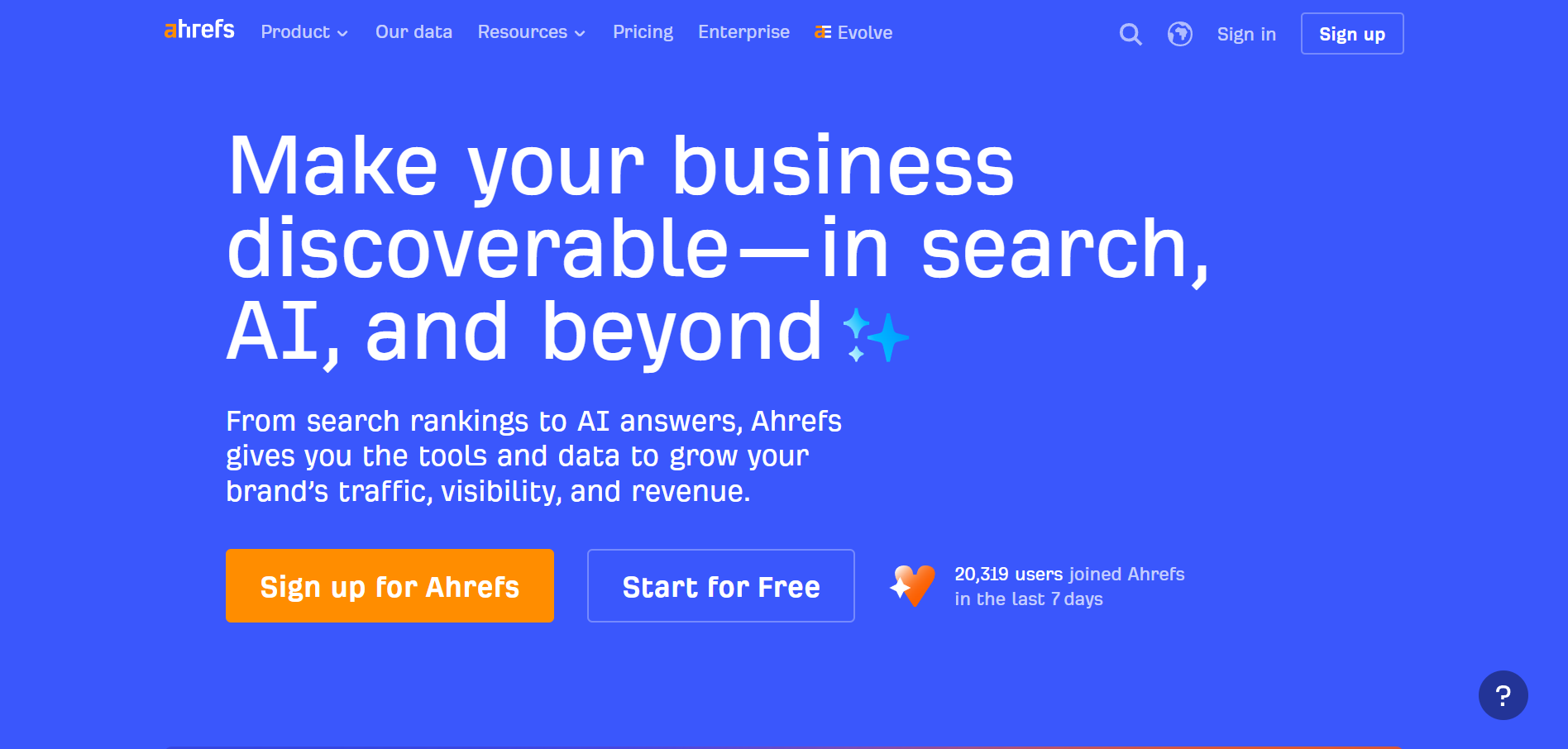
7. Ahrefs: best for SEOs who want referral data tied to backlink data
Ahrefs is known as a backlink and SEO research tool, and its approach to referral traffic follows from that. It treats referral sources as an extension of your backlink profile rather than as a standalone analytics report.
Key features
Referring domains in Site Explorer: Site Explorer shows referring domains and pages sending organic referral traffic, tied to the same backlink database Ahrefs uses for link-building research. You see the authority and link context behind each traffic-sending relationship, not only the traffic itself.
Free web analytics with LLM referral tracking: Ahrefs Web Analytics, bundled into Ahrefs Webmaster Tools at no cost, gives a real-time dashboard of top traffic sources, top pages, and traffic locations, with no cookies and no personal data collected.
Pricing
Web Analytics is free with no account limits beyond verifying you own the site. The broader SEO platform, which adds Site Explorer's full backlink and referring-domain research, is priced as follows.
Plan
Price (monthly)
Price (annual, per month)
Web Analytics
Free
Free
Starter
$29/month
Not available
Lite
$129/month
~$108/month
Standard
$249/month
~$208/month
Advanced
$449/month
~$374/month
Enterprise
From $1,499/month
From ~$1,249/month
Where Ahrefs shines
A free referral analytics option: Web Analytics is an ongoing free product, not a limited demo, and one of the few here that flags AI referral traffic separately without an upgrade.
Referral data tied to link authority: On the paid side, seeing which domains send referral traffic alongside their backlink profile is a different lens than a pure analytics tool provides.
Site Explorer works on any domain: Like Semrush, you are not limited to sites you have analytics access to.
Where Ahrefs falls short
No free trial on the paid tiers: Committing to at least $29/month before testing Site Explorer properly is a real barrier. This does not apply to Web Analytics, which stays free.
Steep jumps between paid tiers: Lite at $129/month is restrictive, and features SEOs expect, including search intent data and keyword clustering, start at Standard.
Customer reviews
“What I like most about Aherfs is its backlink analysis, insights, and keyword research. The data feels reliable, and Aherfs is user-friendly.”Saurabh M., G2
“Many of the features I’d like to use are costly… I just wish they offered a lower-priced tier between the free plan and the next level up.”Oliver H., G2
Who Ahrefs is best for
SEOs and link builders: If referral tracking is secondary to backlink and keyword research you already do, the paid platform bundles both.
Agencies with established SEO budgets: The pricing makes more sense spread across an existing SEO retainer than as a standalone referral tracking cost.
Note: Web Analytics alone does not include referring-domain or link-authority data. That requires a paid Site Explorer plan, so it is not a fit if you need the full backlink suite on a small budget.
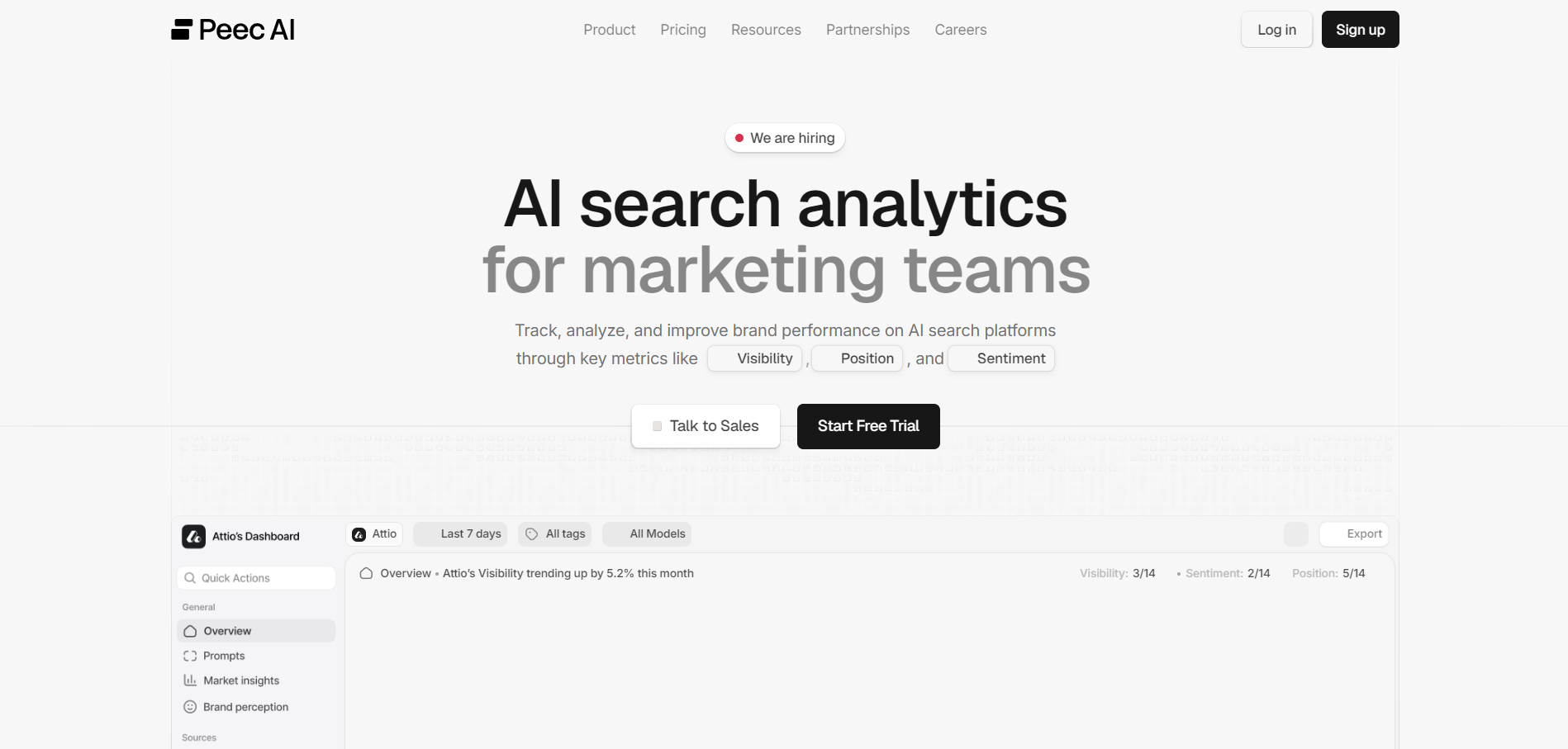
8. Peec AI: best for brands tracking visibility across AI answer engines
Peec AI is an AI visibility tracking platform built for a question none of the tools above were designed to answer: How often does your brand get mentioned when someone asks ChatGPT, Perplexity, or Gemini a relevant question, and what does that answer say about you?
Key features
Daily prompt tracking with source citations: Peec AI runs a set of tracked prompts daily across your chosen AI models. It reports your brand's visibility, ranking position, and sentiment inside those answers, plus a breakdown of which sources the models cited.
Competitor benchmarking: The same visibility, ranking, and sentiment data is available for competitors you add to a project. That shows whether a competitor is winning a prompt category you are losing.
Pricing
Plan
Price (monthly)
Prompts tracked
AI models
Starter
$95/month
50
Choose 3 of 7
Pro
$245/month
150
Choose 3 of 7
Advanced
$495/month
350
Choose 3 of 7
Enterprise
Custom
Custom
All 7, plus additional models
Annual billing takes roughly 15% off. Additional AI models beyond the three included cost extra per model, per month. Every plan includes unlimited users.
Where Peec AI shines
Purpose-built for AI search visibility: Tracking AI visibility is the whole product, not an add-on dashboard as it is in Semrush or GA4.
Unlimited users on every plan: Agencies managing this for clients pay nothing per seat, which is unusual in this category.
Multi-country tracking: You can see whether visibility differs by language or region, which matters when a global brand appears differently in German-language answers than English ones.
Where Peec AI falls short
No AI traffic estimation: Peec AI reports how visible you are inside AI answers. It does not estimate how much of that visibility becomes referred site traffic, on any plan.
Engine coverage caps at three per plan: Starter through Advanced all limit you to 3 of 7 models. Full coverage requires the custom Enterprise plan.
Customer reviews
“What I really like is the reliable prompt tracking, which lets me measure my company’s AI visibility over time and understand competitors in different LLMs…”Rinaldi J., G2
“40% of the prompts were overlapping with each other. And that created friction because with the default prompts we were tracking items multiple times. So we need to do a little bit of manual work to figure out the right prompt.”Verified G2 review
Who Peec AI is best for
Brands and agencies new to AI search visibility: The entry price is accessible for testing whether the category deserves a budget line.
Teams with solid traffic data elsewhere: Since Peec AI does not estimate AI-referred traffic, it works best alongside GA4 or Plausible, which can catch those sessions when they arrive.
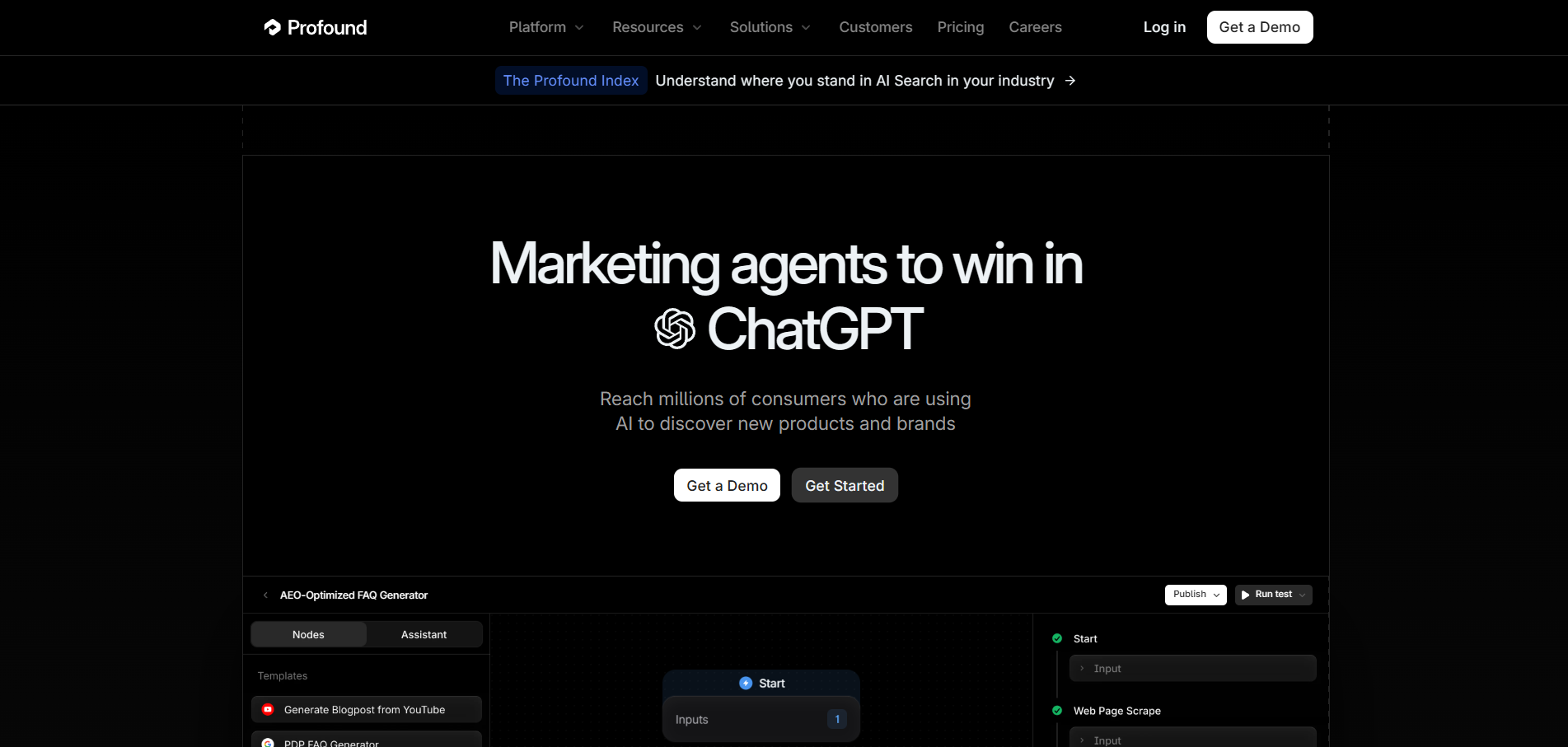
9. Profound: best for enterprise teams building an AI search visibility program
Profound is an AI search visibility platform aimed at enterprise marketing organizations, and it is the most heavily funded tool in this category. Profound's own site lists Indeed, MongoDB, and DocuSign among its customers.
Key features
Structured prompt tracking: Profound runs structured prompts daily across AI platforms and analyzes where and how a brand appears in the responses, tracking citations, sentiment, ranking, and competitive presence.
Official MCP server: An official MCP server makes Profound one of the more agent-ready tools in the category. AI coding and workflow tools can query its visibility data directly.
Pricing
Plan
Price (monthly, billed yearly)
Answer engines tracked
Prompts tracked
Starter
$99/month
ChatGPT only
50
Growth
$399/month
3 engines
100
Enterprise
Custom
Up to 10 engines
Custom
Where Profound shines
Widest multi-engine coverage in the category: From the Growth plan upward, Profound tracks more answer engines than Peec AI's equivalent tier.
Bot-crawl analytics: Seeing when and how often AI crawlers visit your site is a differentiator most competitors, including Peec AI, do not offer.
Where Profound falls short
The entry tier covers ChatGPT only: Multi-engine tracking, which is the reason most brands look at this category, starts at $399/month rather than $99.
Built and priced for enterprise programs: The jump from Starter to Growth is steep relative to what a smaller brand needs.
Customer reviews
“Profound's agents are extremely helpful for brands who are unsure what to do after reviewing the data that Profound provides.”Sara M., G2
“It’s limited to a select number of LLMs. Given how rapidly the LLM landscape and market share are changing, it would benefit from broader visibility across the core LLMs, along with clearer insight into how they differ by model and at the country level.”Georgie K., G2
Who Profound is best for
Enterprise marketing teams with an AEO program running: The depth of citation and bot-crawl data suits teams treating AI search as an established channel.
Organizations that need agent-ready reporting: The official MCP server is a real advantage if your team builds workflows around AI agents pulling live data.
How to choose the right referral traffic software
The right tool tells you where your traffic comes from, where a competitor's comes from, and how to turn that into a report someone will read. Five questions decide which one you need.
Do you need your own data or a competitor's?
GA4, Fathom, and Plausible track only sites where you have installed tracking. Semrush and Ahrefs estimate traffic to any domain, which is the only way to see a competitor's referral sources. If competitive research matters, you will likely need one of each.
Whichever source you pull from, that data still has to land somewhere a client can read it.
GA4 and Data Studio are free, but rebuilding a clean referral report every cycle is work you repeat or review each time. Reporting Ninja connects to GA4 once and refreshes the same report structure automatically, which avoids the rebuild.
Describing the report you want in a sentence and letting the AI reporting features propose the structure removes the initial build as well. You still approve everything before it is created.
Do you need AI answer engine referrals tracked separately?
Referral traffic from ChatGPT and Perplexity is growing, and most legacy analytics tools either miss it or group it into generic referral traffic. If that source matters, use a dedicated tool such as Peec AI or Profound, or a general tool with AI attribution built in, such as Plausible's higher tiers or Semrush's AI Assistants dashboard.
Is your tagging consistent enough to trust the data?
Every tool here is only as accurate as the tagging feeding it. A shaky UTM tracking setup misattributes referral sources no matter which tool reads them. Audit your UTM conventions before comparing which tool shows better numbers.
Does referral spam already skew your data?
Check the underlying data before adding a reporting layer. Referral spam in Google Analytics inflates numbers and gives credit to the wrong sources. Clean it up in GA4 first so every report built afterward starts accurate.
A clean data source is half the job. Once GA4 is spam-free, connect it to Reporting Ninja and turn referral data into recurring reports, which removes the same manual check from every future cycle.
{{cta-block-v1}}
Create your referral traffic reports in minutes with Reporting Ninja
Choosing the tracking tool is half the job. The other half is turning that data into something a client reads, without rebuilding it every month.
With Reporting Ninja, you can connect your GA4 account, choose a report template, and watch every future report extract fresh data on schedule, branded with your own logo.
Start a free 15-day trial with no credit card required and see your first report before deciding whether to subscribe.
FAQs
Is Google Analytics 4 enough to track referral traffic on its own?
Yes, for most small- to mid-sized sites. GA4's Traffic Acquisition report shows referral sources for free, though you build the filtered view yourself.
Can I track referral traffic from AI tools like ChatGPT?
Yes, with the right tool. GA4 often miscategorizes or misses AI-driven referral traffic. Peec AI, Profound, Semrush's AI Assistants dashboard, and Plausible's higher tiers are built to catch and attribute it.
Do I need a paid tool if I already use GA4?
Not necessarily. GA4 covers tracking, and it does not cover automated, branded reporting across clients or channels. That is where a tool like Reporting Ninja adds a layer on top of GA4.
Why does my referral traffic data look different across tools?
Usually referral spam, inconsistent UTM tagging, or the gap between actual analytics (GA4) and estimated traffic (Semrush, Ahrefs). Neither approach is wrong. They measure different things.
Is Reporting Ninja a replacement for Google Analytics?
No. It connects to your existing GA4 account and automates how that data becomes reports. It is a reporting layer on top of GA4.
Elevate your marketing reports to the next level
Sign up for a 15 days free trial. No credit card required.
By clicking “Accept”, you agree to the storing of cookies on your device to enhance site navigation, analyze site usage, and assist in our marketing efforts. View our Privacy Policy for more information.