9 best Google My Business reporting tools reviewed
Luis Pereira
Founder & CEO at Reporting Ninja
Key takeaways
Reporting Ninja is the best all-around pick for agencies that want Google Business Profile reporting alongside Looker Studio, Google Sheets, and other marketing data sources.
BrightLocal is a strong choice for local SEO teams that need rank tracking and citation audits alongside reporting.
AgencyAnalytics suits agencies billing per client that want client logins, tasks, and permissions in the same platform.
Birdeye fits multi-location brands focused primarily on reputation management rather than reporting.
If you still export Google Business Profile (GBP) insights by hand each month, you’ve reached the limits of Google's built-in reporting. Native insights cover one location at a time, with no scheduling and no branding for client reports.
A dedicated GBP reporting tool collects the data for you, turns it into a client-ready report, and can combine it with performance data on other marketing channels. That matters most for agencies, multi-location businesses, and anyone reporting on a fixed schedule.
Below we compare nine Google Business Profile reporting tools for 2026. Each entry covers what the tool is, what its GBP reporting does, what it costs, where it helps, where it does not, and who should buy it.
Google Business Profile insights vs. reporting tools
Google's built-in Business Profile insights work well for checking analytics for one location. They were not built to replace a reporting workflow, and knowing what Google Business Profile analytics actually measures makes the gap easier to see. Here’s how they compare to a dedicated reporting tool:
Feature
Native GBP insights
Dedicated reporting tools
Historical data
Limited window, typically 6 months
Often 12+ months, some unlimited
Multi-location view
One location at a time
Dozens of locations in one report
Cross-channel blending
GBP data only
GBP alongside GA4, Google Ads, social, and more
Branding
Limited
White-label PDFs, client portals, custom domains
Scheduling
Manual sharing and export
Automated delivery on a set schedule
Client sharing
Screenshot or manual PDF
Live dashboards or branded scheduled reports
9 best Google My Business reporting tools compared for 2026
We ranked these tools on the depth of their Google Business Profile reporting, ease of use, pricing, multi-location support, cross-channel integrations, and client reporting.
Feature
Native GBP insights
Dedicated reporting tools
Historical data
Limited window, typically 6 months
Often 12+ months, some unlimited
Multi-location view
One location at a time
Dozens of locations in one report
Cross-channel blending
GBP data only
GBP alongside GA4, Google Ads, social, and more
Branding
Limited
White-label PDFs, client portals, custom domains
Scheduling
Manual sharing and export
Automated delivery on a set schedule
Client sharing
Screenshot or manual PDF
Live dashboards or branded scheduled reports
Once you have a shortlist, test two or three of your selected tools against your own GBP accounts. Check the metrics you report every month, how easily GBP sits next to your other channels, and what the bill looks like at double your current location count.
Test the workflow before you pay for it. You can start a free 15-day trial of Reporting Ninja, connect a Google Business Profile account, and build a branded report without a credit card.
1. Reporting Ninja: best for combining GBP reporting with other marketing channels
Reporting Ninja is a custom reporting platform for freelancers, small agencies, and small in-house marketing teams. It treats Google Business Profile as one channel among many, so GBP data sits in the same report as GA4, Google Ads, social, and SEO data.
One subscription covers five ways to work with that data. You not only get a white-label report builder, but also Data Studio connectors and a Google Sheets add-on. It also offers the REST API and MCP access for teams that want more control. Every plan carries all features and integrations, so the tiers differ only by volume.
Key features
Reporting Ninja's Google My Business reporting answers the three questions clients ask every month: how people found the listing, what they did next, and what they said about the business.
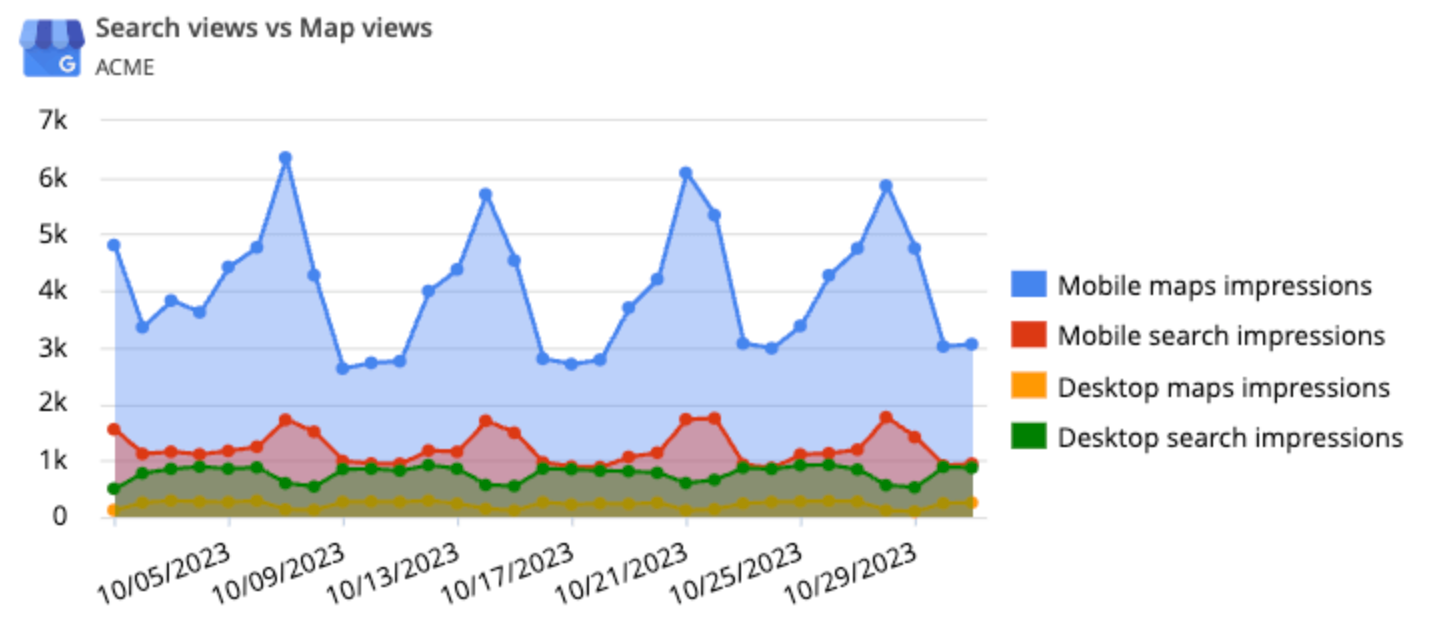
Search views vs. map views tracking
This widget splits GBP discovery into two numbers. One is how many people found the listing through Google Search results, and the other is how many found it through Google Maps.
The split tells you which part of a local strategy produced the visibility. A listing found mostly through Maps is being served on location and category, while one found through Search is being served on keywords and content.
The widget pulls from the GBP API and refreshes on your reporting schedule. It sits in the same report as your other data sources, so you do not need a separate export.
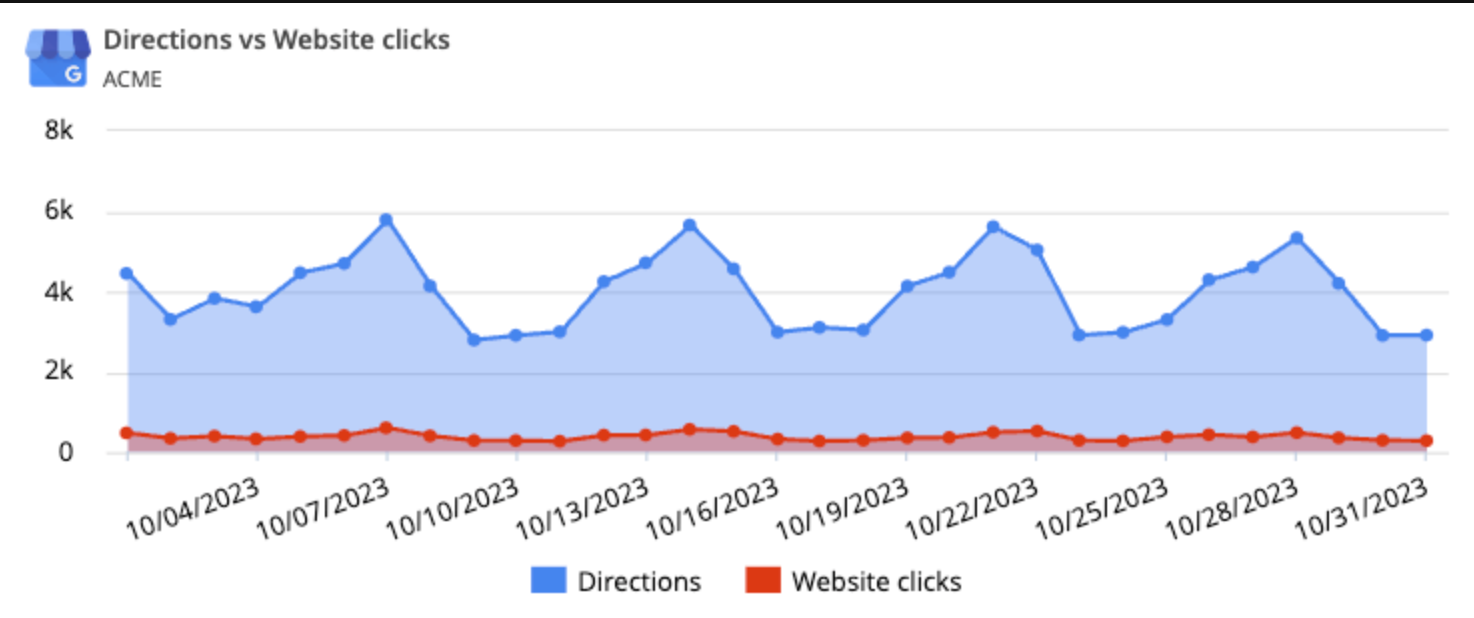
Customer interaction tracking
Reporting Ninja records what people do after they reach a profile, including website clicks, requests for directions, and phone calls. You can view these by period or by day.
Viewing by day lets you match a rise in calls to a specific promotion, campaign, or seasonal week. Without that view, you can only report the monthly total and guess at the cause.
For clinics, restaurants, and home services, the phone call is usually the conversion. That makes call volume the most requested number in a monthly report for those clients.
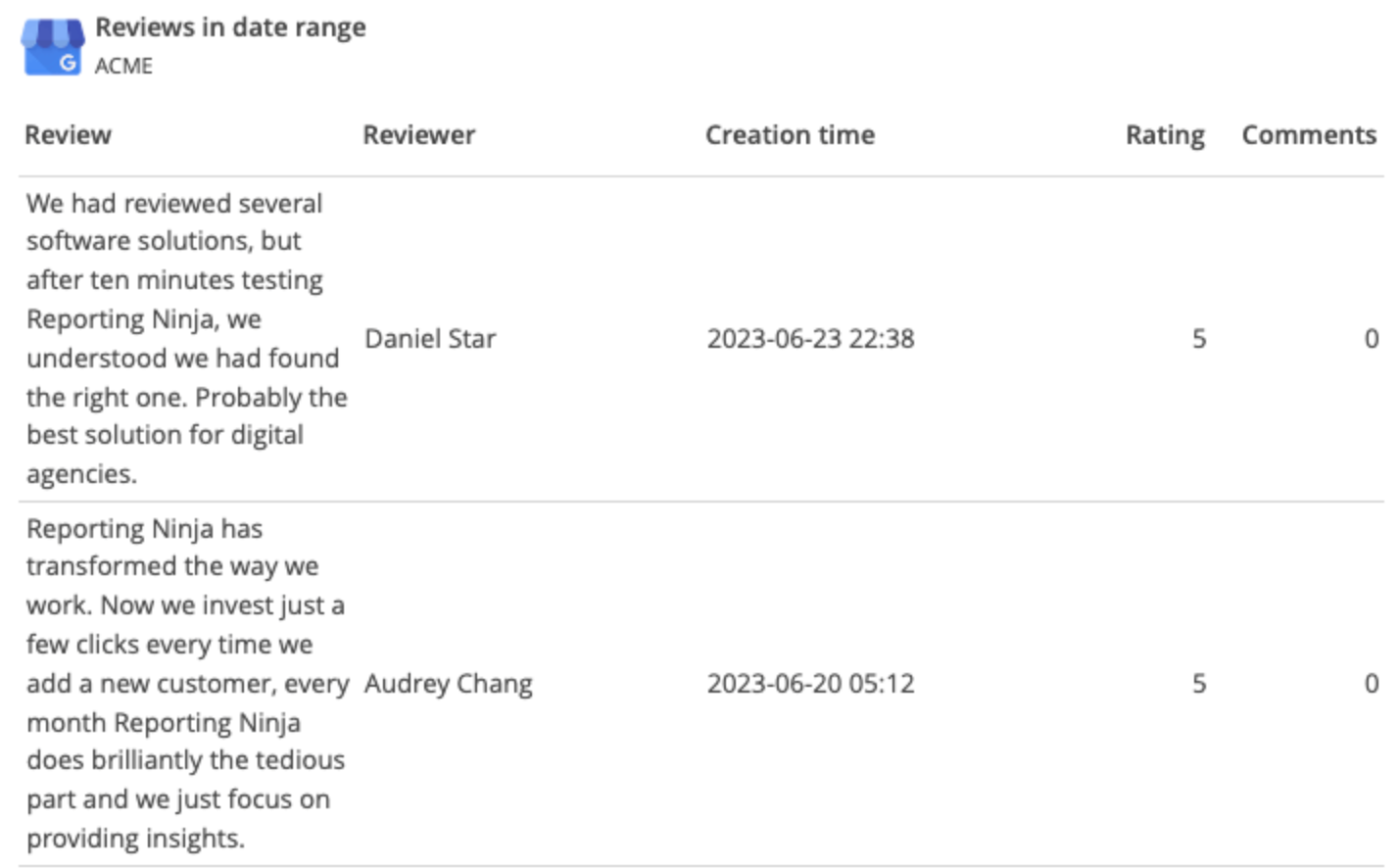
Review monitoring
Reporting Ninja tracks the number and rating of Google reviews for any period or across all time. It can also show the text of individual reviews inside the report.
Review count and average rating are two of the metrics clients ask about most often. Having them next to call volume means you do not need a separate reputation tool for the monthly update.
Pricing
Plan
Monthly (billed annually)
Reports
Users
Accounts per type
Starter
$20/mo
10
4
10
Small
$40/mo
30
8
30
Medium
$70/mo
70
12
70
Large
$120/mo
150
16
150
All plans come with the full feature set, differing only by report, user, and account limits. There’s a 15-day free trial, and no credit card is required. Billing is pay-as-you-go, with no contracts and no cancellation fees.
Where Reporting Ninja shines
Every feature on every plan: Custom reports, Data Studio connectors, and the Google Sheets add-on are included on Starter, so a small agency is never moved to a higher tier to reach a core feature. Agencies that have switched from usage-based platforms often name this as the reason.
Reports in 16 languages: The platform ships with 16 language files, so agencies with international clients send a report in the client's own language without building the translation themselves
A branded client portal on your own domain: Clients log in and read their reports whenever they want, on a domain that carries your agency's name rather than Reporting Ninja's
{{cta-block-v1}}
Where Reporting Ninja falls short
A smaller integration catalog than the largest platforms: Reporting Ninja covers the channels most agencies use, but teams pulling from niche or proprietary sources will find more options elsewhere
No listings management: The platform reports on GBP but does not edit it, so posting updates or bulk-editing business information needs a second tool
Customer reviews
The ability to integrate data from various marketing channels and turn them into such well-crafted reports saves us a lot of time while enhancing our clients' experience." Stephanie Barbieri, Studio 33.
"It’s easy to use and comes with very good customer support. It works with many data sources, can send automatic reports by email, and also includes connectors for Google Data Studio and Google Sheets." László V., G2
Who Reporting Ninja is best for
Freelancers and small agencies on a fixed software budget: The plan price does not rise with client count, so adding a fifth or tenth client costs nothing extra until you reach the account limit
Teams already working in Data Studio or Google Sheets: Both connectors are included, so the tool fits an existing workflow instead of replacing it
Agencies whose clients ask about more than local search: GBP sits in the same report as GA4, Google Ads, and social data
Start from a layout instead of an empty report. The Google My Business report template already holds the search, map, call, and review widgets, and you can connect your own account to fill it.
2. AgencyAnalytics
AgencyAnalytics is a client reporting platform built for marketing agencies and no one else. Alongside dashboards for 85+ marketing channels, it offers client portals, task management, and access controls. Pricing is charged per client rather than per data source, so the bill follows your client count.
Key features
Native Google Business Profile widgets: GBP data loads into pre-built dashboard widgets covering search visibility, customer actions, and review activity, with no separate connector to set up
Up to 50 GBP locations per campaign: A single client campaign holds 50 Google Business Profile pages, so a franchise client does not need one report per location
Metric alerts and anomaly detection: AgencyAnalytics flags metrics that move outside their normal range across the data sources on a client dashboard
Pricing
Plan
Price (billed annually)
What's included
Core plan
$20/client/mo
Automated reporting, AI insights, MCP access
Enterprise
Custom pricing
Database connectors, custom integrations
Optional add-ons: AI Tracker at $20.83/month per 250 credits billed annually and Rank Tracker at $41.67/month per 500 keywords billed annually.
Where AgencyAnalytics shines
Agency operations built in: Client portals, task management, and access control sit next to the dashboards, so account admin and reporting live in one place
Independent and employee-owned: The company has run the same product since 2010 and is 100% employee-owned, which lowers the risk of an ownership change altering the roadmap
Where AgencyAnalytics falls short
Cost rises with client count: A 15-client agency pays 15 times the base rate, which makes budgeting harder while you are growing
Enterprise pricing is not published: Agencies above 25 clients move to a custom quote, so you cannot compare the real cost without a sales conversation
Customer reviews
"I love using AgencyAnalytics for managing SEO projects, especially with its numerous integrations that make producing regular reports and monitoring rankings so straightforward."Alex W., G2
"They have one solo option with very limited data sources, which isn't enough for companies with a lot of data sources and platforms to connect." Candice d., G2
Who AgencyAnalytics is best for
Agencies that charge clients monthly: If your revenue already scales per client, a per-client subscription matches how money comes in
Teams that want reporting and account management together: Tasks, client logins, and permissions sit beside the dashboards rather than in a separate tool
3. Whatagraph
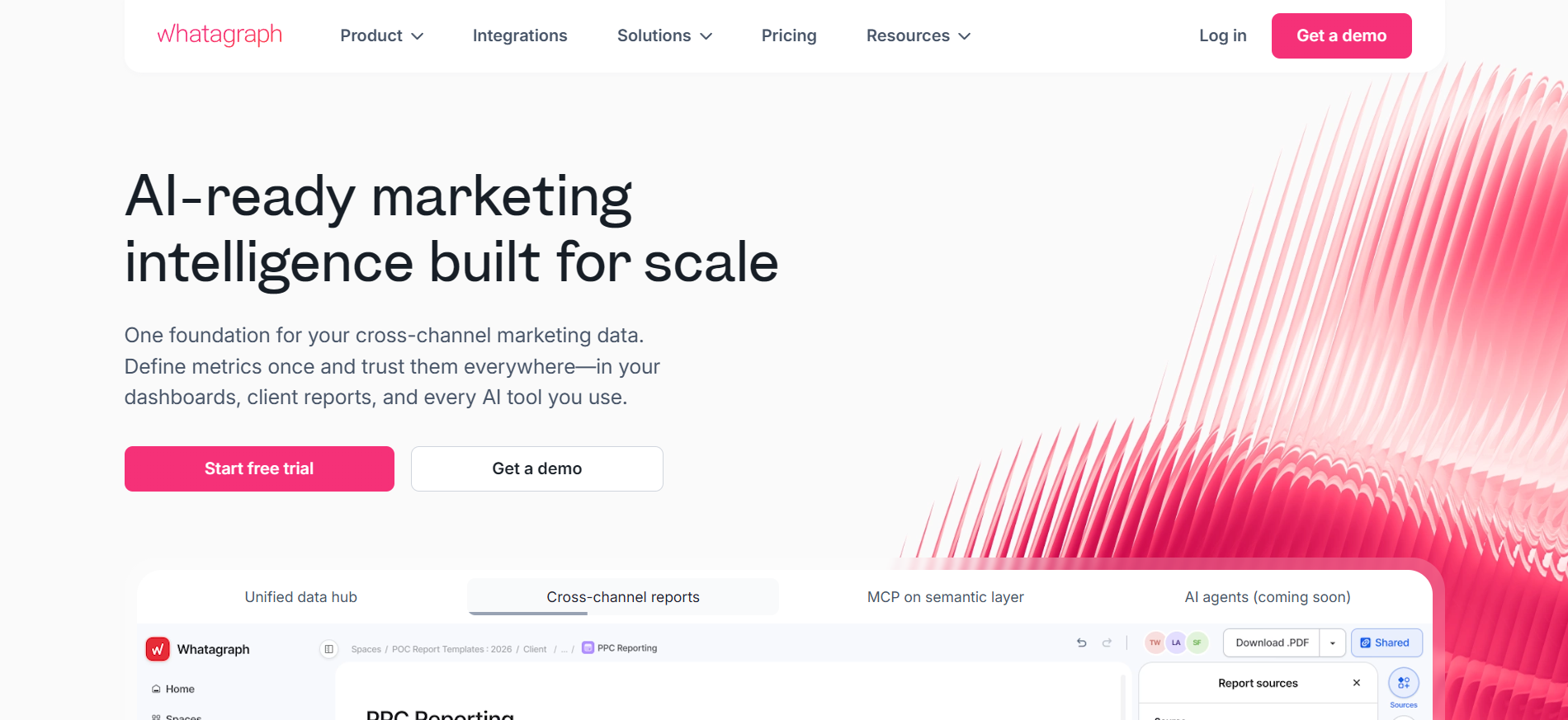
Whatagraph is a marketing intelligence platform for teams running a large number of accounts, locations, or brands. Its connectors are fully managed, which means Whatagraph maintains the connection to Google Business Profile rather than leaving that to you. Since the 2025 release of Whatagraph 3.0, AI handles more of the report building, and cost is based on source credits rather than clients.
Key features
Native Google My Business integration: Whatagraph connects to a Google Business Profile account and pulls reviews, customer actions, and phone-call data with no third-party connector in between
Whatagraph IQ: An AI chat layer sits inside shared live reports, so a client asks questions about their own numbers instead of waiting for a written summary
Data Hub and warehouse transfers: Connected data can be stored, cleaned, and moved into BigQuery or Data Studio, which suits teams that keep their own warehouse
Custom credits, premium integrations, custom domain, public API, BigQuery and Looker Studio transfer
Where Whatagraph shines
EU data hosting and ISO 27001 certification: The platform is GDPR compliant, hosts data in the EU, holds ISO 27001, and supports SSO and SAML, which matters to teams with data residency rules
Built for accounts at scale: Whatagraph sells separate products for agencies and for multi-location operators, so the feature set assumes many accounts rather than one
Where Whatagraph falls short
Credit-based pricing: Cost scales with source credits rather than clients, so an agency connecting several GBP locations plus other channels can use up its credits and move to a higher tier
Annual billing on the published plan: Max is sold annually, which means giving in to a year-long commitment before you know whether it fits
Customer reviews
"I really appreciate Whatagraph's clean and easy-to-customize interface, which has made it quite intuitive for our small analytics team. The easy report sharing feature has been a big plus for us."Anna A., G2
"I found its pricing structure to be somewhat complex, especially for larger teams or agencies. More transparent and flexible pricing options would enhance the overall user experience."Roberto G., Capterra
Who Whatagraph is best for
Agencies with a small roster of large accounts: A few high-value clients can absorb $812 a month, and many small ones cannot
European teams with data residency requirements: EU hosting and ISO 27001 answer a procurement question that other tools here leave open
4. BrightLocal
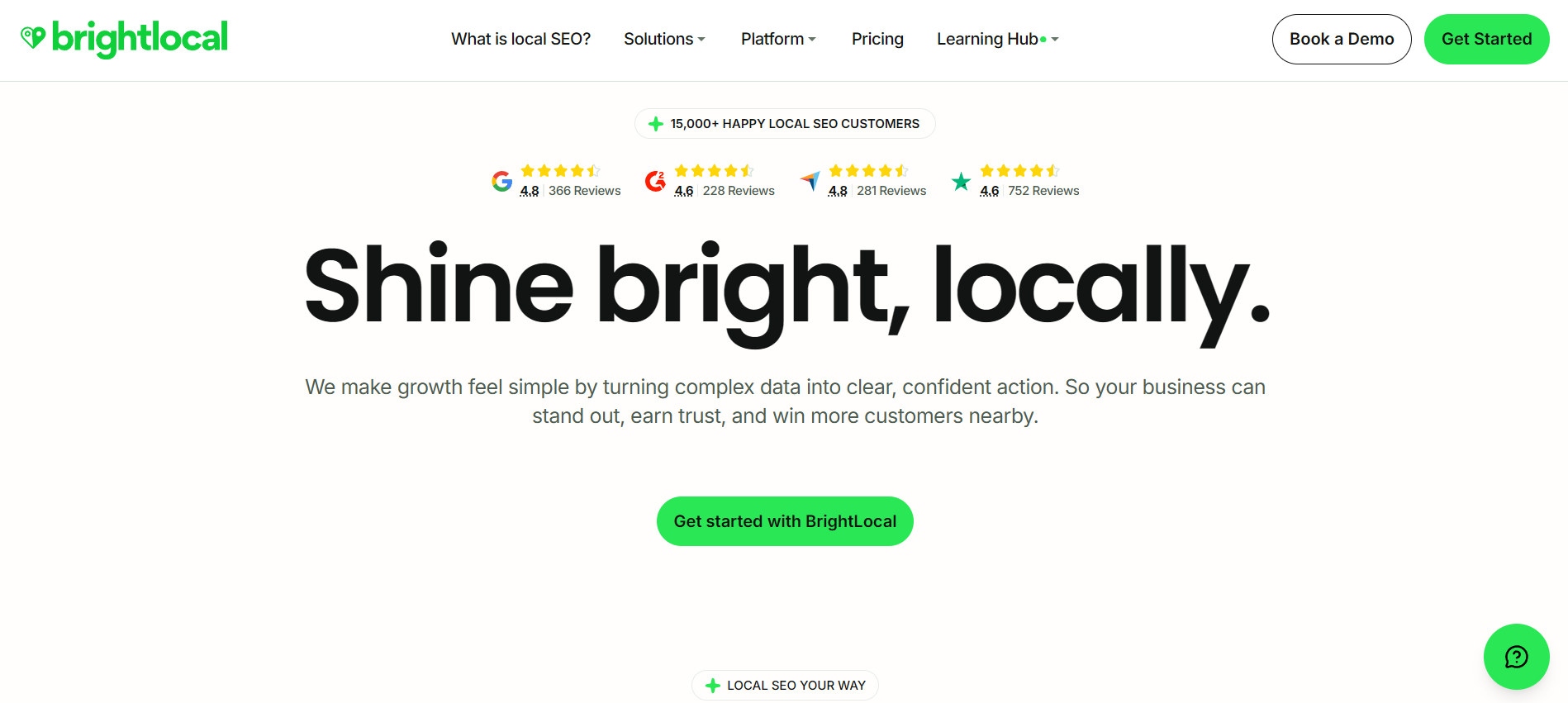
BrightLocal is a local SEO platform rather than a reporting tool that happens to cover local search. Rank tracking, listings management, review management, and audits sit alongside the reporting, so it tells you what is wrong with a listing and not only what happened to it. Pricing scales by the number of locations you manage, and managed local SEO services are sold separately.
Key features
Local Search Audit: One scan produces a client-ready report covering listing accuracy, on-page SEO health, and profile completeness
Citation Tracker: The tool checks 108+ citation sources for name, address, and phone number consistency, then flags every mismatch it finds
Local Search Grid: A map grid shows how a business ranks against competitors at different points across a service area, rather than at one address
Pricing
Plan
Annual billing
Best for
Track
Starts at $369/year
Local SEO tracking and GBP audits
Manage
Starts at $485/year
Managing business listings and GBP activity
Grow
Starts at $584/year
Reputation management and customer growth
Pricing varies by the number of locations managed. The figures above only cover one location. Citation building starts from $2 per citation, and managed local SEO services start from $1,299 a month.
Where BrightLocal shines
Original local search research: The annual Local Consumer Review Survey gives agencies first-party data to use in pitches and client education, which no other tool here publishes
Free training through BrightLocal Academy: New staff learn local SEO inside the same platform they will use, which shortens onboarding for a growing agency
Where BrightLocal falls short
Cost rises with location count: Prices scale by locations managed, so a 50-location client costs far more than the $31 monthly headline suggests
It is not a cross-channel reporting tool: BrightLocal covers local search only, so GBP data will not sit next to GA4 or paid media in the same report
Customer reviews
Their competitor analysis is also very insightful and gives us actionable items to work on with our digital agencies." Adam J., G2
"High price for the full tool and adding extra for citation building." Abhishek R, G2
Who BrightLocal is best for
Local SEO agencies and consultants: If audits and citation health are as much of your service as reporting, BrightLocal covers work a reporting tool cannot
Multi-location brands competing in the local pack: The grid view answers questions about ranking across a whole service area, not just at the business address
5. DashThis
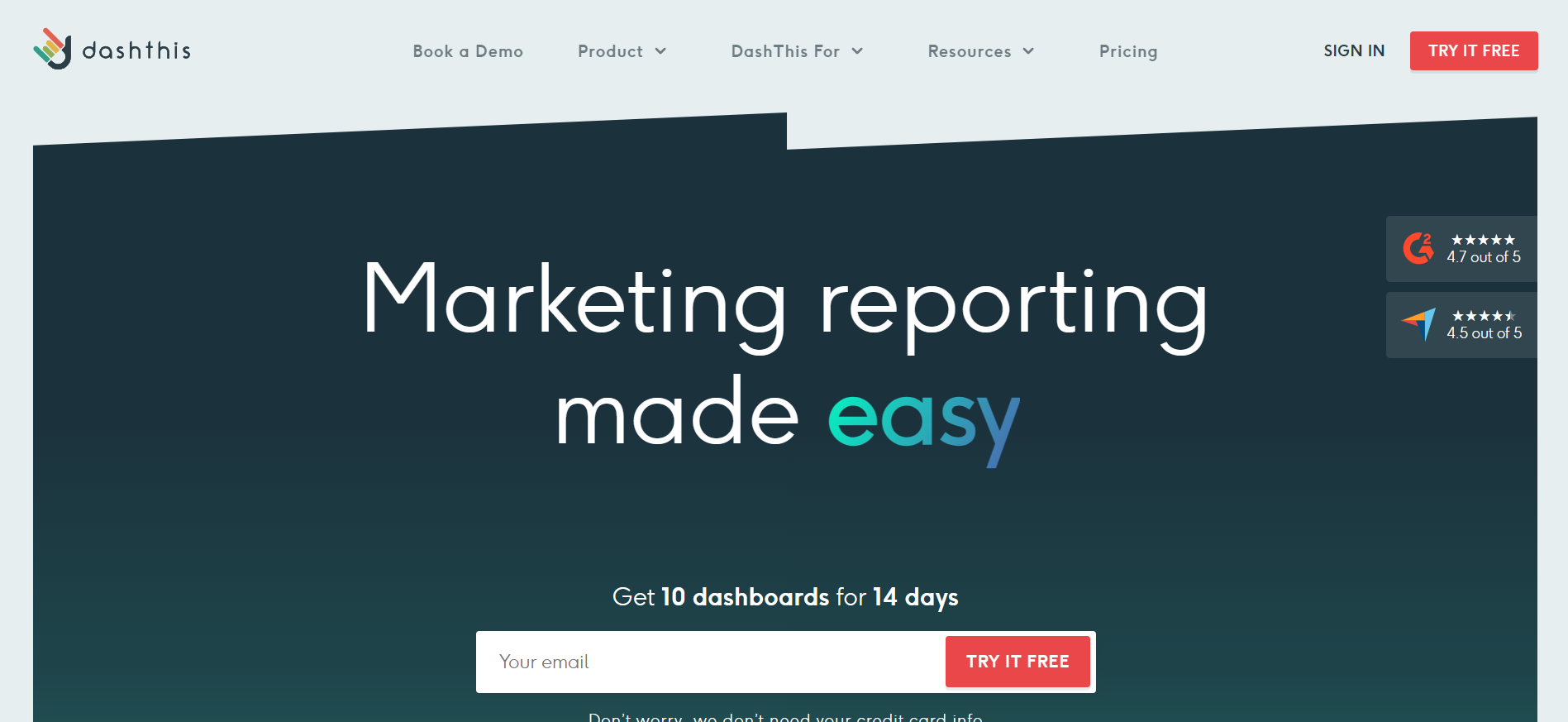
DashThis is a marketing reporting dashboard tool built around speed. It connects to 30+ platforms natively, including Google My Business, and starts you from a prebuilt template instead of an empty dashboard. Separate templates exist for franchise, automotive, hospitality, healthcare, and non-profit reporting.
Key features
Native Google My Business data source: DashThis connects to GBP as a first-party integration alongside 30+ other platforms and pulls the data into a dashboard automatically
Dashboard cloning: One click copies an existing dashboard's structure for a new client or campaign, so you do not rebuild each widget by hand
AI reporting: The platform writes commentary on the data in a dashboard, which saves you from drafting the same monthly summary each time
Pricing
Plan
Quote (billed annually)
Dashboards
Sources
Individual
$44/mo
3
15
Professional
$139/mo
10
40
Business
$279/mo
25
100
Standard
Starts at $429/mo
Start at 50
Start at 200
Where DashThis shines
White-label reporting as a named feature: Client-facing branding is part of the published product rather than an add-on you find at checkout
A named product specialist per account: DashThis pairs accounts with a specific person for support, which is uncommon at this price
Where DashThis falls short
Plans are limited by two numbers at once: Each tier caps both dashboard count and data source count, so passing either limit means an upgrade
No local SEO tooling: DashThis reports on GBP but does not track rankings, manage citations, or edit listings
Customer reviews
"DashThis pulls data from Google Search Console, Google Analytics, LinkedIn, and Google Business Profile, ... and it allows me to organize the data in a way that paints a picture for leadership." Sherry H., G2
"The weakness of DashThis is that it requires knowledge of the other programs it's pulling information from. If someone on our team is unfamiliar with one of the programs that DashThis is presenting, it can lead to some reporting issues." Ethan M., G2
Who DashThis is best for
Small and mid-size agencies that want dashboards running today: The template-first setup gets a client live in minutes rather than after a configuration project
Marketers reporting on a fixed set of channels: If your channel list rarely changes, the source limits are easy to plan around
6. Swydo
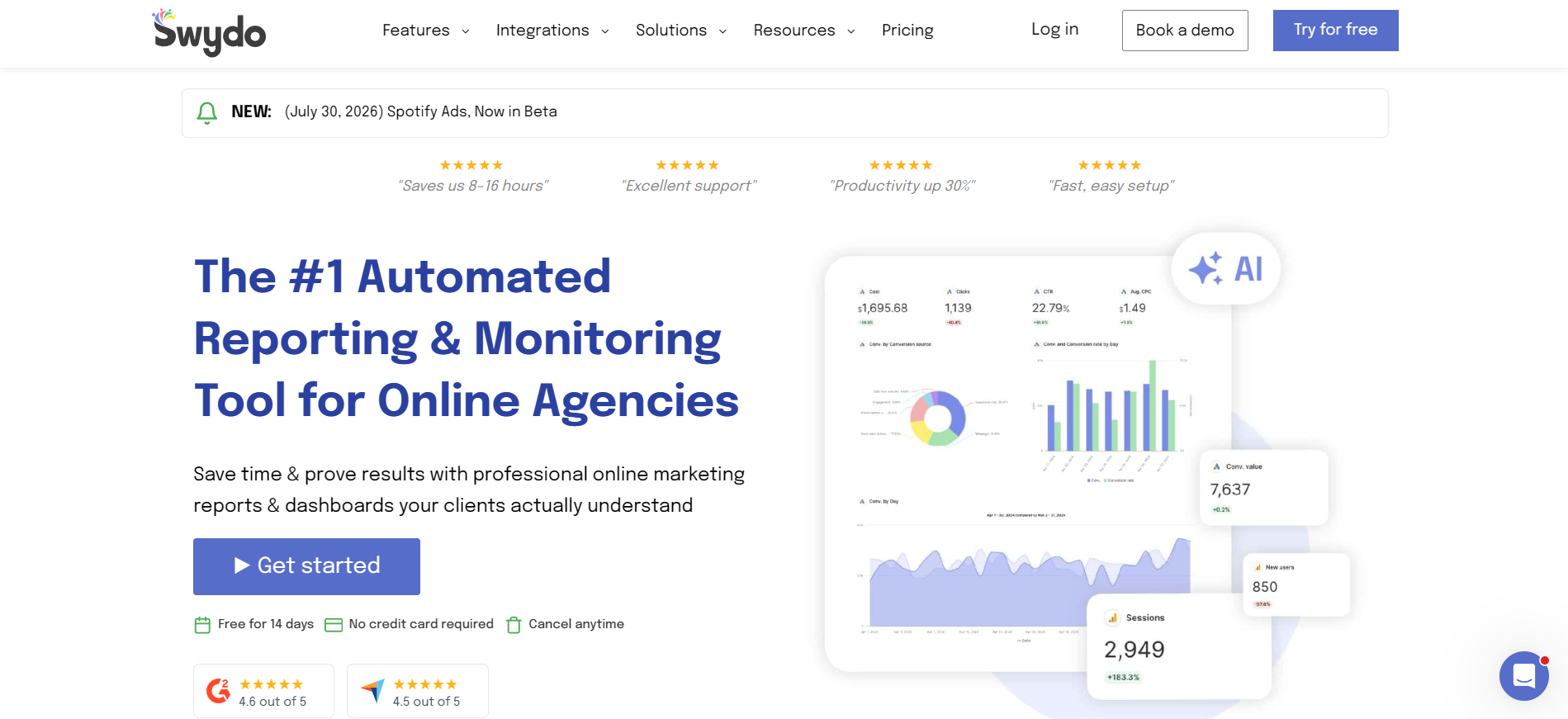
Swydo is a reporting and monitoring platform for online marketers, connecting 34+ data sources. Alongside scheduled reports, it checks metrics between reporting cycles and emails you when one crosses a target you set. Its Google Business Profile integration breaks local search behavior into more detail than most competitors offer.
Key features
Granular GBP search and interaction metrics: Swydo breaks visibility into search queries, map views, search views, photo views, and direct versus branded searches
Goal tracking with threshold alerts: You set a target for a metric, and Swydo emails you when the metric crosses it, so a drop in calls does not wait for the monthly report
Swydo sells one plan with unlimited users, dashboards, and reports and every feature included. The first 10 data sources come with the plan, and further sources are priced by volume.
Where Swydo shines
Franchisors are a named customer type: Swydo sells to franchise operators directly, which shows the product handles repeated location structures
Clear data handling rules: Swydo connects through OAuth or scoped API keys, encrypts data in transit, and deletes credentials within 90 days of account closure
Where Swydo falls short
Cost rises with connected accounts: Every connected account is a billed source past the first 10, so a multi-client, multi-channel agency pays more each month
No flat-rate option: There is no way to fix your cost regardless of how many sources you connect
Customer reviews
"The integration capabilities allow us to seamlessly integrate different platforms. I also appreciate the ability to mark up, which helps provide more effective reporting." Verified G2 review
"It got disconnected from time to time, and we have to reconnect, refresh, and reload the pages." Kerry W., G2
Who Swydo is best for
Agencies relying on under 10 data sources: The included sources cover a small client roster before the per-source charges start
Teams that have to explain how people found a listing: The direct versus branded search split answers a question a lot of other reporting tools cannot
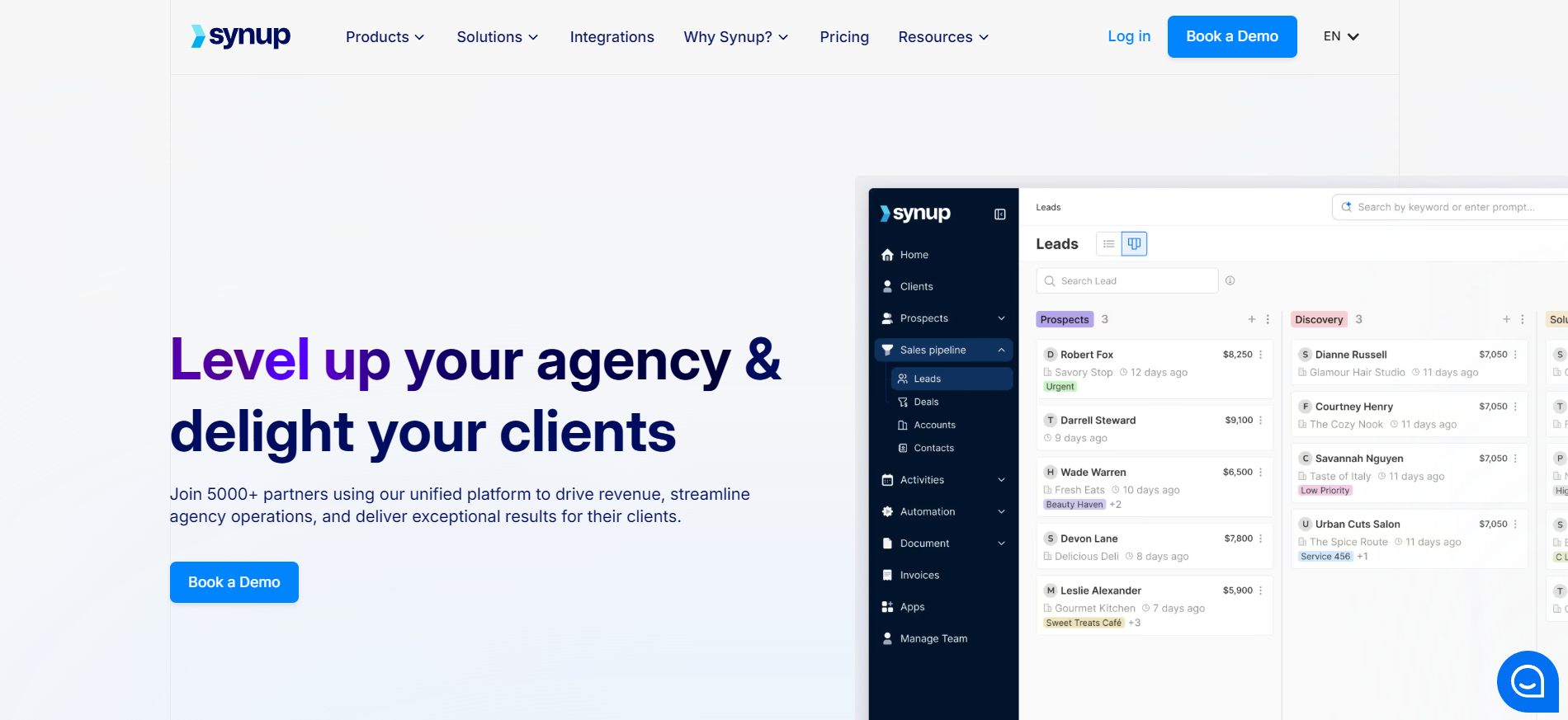
Synup is a local presence management platform where reporting sits alongside the main job of keeping listings accurate and reviews handled. Listings, reputation, social scheduling, and reporting all run from one product, which replaces three separate tools for a large network.
Key features
Bulk GBP updates: One action pushes a change, such as new business hours or photos, to hundreds of GBP locations at the same time
Review sentiment analysis: Synup sorts review feedback into positive, negative, and neutral using AI, then surfaces the themes that repeat across locations
Client logins are unlimited above the entry tier: The Agency and Scale plans include unlimited client users, so giving every client access costs nothing extra
Listings, reviews, and social sit in one subscription: An agency running a full local program does not need to juggle three vendors and three different invoices
Where Synup falls short
Add-on pricing sits outside the base plan: Capabilities such as Listings Pro and Reviews Pro are priced separately, so the real monthly cost is harder to predict
Every tier caps locations: Listing and review management are limited per plan, and a network above 500 locations needs a custom arrangement
Customer reviews
"One dashboard for social posting & GBP posts are very easy to use." Lauren H., G2
"The top menu feels cluttered, and I’m not sure what the Revenue section in Performance is supposed to show." Gabriel S., G2
Who Synup is best for
Franchise brands and large multi-location agencies: At dozens or hundreds of locations, editing listings one at a time stops being possible
Teams that want one vendor for local business management: Buying listings, reviews, and reporting together removes the work of joining three tools into one client update
8. Birdeye
Birdeye is a reputation and customer experience platform for businesses running several locations, and GBP reporting is one part of it. Reviews, surveys, messaging, social, and listings are all organized around the individual branch, so performance can be read site by site.
Key features
Insights AI: Birdeye analyzes reviews, survey responses, and listings data to produce a performance score and location-level recommendations
Unified inbox: Customer messages from text, social, web chat, and email arrive in one inbox per location, so a branch manager works from a single queue
Pricing
Plan
Pricing
Notes
All plans
Custom
Pricing varies by locations, products, and contract terms
Where Birdeye shines
Compliance coverage for regulated industries: HIPAA, SOC 2, and GDPR compliance make it usable in healthcare and legal settings where other tools cannot be approved
Customer data organized by location: Reviews, social, messaging, and survey signals sit in one profile per branch, which supports campaigns aimed at a single site
Where Birdeye falls short
No published pricing: You cannot budget or compare without a sales conversation
Most of the product is not reporting: You pay for messaging, surveys, and social alongside GBP reporting, whether or not you use them
Customer reviews
"The reporting and analytics features help measure trends over time and enable us to make more informed marketing decisions." Verified User, G2
"I feel like there are issues with transaction fees and that the contract is too rigid and expensive." Padma G., G2
Who Birdeye is best for
Multi-location and franchise brands where reputation is the job: If review volume and response time are the metrics leadership tracks, the wider product is worth the price
Regulated industries such as healthcare and legal: Built-in HIPAA handling solves a compliance problem that most reporting tools leave to you
9. Databox
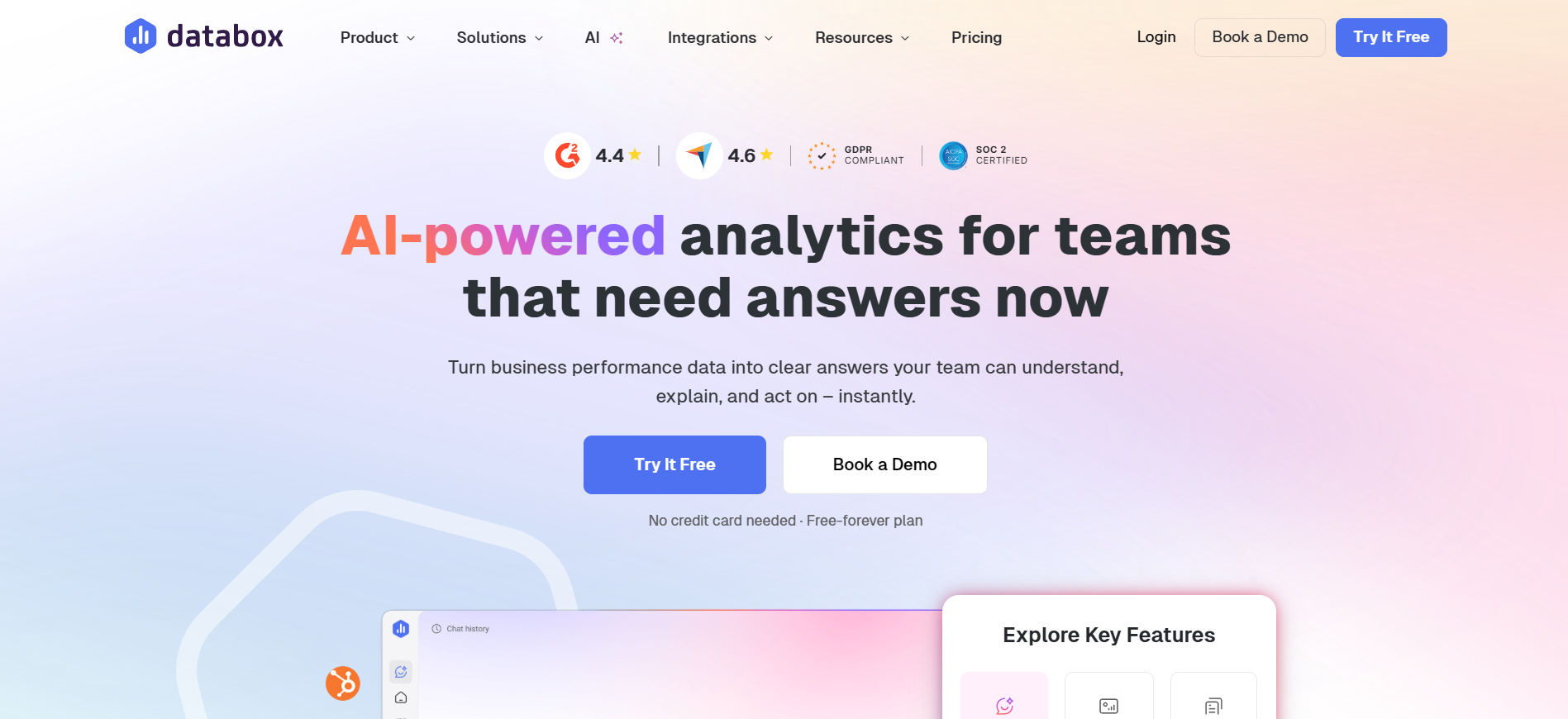
Databox is a business analytics and dashboard platform for teams watching performance continuously rather than producing a monthly PDF. Google Business Profile is one of 90+ integrations, so local search usually feeds a company-wide dashboard alongside sales and finance data.
Key features
Native GBP data source: Databox connects to Google Business Profile through its Data Manager, and pre-built dashboard templates are available as soon as the connection is made
Goal tracking and alerts: You set daily, weekly, monthly, or custom targets per metric, and Databox sends an alert when performance moves outside the expected range
Pricing
For businesses
Plan
Price (billed annually)
Data sources included
Free
$0
3
Analyst
$64/mo
5
Pro
$159/mo
3 (additional at $5.60/mo each)
Growth
$399/mo
3 (additional at $5.60/mo each)
Custom
Custom
Custom
Databox counts each connected account or property as a separate data source. Several GBP locations or GA4 properties will therefore take you past the base plan.
For agencies
Plan
Price (billed annually)
Data sources included
Agency Starter
$79/mo
3 (additional at $2.40/mo each)
Agency Pro
$159/mo
3 (additional at $2.40/mo each)
Agency Growth
$399/mo
3 (additional at $2.40/mo each)
Agency Premium
$799/mo
50 (additional at $2.40/mo each)
Where Databox shines
Dashboards on screens people already use: TV, Slack, and mobile delivery mean the numbers reach a team without anyone opening a reporting tool
Unlimited users on paid plans: There is no per-seat charge, which matters for a large internal team where everyone needs access
Where Databox falls short
Every connected account is billed as a source: An agency with several GBP locations plus other channels will pass the advertised base price quickly
White-labeling costs extra: Client-facing branding is an add-on fee on most tiers rather than part of the subscription
Customer reviews
"I like that Databox helps with sending automatic reports to clients, which means I don't have to manually send them. It saves us hundreds of hours per month." Stephanie O., G2
"Their templates break, and individual metrics stop working." Guy M., G2
Who Databox is best for
In-house marketing and leadership teams: The always-on dashboards suit people checking performance daily rather than building reports for someone else
Companies where GBP is one channel of many: If local search feeds a company-wide dashboard alongside a dozen other sources, the integration count supports that
How to choose the right Google Business Profile reporting software
The right tool depends on your workflow more than on a feature list. Three questions decide it in most cases: how many locations you manage, whether you need listings management alongside reporting, and how predictable your costs need to be.
1. Pricing predictability
Usage-based pricing looks cheap at the entry tier and rises as you add clients or sources. Before you commit, work out the cost at double your current client or location count.
Flat, account-based pricing removes that calculation. Reporting Ninja charges by report, user, and account limits, with all features on every plan.
Work out your real cost before you sign anything. Check Reporting Ninja's pricing to see the report, user, and account limits on each tier, then compare them against your client count.
2. Cross-channel blending
If GBP is one part of a client's marketing, a GBP-only tool leaves you joining reports by hand each month. Look for a platform that puts GBP next to GA4, Google Ads, and social data in a marketing intelligence report.
Reporting Ninja's connectors cover SEO, PPC, and social channels alongside GBP in the same platform. That is where most of the time savings come from.
3. Branding and client delivery
Client reports should carry your agency's name, not a generic export header. Check whether white-labeling, custom domains, and scheduled delivery are included in the tier you plan to buy.
This varies widely across the tools above. On some, branding sits behind a higher tier or a separate fee.
4. Metric depth
Decide which GBP metrics you report on before you shortlist. Some tools show total views only, while others split search views from map views and separate direct searches from branded ones.
Reporting Ninja's Google My Business reporting covers search views, map views, website clicks, direction requests, phone calls, and review monitoring in a single report. Those metrics form the core of a local SEO report for most clients.
Check the widget list before you rebuild your monthly report.See all Reporting Ninja integrations and confirm that every channel your clients ask about is already covered.
Create your marketing reports in minutes with Reporting Ninja
If you manage one location and check it occasionally, Google's own insights will do. If you manage several locations or several clients, the choice comes down to whether you need listings management alongside reporting or reporting across every channel.
Reporting Ninja is built for the second case. GBP sits next to GA4, Google Ads, and social data on one plan, with Data Studio connectors and a Google Sheets add-on included on every tier.
Connect your Google Business Profile account, add your other channels next to it, and send a branded report this week. Start your free 15-day trial with no credit card required.
{{cta-block-v1}}
FAQs
Can Google Business Profile reports be automated?
Yes. Tools such as Reporting Ninja, Swydo, and DashThis schedule GBP reports to build and send on a set date, so no one exports data by hand.
Which reporting tools support multiple Google Business Profiles?
Most tools here support several locations, though the limits differ. AgencyAnalytics allows 50 GBP pages per campaign, while Synup and Birdeye handle hundreds of locations at once.
Can I combine Google Business Profile with GA4 and Google Ads reports?
Yes. Reporting Ninja, AgencyAnalytics, Whatagraph, and DashThis all blend GBP data with GA4, Google Ads, and other channels in one report rather than separate exports.
Is there a free Google Business Profile reporting tool?
Yes, with limits. Google's own insights are free but cover one location. Databox offers a free plan with three data sources, and most paid tools include a 14-day or 15-day trial.
Elevate your marketing reports to the next level
Sign up for a 15 days free trial. No credit card required.
We use analytics cookies (Google Analytics) and Promptwatch to measure visits, including those from AI assistants. Accept or deny them; you can change your choice anytime in Cookie settings. Cookie policy