9 best PPC audit tools currently in use by the top agencies & marketers
Luis Pereira
Founder & CEO at Reporting Ninja
Key takeaways
Reporting Ninja is best for turning PPC data into client-ready reports, connecting Google Ads, Microsoft Advertising, Meta Ads, and other ad accounts in one branded report, starting at $20/month.
Optmyzr, TrueClicks, and Adalysis are strong dedicated PPC audit tools, with scored or prioritized checks for Google Ads and Microsoft Ads accounts.
Opteo and Adzooma suit smaller teams, while Adzooma's free plan offers a low-cost starting point.
WordStream's free grader and Google Ads' optimization score offer quick account checks before you invest in a dedicated audit tool.
Lunio focuses on click fraud and invalid traffic, helping advertisers assess whether real people are clicking their ads.
A PPC account can look fine on the surface while it spends money on irrelevant search terms, broken tracking, or campaigns that hit their budget by noon. A PPC audit tool finds those problems for you by checking your account against a list of settings and performance rules.
Which tool you need depends on what happens after the audit. Some, like Optmyzr and Adalysis, focus on the checks. Others, like Reporting Ninja, are the better pick when you need to show the results to clients or leadership.
Below, we compare nine PPC audit tools on their reporting features, audit checks, pricing, and user reviews. For each one, we’ll also tell you the type of team it suits best.
9 best PPC audit tools compared for 2026
The nine tools suit very different teams, and their starting prices range from free to $209 a month.
Tool
Best for
Standout feature
Starting price
Reporting Ninja
Cross-platform PPC audit reporting
Branded PPC reports with AI summaries
$20/month billed annually
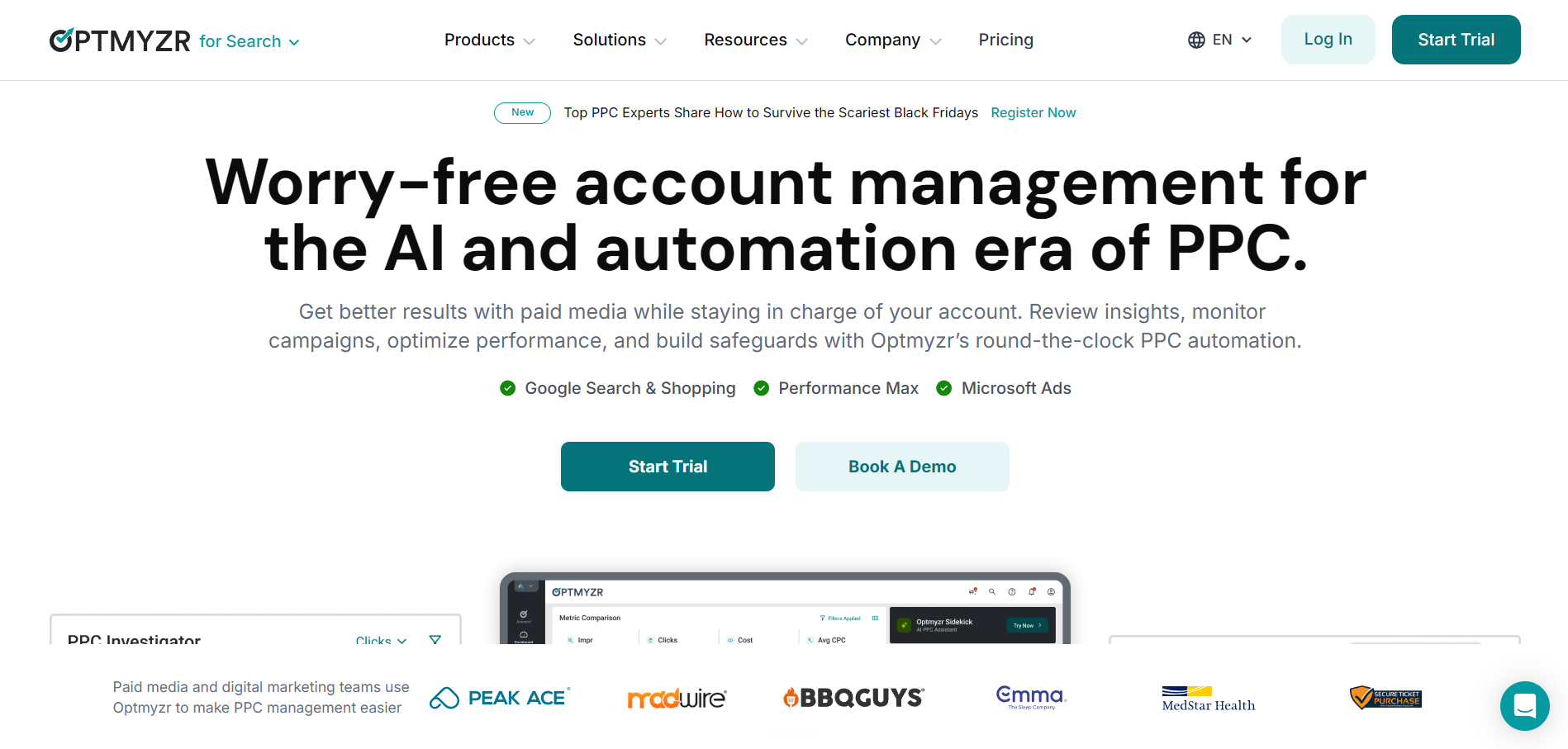
Optmyzr
Agencies managing large ad budgets
Scored account audits with one-click fixes
$209/month billed annually
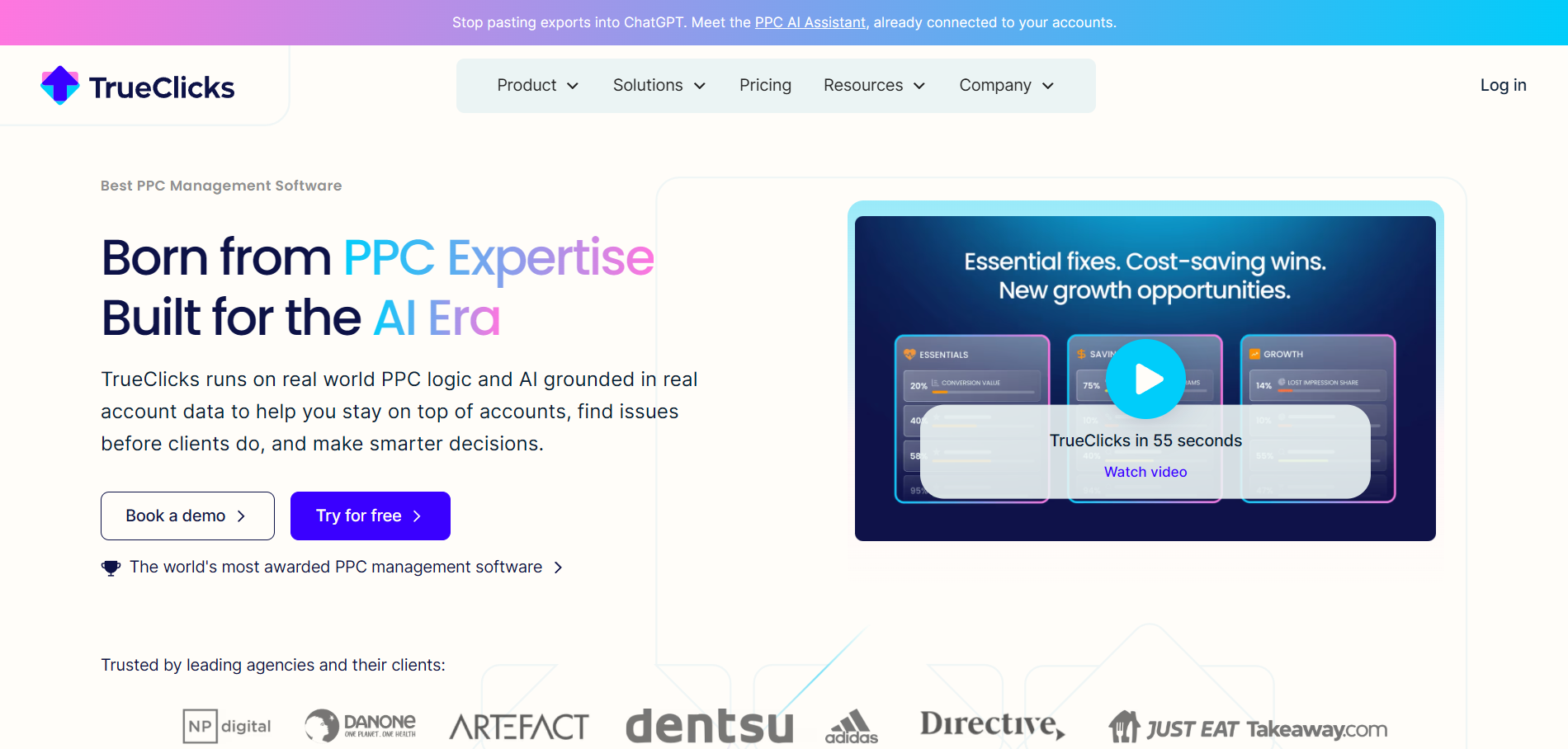
TrueClicks
Teams that want audits checked weekly
130+ checks sorted by priority
Free up to $50K monthly spend
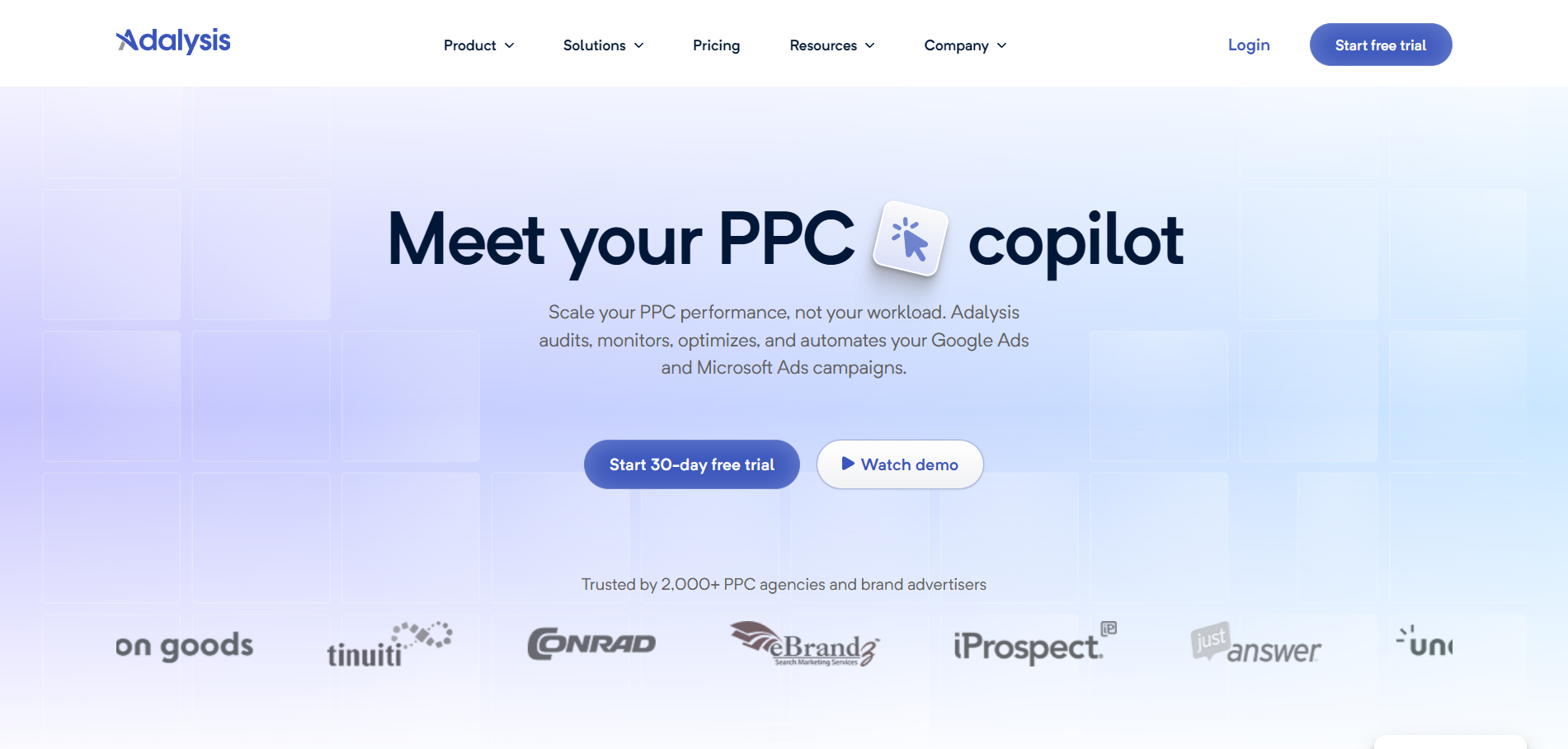
Adalysis
Google Ads and Microsoft Ads specialists
100+ daily checks with automated fixes
$126/month billed annually
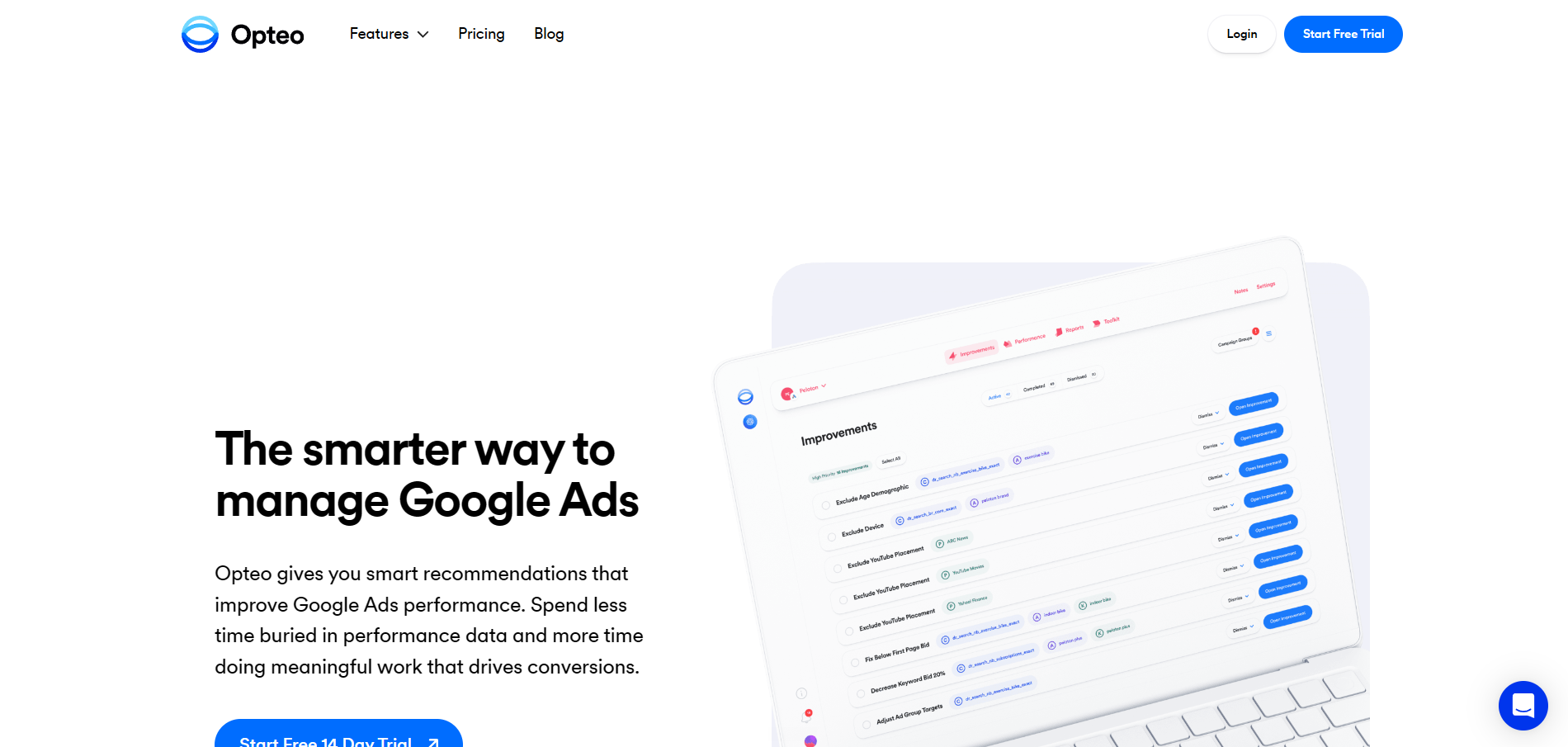
Opteo
Small teams on Google Ads
16-section Scorecard
$129/month
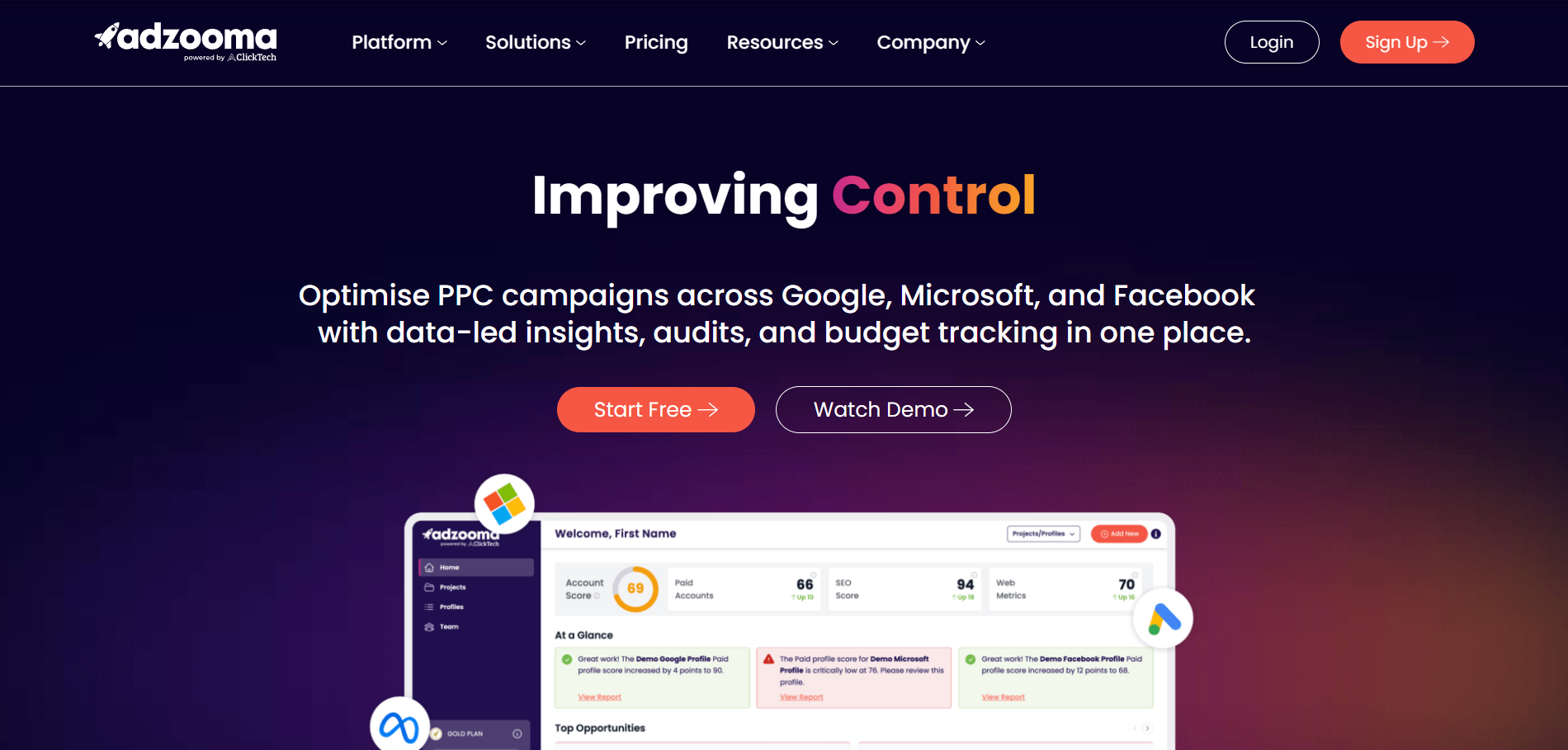
Adzooma
Freelancers and small businesses
Free plan with a 0–100 score
Free; paid from $69/month
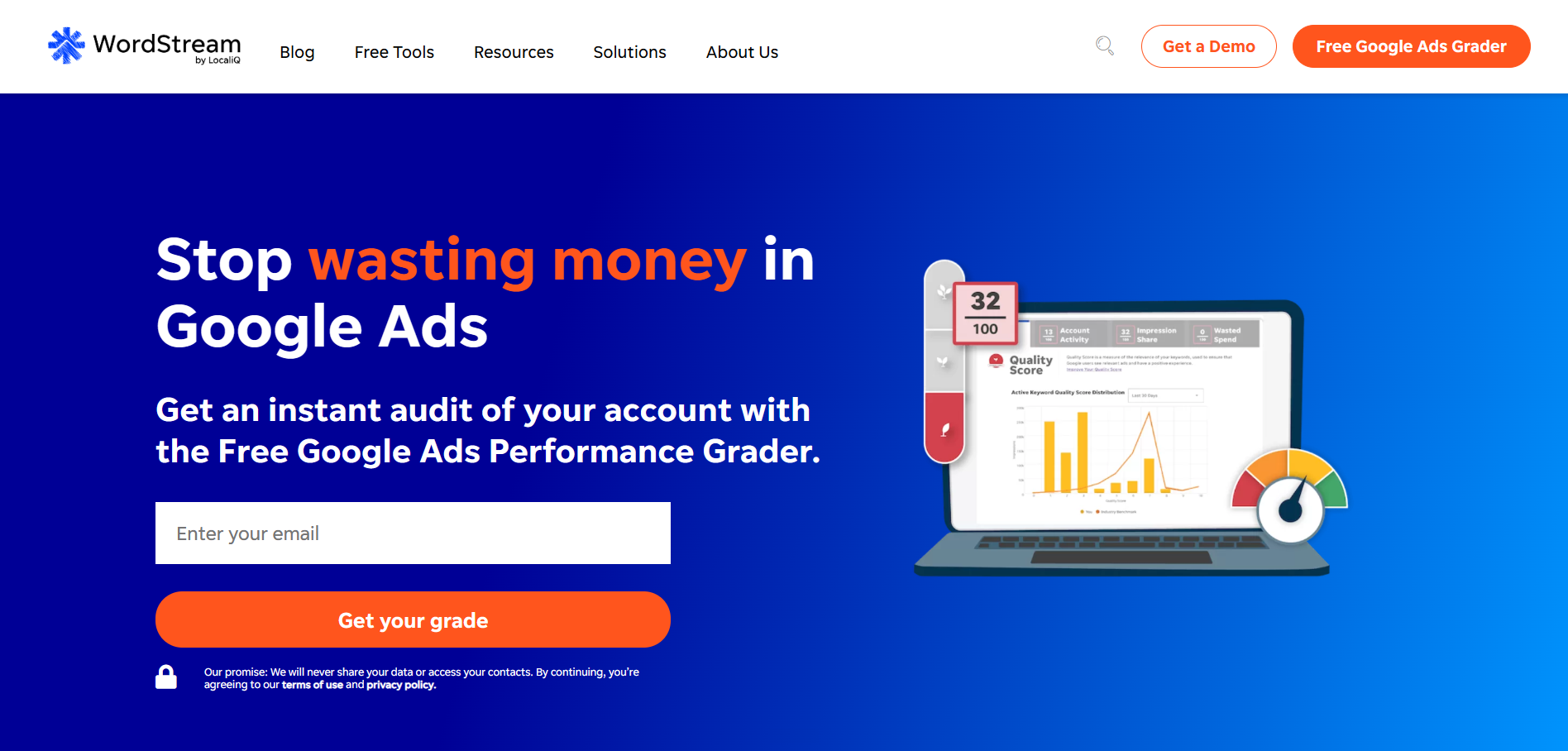
WordStream Google Ads Performance Grader
A free one-time health check
Grades against industry benchmarks
Free
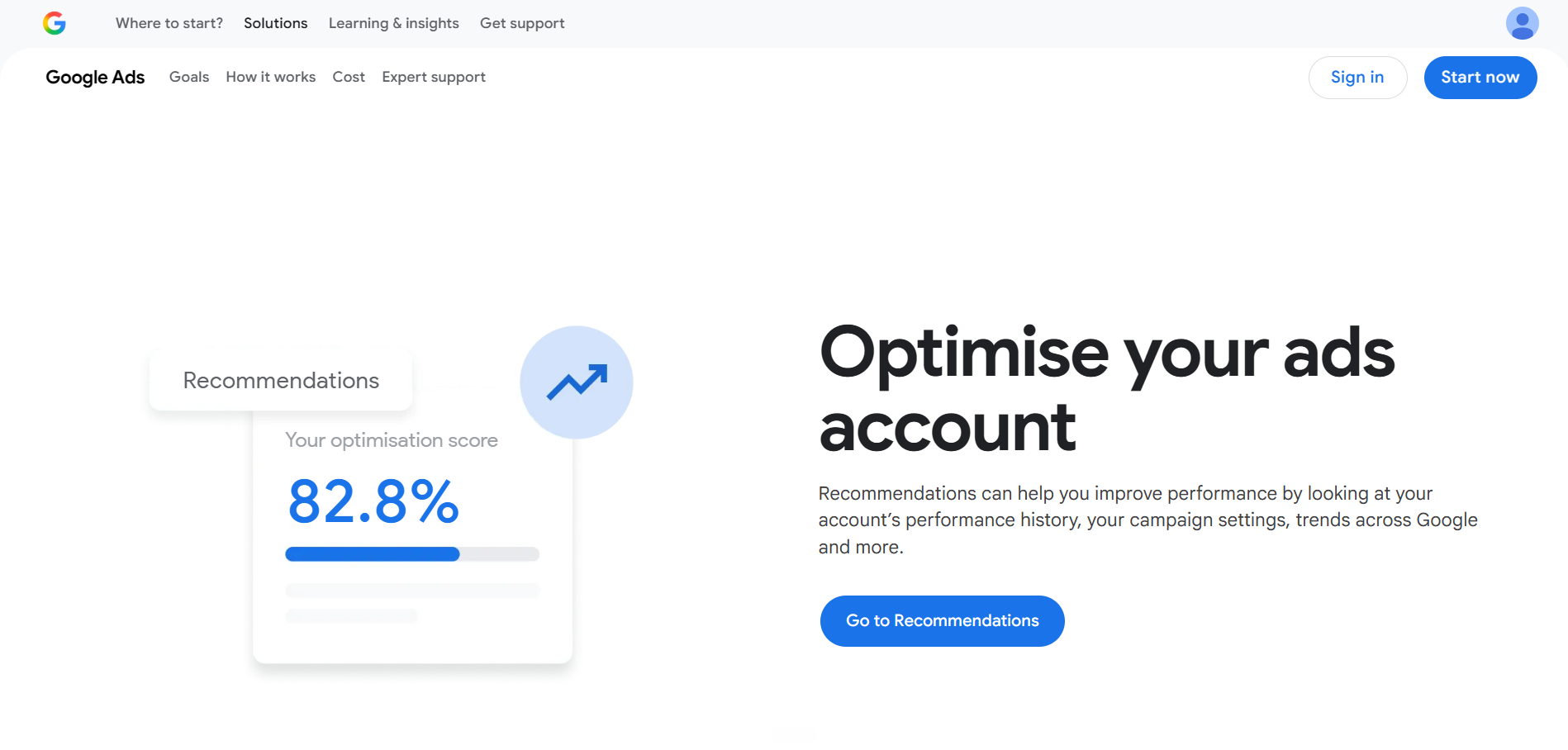
Google Ads optimization score
Every Google Ads advertiser
Built into the Google Ads account
Built into Google Ads
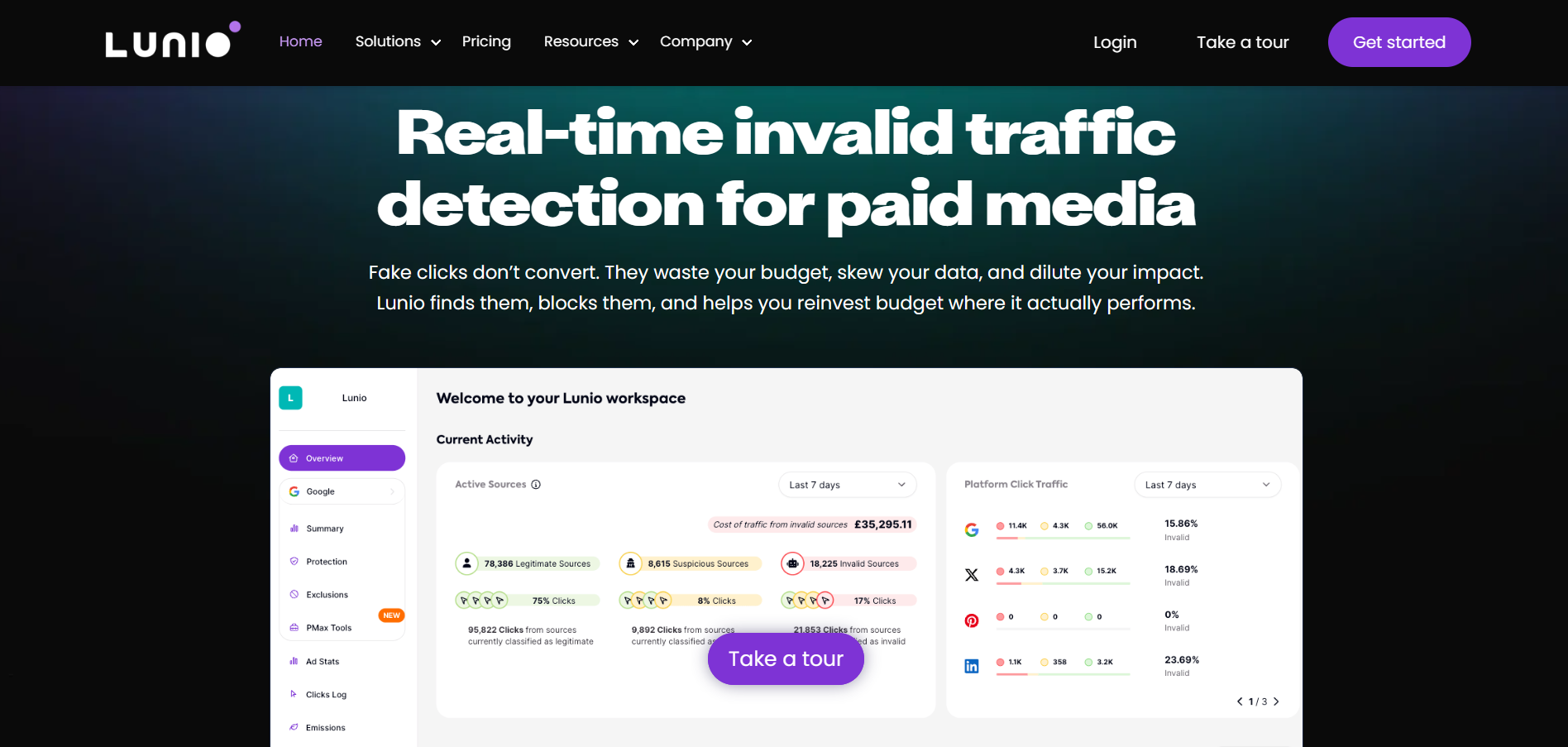
Lunio
Checking for fake clicks
14-day free traffic audit
Quote only
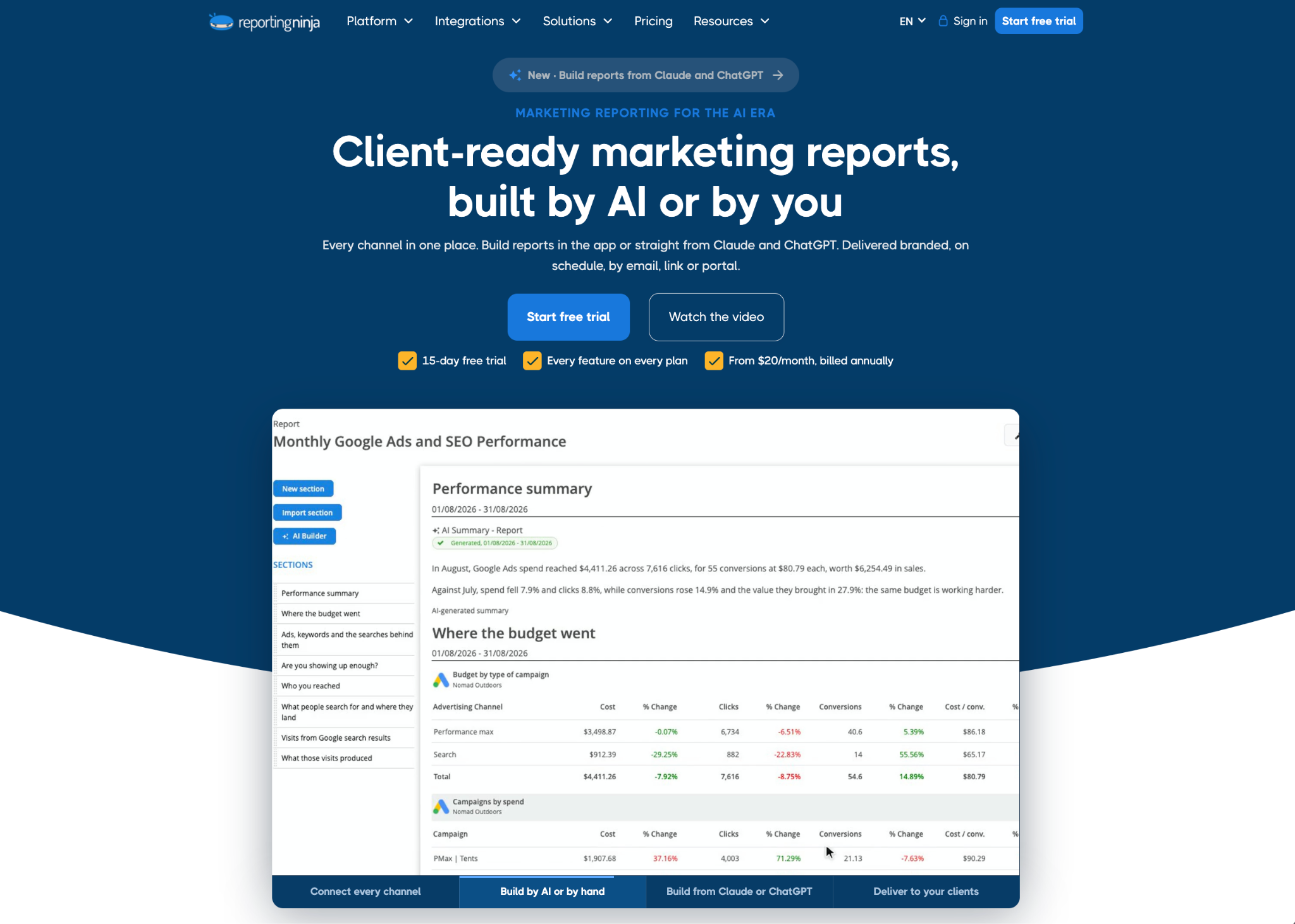
An audit tells you what is wrong, but your client or manager still needs to see the performance results. Reporting Ninja puts the numbers from every ad platform into one report. The report updates and sends itself so everyone can see whether the fixes worked.
1. Reporting Ninja: best for cross-platform PPC audit reporting
Most audit tools end with a list of problems. Someone then has to turn that list into a report that a client or manager will read, and Reporting Ninja was built for that job.
The pricing is simple on purpose. Every plan includes every feature, starting at $20 a month, and more than 2,000 marketers, agencies, and companies use it.
Reporting Ninja key features
Its features are built around two questions every client asks after an audit, which are what you found and whether the fixes worked. Four features matter most for PPC work.
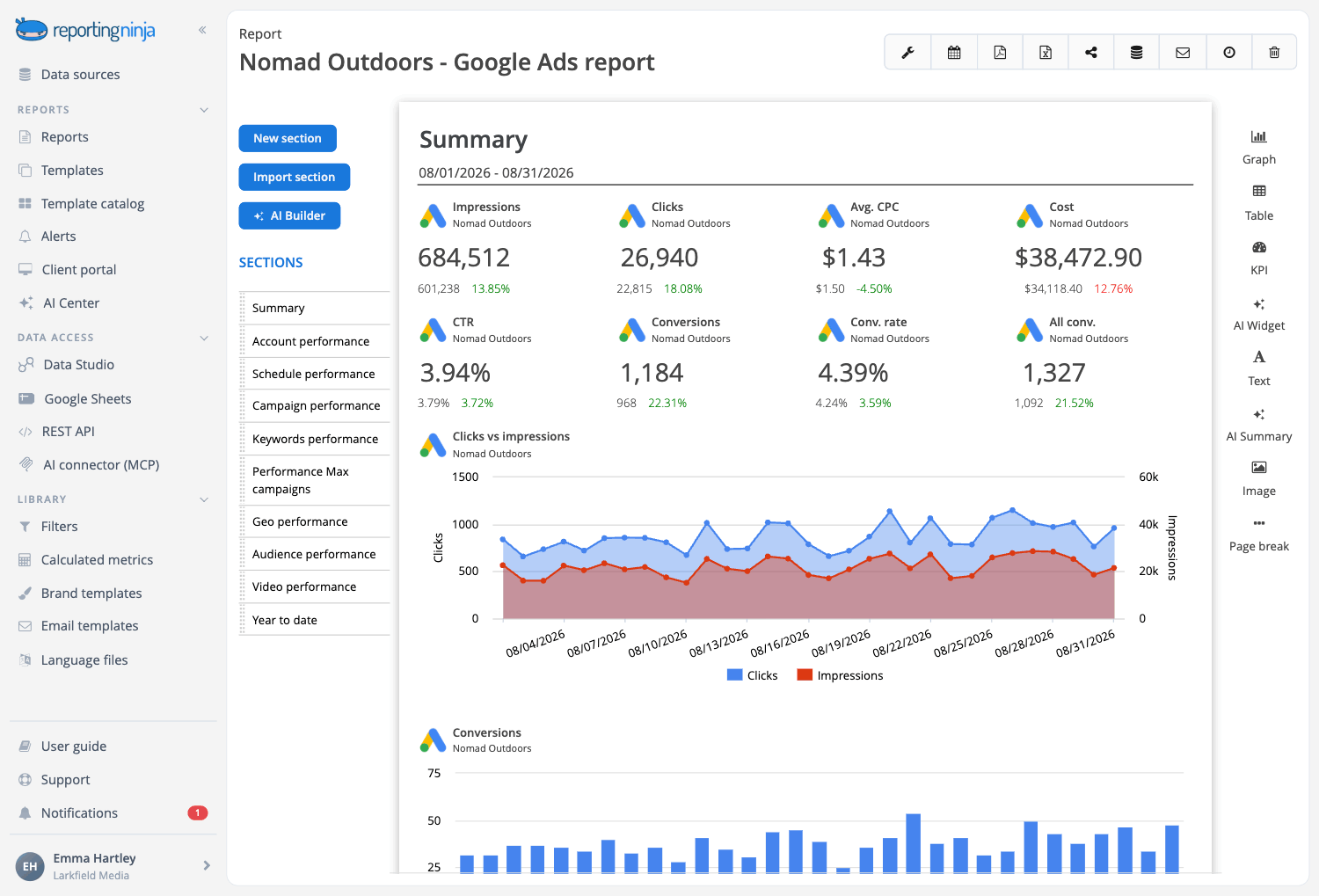
PPC reports across every ad platform
The PPC reporting tool connects Google Ads, Microsoft Advertising, Meta Ads, LinkedIn Ads, TikTok Ads, Amazon Ads, Reddit Ads, and more. With cross-platform reporting, you can mix several platforms in one table or chart. That way you see total spend and conversions for every channel at once.
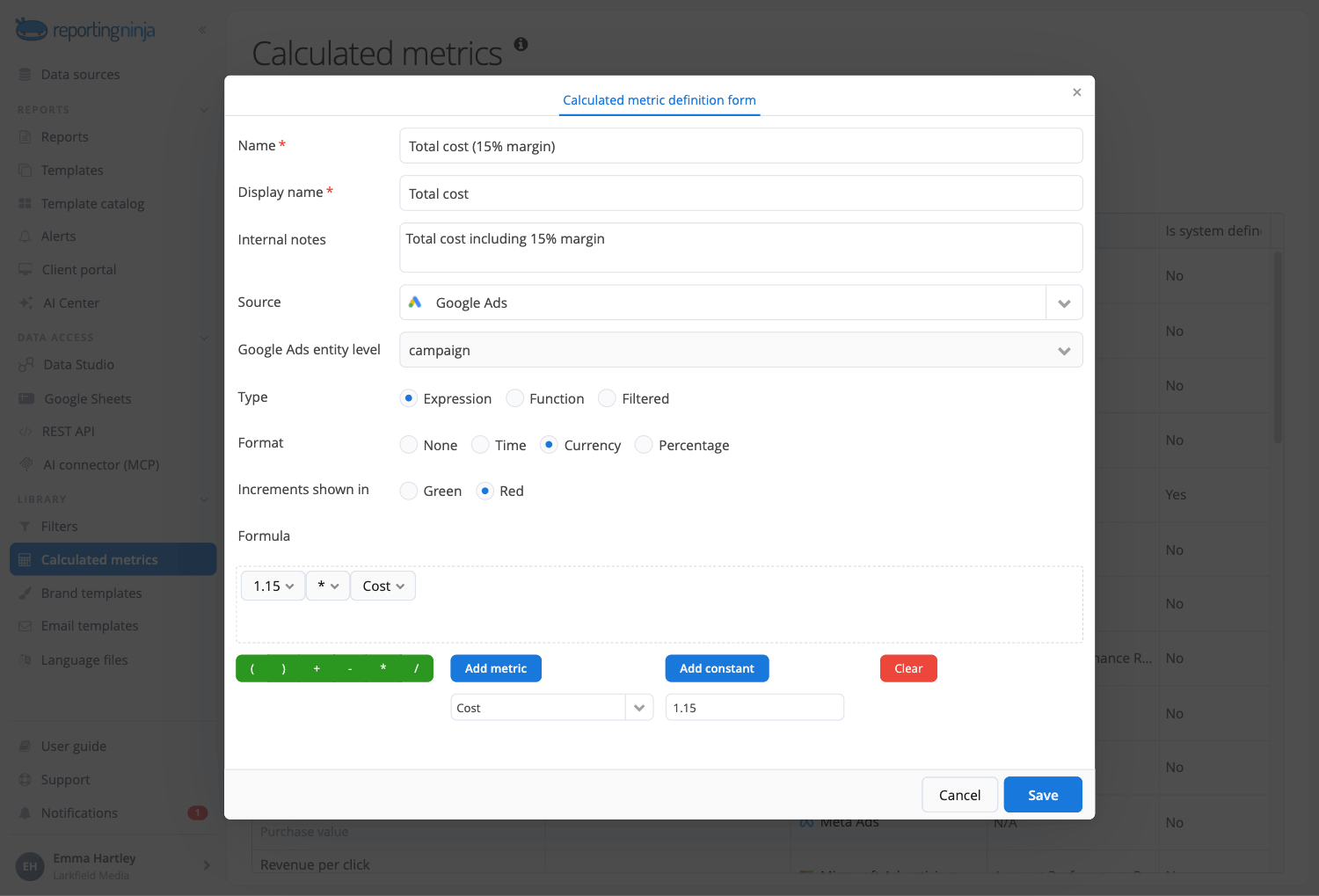
The PPC report templates come with pre-built charts, including ROI and ROAS graphs. You can also add your agency's margin to ad spend through calculated metrics, which matters when clients see a figure that includes your fee.
Templates save the most time when you report on many clients. You build one PPC template, and any change you make to it applies to every report that uses it.
AI Builder, AI Widget, and AI Summary
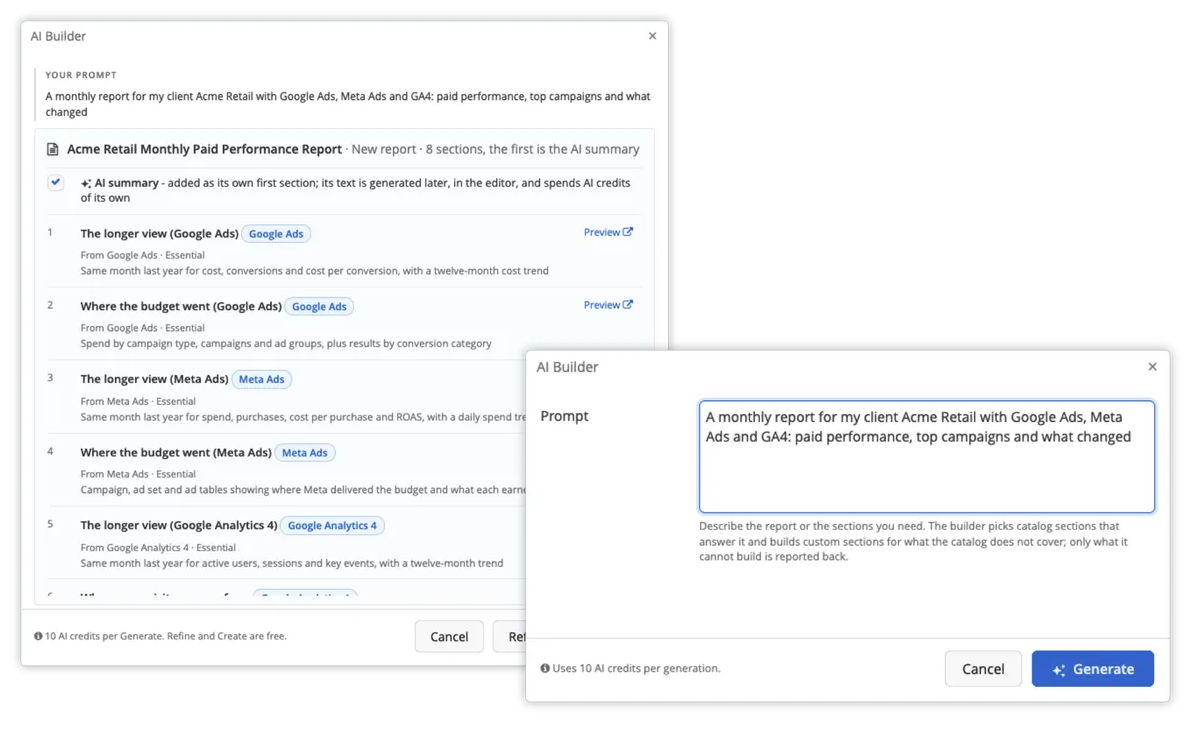
The slowest part of an audit report is explaining the numbers, and Reporting Ninja’s AI reporting features speed it up. AI Builder turns a one-sentence request into a proposed report, such as a monthly Google Ads and Meta report with a summary at the front. Nothing gets created until you approve it.
AI Widget builds a single chart from a short request. For example, you can ask for "cost and conversions by campaign, this month against last, worst performers first."
AI Summary then writes the analysis from the report's own numbers. With comparison turned on, it reads this period against the last one, which shows whether your audit fixes made a difference.
Note: The AI features are in beta and included on every plan and the free trial. They only read the accounts you've connected and never write to your ad accounts.
Guided PPC analyses in Claude and ChatGPT
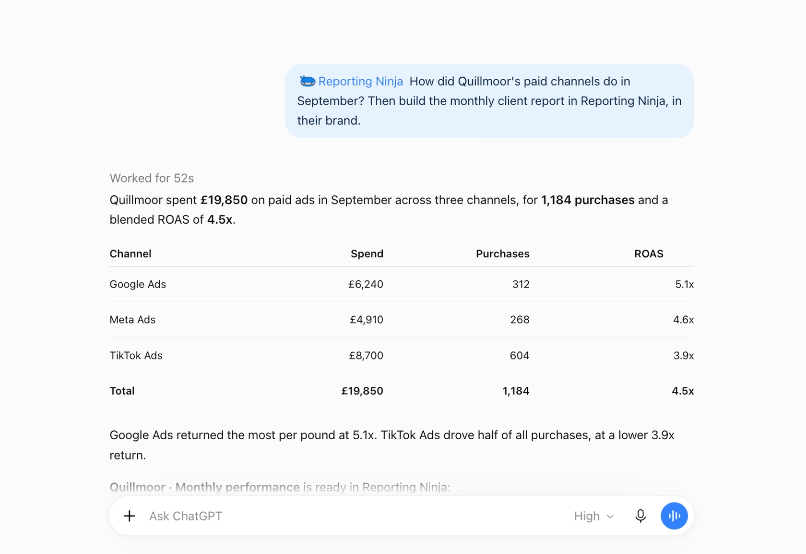
The MCP connector lists ready-to-use analyses inside Claude or ChatGPT, so you can run one without writing a prompt. Each one runs the right steps, pulls the numbers from your connected accounts, and returns a complete answer. Four of them suit PPC work:
PPC audit: Spend, conversions, CPA, and ROAS for an account, with the trend against the last period.
Cross-channel ROAS: Spend, revenue, and ROAS side by side across your channels.
Anomaly sweep: Sudden drops or spikes, and whether each one is a real change or missing data.
Budget pacing: Month-to-date spend against budget, with a projection for the end of the month.
Note: Google renamed Looker Studio to Data Studio in April 2026. Some tools, including Reporting Ninja, may still use the old name.
Alerts for PPC metrics between audits
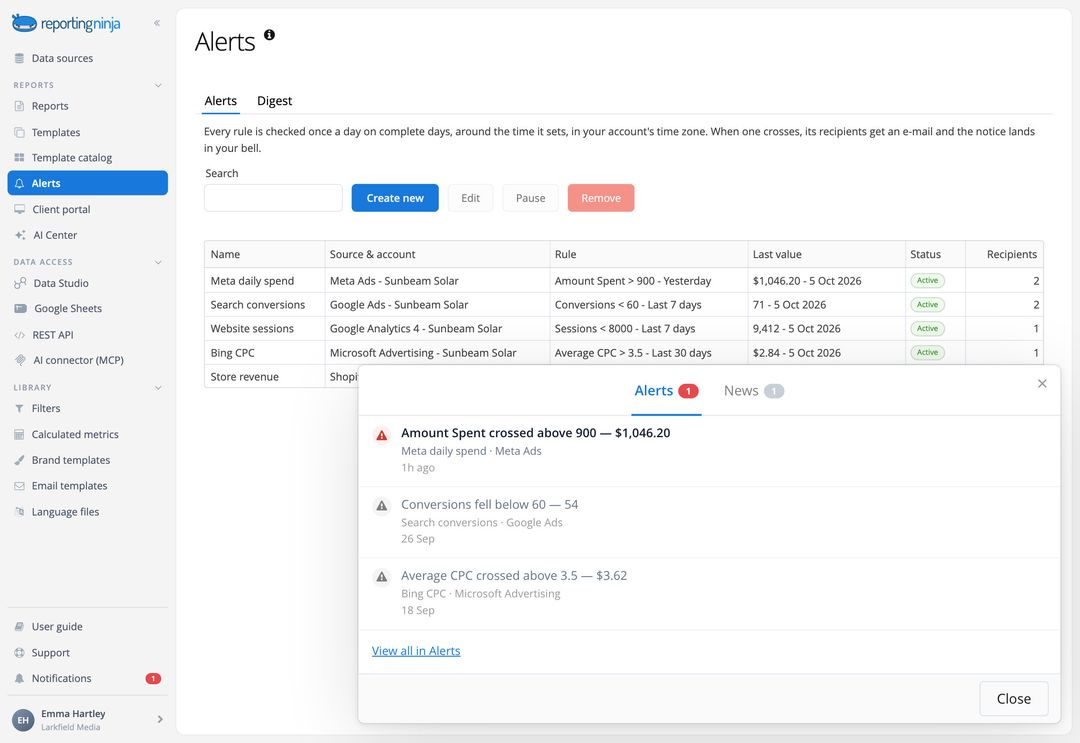
An audit shows an account as it stands on the day you run it, and Reporting Ninja alerts watch the metrics after that. You pick a connected ad account and a metric, then set a threshold, such as “Meta Ads spend greater than 900 over yesterday”.
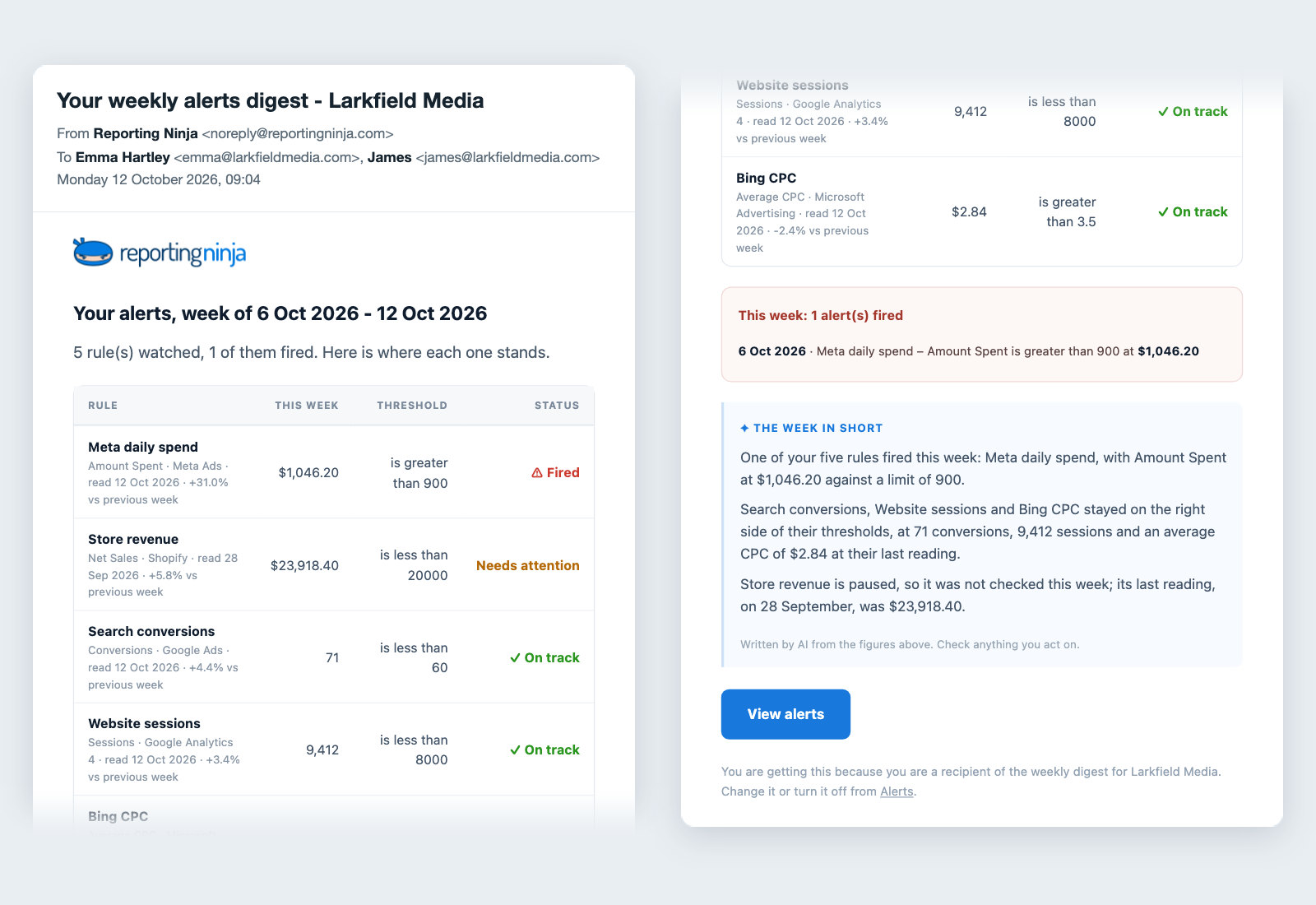
Reporting Ninja checks the metric every day. When the threshold is crossed, it emails you the figure, the threshold, and the change from the previous period, with a short note written by AI.
Two rules cover most PPC needs. One flags spending above your limit, so you see an overspend the next morning instead of at the end of the month. The other flags conversions that drop below your target.
Pricing
Every plan includes all integrations and features (including the AI features), and only the number of AI credits, reports, and accounts changes.
Plan
Monthly billing
Quarterly billing
Annual billing
Reports and accounts per type
Starter
$25/month
$22/month
$20/month
10
Small
$50/month
$45/month
$40/month
30
Medium
$88/month
$79/month
$70/month
70
Large
$150/month
$135/month
$120/month
150
The free trial lasts 15 days and needs no credit card. There are no contracts or cancellation fees.
{{cta-block-v1}}
Where Reporting Ninja shines
One report for every ad platform: Clients who run Google Ads, Meta Ads, and LinkedIn Ads get one view of total spend and results, instead of three separate exports.
Low cost for agencies: At $20 a month on annual billing, a small agency can report on 10 accounts per platform. That costs less than any paid audit plan on this list.
Proof that fixes worked: Scheduled reports with period comparisons show the effect of each audit fix month after month, which helps when clients ask what changed.
White-label delivery: Every PPC report can carry your logo, brand colors, fonts, and chart styles. You can schedule reports to go out by email every week or month, and clients can log in to a branded portal on your own domain to see their reports at any time.
Where Reporting Ninja falls short
No built-in audit checks: Reporting Ninja focuses on reporting, so it doesn't score accounts or flag issues the way Optmyzr or TrueClicks do. Pair it with one of the audit tools below.
Bigger client lists need bigger plans: Each plan caps reports and accounts per type, so an agency with 40 clients needs the Medium plan or higher.
Customer reviews
"It’s easy to use and comes with very good customer support. It works with many data sources, can send automatic reports by email, and also includes connectors for Google Data Studio and Google Sheets."László V., G2.
The ability to integrate data from various marketing channels and turn them into such well-crafted reports saves us a lot of time while enhancing our clients' experience." Stephanie Barbieri, Studio 33.
Who Reporting Ninja is best for
PPC agencies: Agencies that report on paid media for many clients get branded, scheduled reports from one template.
In-house paid media teams: Teams that run ads on several platforms get one report for leadership, with an AI-written summary at the start.
Fractional CMOs and consultants: You can show audit results and monthly progress to each company you work with for a low monthly cost.
2. Optmyzr: best for agencies managing large ad budgets
Optimyzr has built PPC software since 2013, and its tools follow one firm rule: nothing changes in your ad account until you approve it.
It’s a full PPC management platform, with audit being one of many tools inside it. Agencies use it to check accounts, send client reports, and run automated rules in one place.
Key features
Interactive, white-labeled PPC reports: Optmyzr's reporting gives "a real-time, interactive, white-labeled view of performance data." You can share live dashboards with clients and schedule reports to send automatically.
PPC account audits with a score: The PPC account audit grades your account from 0 to 100, based on performance and structure. It checks things like keyword conflicts and campaigns still on last-click attribution. Every finding links to the item in your account, and Optmyzr Express lets you fix many issues from the audit itself.
AI Sidekick and automation: AI Sidekick answers questions about your accounts in plain language. Optmyzr also offers custom automated rules, budget pacing, monitoring alerts, and AI suggestions for ad text.
Pricing
Plan
Ad accounts
Starting price (at $25,000 of monthly ad spend)
Essentials
Up to 25
$209/month billed annually
Premium
Unlimited
$272/month billed annually
Enterprise
Unlimited
Custom
Prices rise as your monthly ad spend grows and Optmyzr offers a free trial with no credit card.
Where Optmyzr shines
Wide platform coverage: Audits run on Google Ads, Microsoft Ads, and Amazon Ads, and no other audit tool on this list covers Amazon.
Support for large budgets: Premium covers up to $500,000 of monthly spend, and Enterprise goes beyond that, so it can handle your largest clients.
Where Optmyzr falls short
Spend-based pricing: Your price rises as your clients' ad spend grows, so costs can climb as you win bigger accounts.
Overage charges: Going above your plan's spend tier adds a charge for every extra $1,000 of spend.
Customer reviews
"It gives a clear, consolidated view of spend, revenue, and ROAS, which makes decision-making much easier." Tushar S., Capterra
"I'd like more options for posting changes across accounts. Most of our clients are in the same industry, and many changes we make in one account would be applicable to all/most of our clients." Joe W, Capterra
Who Optmyzr is best for
Large PPC agencies: Agencies with big client budgets get deep audits plus automation in one tool.
Amazon advertisers: Brands selling on Amazon can audit those campaigns alongside Google Ads.
3. TrueClicks: best for teams that want audits checked weekly
TrueClicks is built for agencies and in-house teams that manage many Google Ads and Microsoft Ads accounts. It checks every account on a schedule, so you don’t have to open each one by hand to look for errors.
Auditing is the core product here, while most tools on this list offer it as one feature among many.
Key features
KPI tracking and data connector: TrueClicks shows daily KPI overviews against targets such as ROAS and CPA, plus a budget pacing dashboard. Its Data Connector sends account data to Looker Studio, Google Sheets, Power BI, and Tableau for your own reports.
Prioritized PPC audits: The audit checks for more than 130 issues, opportunities, and best practices across Google Ads and Microsoft Ads. The Prioritization Framework sorts findings into one dashboard and each account gets a TrueClicks Score.
PPC AI Assistant and alerts: The PPC AI Assistant connects to your accounts, so you don't paste exports into ChatGPT. Email notifications flag urgent issues, and a weekly digest covers the rest.
Pricing
Plan
Monthly ad spend
Price
Free
Up to $50,000
$0
Paid
Up to $100,000
$249/month
Paid
Up to $200,000
$349/month
Paid
Up to $1 million
$899/month
Every plan includes unlimited users and accounts. Paid plans come with a 30-day free trial at unlimited spend.
Where TrueClicks shines
Free plan for smaller accounts: You can audit up to $50,000 of monthly spend without paying anything.
Clear priorities: Findings are sorted by type, so a busy team knows which fixes to make first.
Where TrueClicks falls short
No Meta or Amazon audits: The audit covers Google Ads and Microsoft Ads only.
Updates stop at overage limits: If spend passes the next tier above your plan, results stop updating until you upgrade.
Customer reviews
"What I appreciate most is the combination of a great SaaS tool with integrated AI, which I can use directly within TrueClicks..."Erhan H., G2
"TrueClicks can sometimes highlight scores which are weighted against factors that sit outside of our direct control." Gloria A., G2
Who TrueClicks is best for
Agencies with many Google Ads accounts: You can check every account weekly from one dashboard.
Small advertisers: You can run full audits for free while spend stays under $50,000 a month.
4. Adalysis: best for Google Ads and Microsoft Ads specialists
Adalysis was started in 2013 by Emmanuel Gad and Brad Geddes, who wrote the book Advanced Google AdWords. The tool works only with Google Ads and Microsoft Ads, which suits teams that spend most of their budget on those two platforms.
Its goal is to let PPC managers handle more accounts without more manual work. The checks run on their own, but you still decide which fixes to make.
Key features
PPC reports and audit reports: Adalysis offers more than 50 prebuilt report templates and can generate PPC audit reports with your own branding. Reports can run on a schedule, and its root cause analysis can be saved as a PDF.
Always-on audits: The audit runs every day with more than 100 prebuilt checks and fixes for Google Ads and Microsoft Ads. It ranks results by urgency, from critical issues that stop ads from showing to wasted spend and missing ad extensions.
Automation, alerts, and AI: You can set custom alerts by email or Slack and choose which fixes to automate. Adalysis also offers smart bid automation, daily budget adjustments, AI suggestions for new ads, and an MCP connection for AI tools.
Pricing
Plan
Price
What's included
Tier 1
From $126/month
Unlimited accounts and users, 30-day trial
Tier 2
Set by ad spend
Priority support, 45-day trial
Tier 3
Set by ad spend
Dedicated account manager, 60-day trial
Where Adalysis shines
Daily checks: Audits run every day, so problems show up before they cost a full week of spend.
Long free trials: Trials run from 30 to 60 days, which gives you a full billing cycle to test it.
Where Adalysis falls short
Search platforms only: It covers Google Ads and Microsoft Ads, so Meta and Amazon campaigns need another tool.
Higher entry price: At $149 a month, it costs more to start than Opteo or Adzooma.
Customer reviews
"Adalysis is the perfect balance of robust features and day to day usability." Justin L., Capterra
"Not having meta ads ended up being a deal breaker for us." Micah W., Capterra
Who Adalysis is best for
Search-focused agencies: Teams that spend most of their time in Google Ads and Microsoft Ads get daily audits and automation.
PPC specialists: Experienced managers get detailed checks they can switch on, switch off, or customize.
5. Opteo: best for small teams on Google Ads
Opteo was built by a London team that needed one place to manage all of its Google Ads accounts. It still works only with Google Ads, and that narrow focus keeps it simple to learn.
It has users from more than 75 countries, and together they apply about 50,000 of its suggested changes every week. That makes it a good fit for small teams who want clear next steps without a long list of settings.
Key features
White-label Google Ads reports: Opteo creates custom Google Ads reports that are "designed to be white labeled," with your logo and your client's colors. Reports can generate automatically each month and notify you by email or Slack.
Scorecard audits: The Scorecard audits a Google Ads account across 16 sections, from conversion tracking and disapprovals to Quality Score and Performance Max. You can share it as a link, download it as a PDF, and track progress month by month in Scorecard History.
Improvements and alerts: Opteo watches accounts for statistically significant patterns and suggests improvements, such as managing keywords or excluding bad traffic. You can push each one live in a few seconds, and alerts flag overspend in Slack.
Pricing
Plan
Price
Accounts
Monthly ad spend
Basic
$129/month
10
$25,000
Professional
$249/month
25
$100,000
Agency
$499/month
75
$250,000
Enterprise
Custom
Custom
Custom
Where Opteo shines
Predictable pricing: Each plan lists its account and spend limits up front, so you know your cost before you connect accounts.
Shareable audits: A Scorecard link or PDF gives clients a simple view of account health.
Where Opteo falls short
Google Ads only: Microsoft Ads, Meta, and other platforms need a separate tool.
Tight spend limits: The Basic plan covers $25,000 of monthly spend across 10 accounts.
Customer reviews
"The tool provides a very good interface to fix issues by adjusting keywords, ads, bidding, or other settings." Paul R., Capterra
"Some of the recommendations are contradictory so it's important to review before implementing." Gabriel Z., Capterra
Who Opteo is best for
Small agencies on Google Ads: You get audits, improvements, and reports in one simple tool.
In-house marketers: You get clear next steps without needing deep PPC experience.
6. Adzooma: best for freelancers and small businesses
Adzooma was made for business owners and marketers who don't have a PPC expert on staff. The goal is to make ad management cheap and simple for any business. More than 50,000 businesses use it, and it has analyzed over $17 billion of ad spend.
Key features
Free PPC performance reports: Adzooma creates performance reports for Google Ads, Microsoft Advertising, and Meta Ads. Paid plans add branded, client-ready reports and branded PDF exports.
PPC audits with a live score: The PPC audit gives a live performance score from 0 to 100, with recommendations ranked by impact and effort. It flags disapprovals, wasted spend, tracking issues, and budgets that overspend or underspend.
Alerts and AI ad copy: Alerts arrive by email or Slack, with custom thresholds on paid plans. The Ad Copy Optimiser uses AI to improve click-through rate and ad relevance.
Pricing
Plan
Monthly
What's included
Free
$0
Monthly reports, 3 PPC alerts, 1 user
Silver
$69/month
Weekly reports, report branding, unlimited users
Gold
$179/month
Daily reports, unlimited alerts
Enterprise
Custom
Custom
Where Adzooma shines
A free plan with real audits: You can score unlimited ad accounts for free, which makes it easy to test.
Meta Ads coverage: It audits Meta campaigns as well as Google Ads and Microsoft Advertising.
Where Adzooma falls short
No scheduled reports yet: Report scheduling is not available yet and is marked as coming soon.
Slower data on lower plans: The free plan refreshes once a month, so issues can sit unattended for weeks.
Customer reviews
"Adzooma's interface is incredibly intuitive, making it easy to navigate and use effectively." Mantas M., G2
"The ads through Adzooma had a much lower CTR and higher CPC." Sally R., G2
Who Adzooma is best for
Freelancers: You can audit client accounts on the free plan before you pay.
Small businesses: You get simple scores and alerts across Google Ads, Microsoft Advertising, and Meta.
7. WordStream: best for a free one-time health check
The WordStream grader is a free tool that grades your Google Ads account in a few minutes. It was designed for small businesses and agencies that want a quick check before they pay for anything.
The grades tell you whether your account needs a deeper audit, so it works best as a first step before a paid tool.
Key features
Graded performance report: You sign in with Google, and the grader returns a report with an overall grade and grades in four areas: wasted spend, Quality Score, impression share, and account activity. A performance tracker checks your account again every 30 days.
Benchmark comparisons: The report compares your results with industry benchmarks, so you can see where your click-through rate or Quality Score sits against similar advertisers. It also covers account structure, best practices, and your best and worst text ads.
Pricing
Plan
Price
Google Ads Performance Grader
Free
Where the WordStream grader shines
No cost to try: You get a graded audit of your Google Ads account without a subscription.
Benchmarks for context: Industry comparisons help you explain to a client why a metric matters.
Where the WordStream grader falls short
One-time snapshot: It doesn't run daily checks or fix issues, so you need another tool for ongoing audits.
Google Ads only: Microsoft Ads and Meta campaigns aren't graded.
Customer reviews
The grader is a free tool, so it doesn't have its own listing on G2 or Capterra.
Who the WordStream grader is best for
Small businesses: You can get a quick view of account health before you hire help.
Agencies talking to new clients: You can grade a prospect's account during a sales call.
8. Google Ads optimization score: best for every Google Ads advertiser
Optimization score is Google's own check of your Google Ads account, and every account already has one. You don't need to sign up or connect anything to see it.
The score runs from 0 to 100% and estimates how well your account is set up to perform. It is the quickest check on this list, because it is ready as soon as you log in.
Key features
Recommendations page: Each score comes with a list of recommendations for each campaign. They fall into four groups, which are ads and assets, bidding, keywords and targeting, and measurement. Each recommendation shows how much it would raise your score.
Auto-apply recommendations: You can set eligible recommendations to apply automatically. Auto-apply works at the account level, and you can switch it off or dismiss items at any time.
Pricing
Plan
Price
Optimization score
Built into Google Ads
Where Google Ads optimization score shines
Always available: Every advertiser can check it in their account with no setup.
Fast fixes: You can apply a recommendation from the same page where you read it.
Where Google Ads optimization score falls short
Google's view only: It covers Google Ads alone and scores your account against Google's own recommendations.
Risky auto-apply: Automatic changes can alter bids, keywords, and ads across the whole account, so review them before you turn it on.
Customer reviews
Optimization score is part of Google Ads, so it doesn't have its own listing on G2 or Capterra.
Who Google Ads optimization score is best for
New advertisers: You get a starting checklist without buying a tool.
Busy teams: You get a quick daily check alongside a deeper audit tool.
9. Lunio: best for checking for fake clicks
Lunio checks something the other tools on this list don't—the quality of your traffic. It looks at who clicks your ads and flags clicks from bots and other invalid sources.
The company started in 2016 as PPC Protect, with a small team focused on click fraud in Google Ads. It changed its name to Lunio in 2025 and now works across many ad networks.
Key features
Click analytics: Lunio's reports show where invalid traffic comes from and how traffic quality changes over time. A machine learning model classifies each click as legitimate, suspicious, or invalid in real time.
Free traffic audit: Lunio offers a 14-day free traffic audit that shows how much of your traffic is invalid.
Pricing
Plan
Price
Lunio
Custom quote, based on a share of your ad spend
Traffic audit
Free for 14 days
Where Lunio shines
A different kind of audit: It checks who clicks your ads, which settings-based audits can't see.
Wide network coverage: Its 16 integrations cover more ad networks than the other audit tools on this list.
Where Lunio falls short
No public pricing: You need a sales call to get a price.
Narrow focus: It won't check your keywords, bids, or campaign structure.
Customer reviews
"Stopped click fraud on my Google adwords account almost instantly." Sam J., Capterra
"A SaaS company that makes cancellation impossible and ignores paying customers is a serious red flag." Brad E., Capterra
Who Lunio is best for
High-spend advertisers: Large budgets have more money exposed to invalid clicks.
Agencies with click fraud concerns: You can check whether a client's traffic is real before you blame the campaigns.
How to choose the right PPC audit software
Four things decide which tool fits you: the platforms you advertise on, how often the checks run, whether the data is right, and who reads the results. It also helps to know what a basic audit covers before you compare tools.
Pro tip: A basic PPC audit checklist covers conversion tracking, wasted spend on search terms, budget pacing, Quality Score, ad disapprovals, and campaign structure. Run it monthly, and run it again after any big change to bids or budgets.
Platform coverage
Start with the platforms you run ads on. Optmyzr audits Google, Microsoft, and Amazon Ads, and Adzooma audits Google, Microsoft, and Meta Ads. Opteo and the WordStream grader only check Google Ads.
Your reports may need more platforms than your audit tool covers. Reporting Ninja's integrations include search, social, and retail ad platforms. One report can show every channel, even the ones your audit tool can't check.
How often the checks run
A one-time grade helps you spot big problems. Daily or weekly checks catch issues before they waste a week of budget. Adalysis checks daily, TrueClicks checks weekly, and Adzooma checks monthly, weekly, or daily based on your plan.
Scheduled reports help between audits. They show you the latest numbers, so nobody has to log in to check. Reporting Ninja can send automated marketing reports every week or month, so you spot a sudden drop in conversions fast.
Keep every PPC account in view between audits: Schedule weekly reports for each client in a few minutes with Reporting Ninja. Start your free trial.
Data you can trust
Every audit depends on good tracking. If a tool reads the wrong conversion data, it will give the wrong advice. Before you act on any findings, check that conversions, UTM tags, and analytics goals are set up correctly.
Reporting Ninja pulls numbers straight from each platform, so you can check an audit tool's findings against the source data in one report.
{{cta-block-v1}}
How results reach clients
A list of 130 audit findings means little to most clients. Look for white-label reports, scheduled delivery, and plain-language summaries, and report on the PPC metrics your clients care about.
Reporting Ninja adds your branding to every report and uses AI Summary to explain what changed since the last period.
Automate your PPC marketing reports in minutes with Reporting Ninja
Each tool on this list handles a different part of the audit. For deep, scored audits across large accounts, start with Optmyzr or TrueClicks.
To show clients what those audits found and prove the fixes worked, add Reporting Ninja for branded, cross-platform PPC reports from $20 a month.
The PPC tracking guide covers the metrics and tools to set up before your first audit, so your reports start from clean data.
A PPC audit tool checks a paid ad account for problems, such as wasted spend, broken tracking, or weak ads. It then lists or scores the issues so you know what to fix first.
How often should you audit a PPC account?
Most accounts need a full audit at least once a month. You should also run an extra audit after big changes, such as new campaigns, new bid strategies, or budget shifts.
Can PPC audit tools audit Google Ads automatically?
Many of them can. Adalysis and TrueClicks connect to Google Ads and run their checks on a daily or weekly schedule, with no manual work after setup.
Are PPC audit tools worth it for agencies?
For most agencies, they are. One tool can check every client account on a schedule and flag problems early, which saves hours of manual review each month.
Can one tool audit multiple PPC platforms?
Some can, but most tools on this list focus on Google Ads. Optmyzr audits Google, Microsoft, and Amazon Ads, and Adzooma covers Google, Microsoft, and Meta Ads.
What is the difference between a PPC audit tool and PPC management software?
A PPC audit tool finds problems in an account. PPC management software also makes the changes, such as adjusting bids or adding keywords, and many tools now do both.
Elevate your marketing reports to the next level
Sign up for a 15 days free trial. No credit card required.
We use analytics cookies (Google Analytics) and Promptwatch to measure visits, including those from AI assistants. Accept or deny them; you can change your choice anytime in Cookie settings. Cookie policy