11 AgencyAnalytics alternatives in 2026: reviews, pricing & more
Luis Pereira
Founder & CEO at Reporting Ninja
Key takeaways
Best overall for agencies: Reporting Ninja – A powerful, cost-effective reporting tool designed for agencies, offering white-label customization, automated reporting, and seamless integrations with Google Ads, Facebook Ads, and more.
Best for automated visual reports: Whatagraph – Ideal for agencies needing easy-to-digest, highly visual reports with automation and client collaboration features.
Best for real-time dashboards: Klipfolio – Provides in-depth customization and live data monitoring, making it a great choice for agencies that need real-time reporting.
Best free alternative: Looker Studio (Google Data Studio) – A solid free option with deep customization, though it requires manual setup and lacks built-in automation.
Agency reporting should be simple. Your clients expect clear, data-driven insights—delivered fast. But if you’re using AgencyAnalytics, you might have hit some roadblocks:
Reports that don’t fully match your agency’s branding
Limited customization when you need tailored dashboards
A pricing model that doesn’t scale well as you grow
Missing integrations for key ad and analytics platforms
Sound familiar? You’re not alone.
Agencies need a reporting tool that works with their workflow, not against it—something flexible, automated, and designed to scale with your business.
We’ve researched the best AgencyAnalytics alternatives for 2025, breaking them down by who they’re best for, standout features, and pricing. In short, all you need to find the best option for your agency.
Comparison table: best AgencyAnalytics alternatives
Tool Name
Best For
Standout Feature
Starting Price
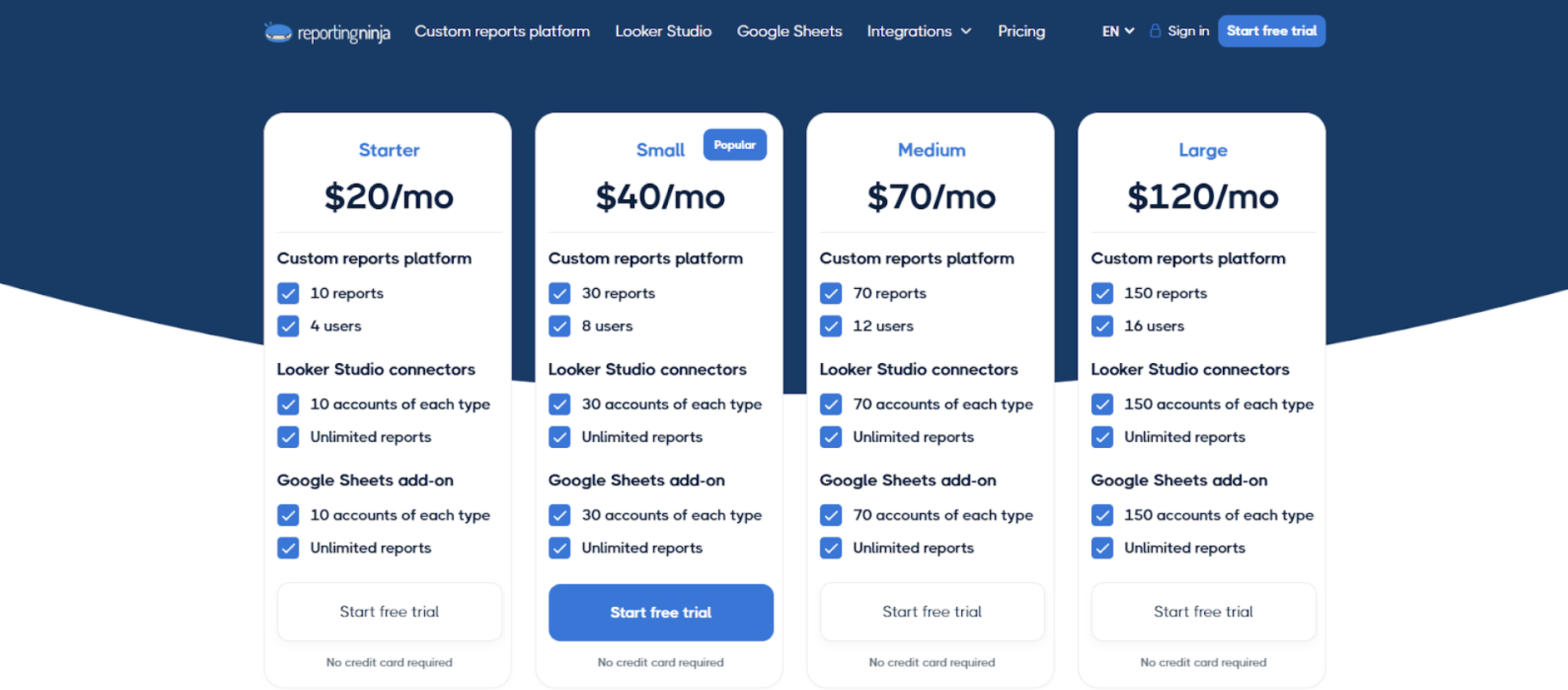
Reporting Ninja
Best overall for agencies
White-label reporting & automation
$20/month
Whatagraph
Best for automated visual reports
Drag-and-drop data storytelling
$286/month
Klipfolio
Best for real-time dashboards
Highly customizable live data monitoring
$180/month
Looker Studio
Best free alternative
Deep customization with free access
Free
DashThis
Best for simple multi-channel reporting
Pre-built templates & ease of use
$54/month
Swydo
Best for PPC reporting
Specialized Google Ads & Meta Ads reporting
$69/month
Supermetrics
Best for data pipelines
Data extraction to Sheets & BI tools
€37/month
Funnel.io
Best for enterprise data aggregation
Advanced data normalization
Starts from €180/month, billed annually
Improvado
Best for large-scale marketing data
Enterprise-grade marketing ETL
Custom pricing
Windsor.ai
Best budget data connector
Wide connector library
$23/month
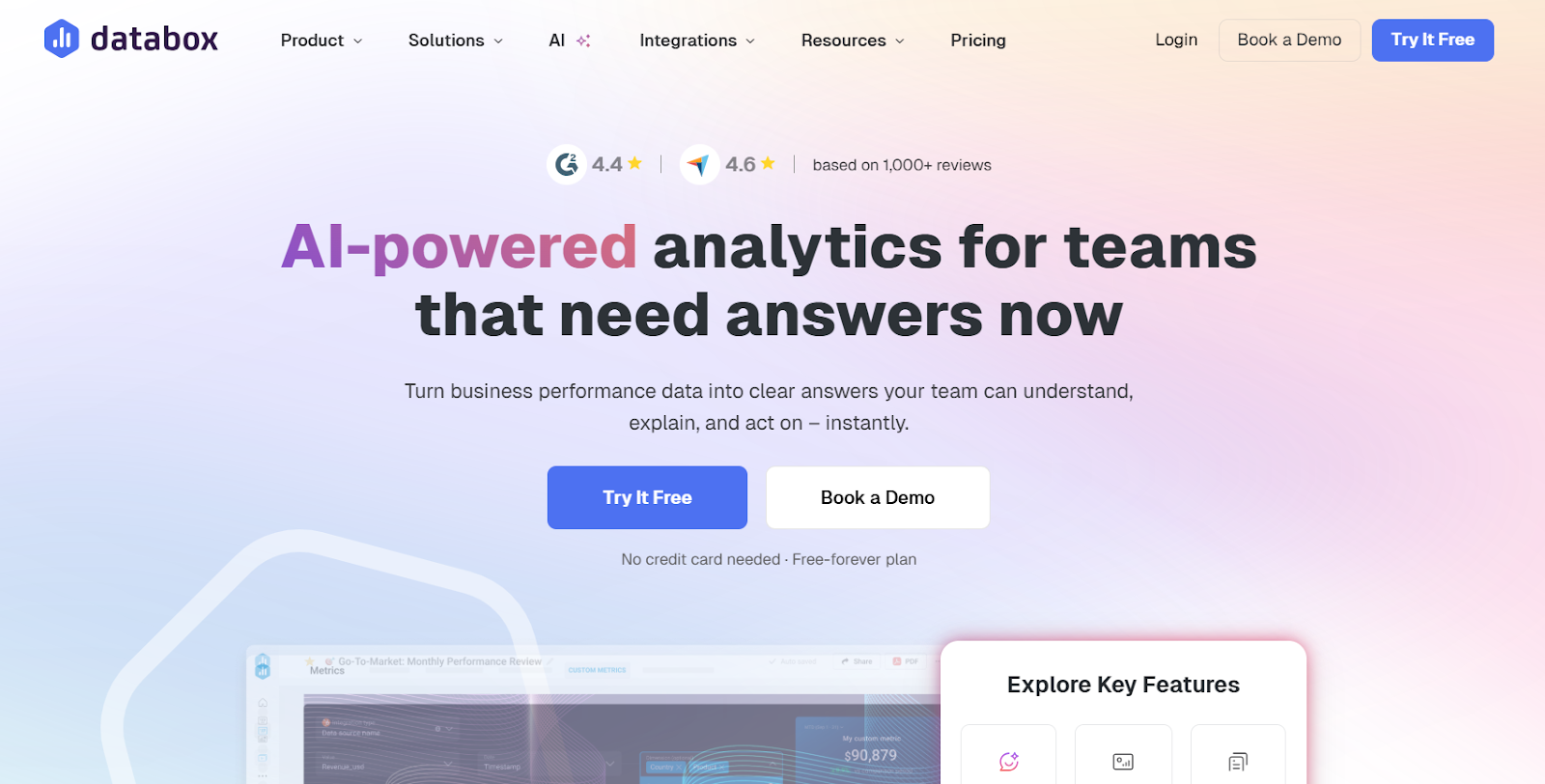
Databox
Best for KPI dashboards
Pre-built KPI dashboards
$99/month
1. Reporting Ninja – Best overall for agencies
Agencies need a reporting tool that works as hard as they do. Reporting Ninja is designed for agencies looking to automate client reporting, customize branding, and streamline data collection—without the high costs or limitations of other platforms.
With deep integrations across Google Ads, Facebook Ads, and a powerful linkedin ads reporting tool, Reporting Ninja makes it easy to pull data from multiple sources and turn it into professional, easy-to-digest reports. It also supports Looker Studio connectors, making it simple to integrate your reports where needed.
Key features
Fully customizable white-label reporting
Branding matters. Unlike some alternatives that limit customization, Reporting Ninja lets agencies fully white-label reports, ensuring they match your company’s visual identity. You can customize colors, layouts, and even add your own logo—so every report feels like it came directly from your agency.
Automated report generation and delivery
Manually compiling reports takes up valuable time. With Reporting Ninja, you can automate recurring reports, schedule them for delivery, and even send them directly to clients. Whether you need weekly PPC updates, monthly SEO analysis report, or multi-channel performance overviews, Reporting Ninja keeps everything on track with minimal effort.
Seamless multi-platform data integrations
Agencies often juggle multiple ad platforms and analytics tools. Reporting Ninja integrates with Google Ads, Facebook Ads, Google Analytics, LinkedIn Ads, and more, allowing you to consolidate data from different sources into one clean report.
Eliminates manual reporting work – Agencies can set up automated reports once and never worry about repetitive data pulls again, freeing up time for strategy and client growth.
Gives clients a professional, fully branded experience – Customizable white-label reports ensure that clients see your agency’s brand—not a third-party tool—enhancing credibility and trust.
Balances affordability with enterprise-level features – Unlike many alternatives that become expensive at scale, Reporting Ninja offers robust reporting, automation, and integrations without breaking the budget.
Where Reporting Ninja falls short
No free plan: While Reporting Ninja is competitively priced and allows a free 14-day trial, it doesn’t offer a free-tier option. However, its automation and customization features make it a valuable investment for agencies that need custom reports without extra manual effort.
Focused on marketing and advertising data – Reporting Ninja is built for agencies managing advertising and web analytics reports. Those needing deeper business intelligence features for finance or operations data may require a more specialized BI tool.
Customer reviews
“As the leader of a marketing team, we used to spend hours immersed in spreadsheets and gathering data. Thanks to Reporting Ninja, we've transformed that process. Automation has freed up my team, allowing us to focus on what truly matters: crafting effective strategies.” Daniel Kristofferse. Fox Real Estate
“Throughout my years in the marketing field, I've experienced firsthand the challenges agencies face when crafting reports for clients. It's essential to have tools that enable effective digital marketing management and brand image strengthening, all while meeting client expectations. Reporting Ninja has proven to be an exceptionally effective and user-friendly solution in this regard.”Marta Meyrick. Marketing Hero
Who Reporting Ninja Is best for
Agencies managing multiple clients: Automate reports for dozens of accounts effortlessly.
Marketing teams that need white-label reporting: Fully customize reports to reflect your agency’s brand.
Businesses looking for cost-effective automation: Get premium reporting features without the high price tag of competitors.
Ready to streamline your agency’s reporting?
Ditch the manual work and start delivering automated, professional client reports with ease. See how Reporting Ninja can save you time and improve your workflow.
Whatagraph is built for agencies that need automated, highly visual marketing reports. It simplifies multi-channel reporting with pre-designed templates and real-time data syncing, making it easy to deliver polished reports without manual effort.
Key features
Automated multi-channel reports: Pulls data from platforms like Google Ads, Facebook Ads, and Google Analytics into a single, easy-to-read report.
Pre-built templates and visual widgets: Offers ready-made report templates and drag-and-drop widgets for a polished, professional look.
Client-facing live dashboards: Allows clients to access real-time performance data without needing constant report updates
Essential integrations, pre-made templates, data transformations, Whatagraph IQ, live chat support
Boost
$579/month (billed monthly)
50
Everything in Start, plus advanced integrations, custom metrics and dimensions, white-label, performance alerts
Max
Custom (billed annually)
Custom
Everything in Boost, plus premium integrations, data blending, SSO, dedicated support
Where Whatagraph shines
Great for visually rich reports: Pre-built templates and drag-and-drop elements make reports more engaging and presentation-ready.
Easy automation for hands-off reporting: Automatically pulls in data and refreshes reports, reducing manual work.
Client-friendly live dashboards: Allows clients to view real-time data, minimizing back-and-forth report requests.
Where Whatagraph falls short
Higher entry cost, but visually polished – While starting at $199/month, Whatagraph’s strength is in presentation-ready reports, making it more suitable for client-facing reporting than tools like Looker Studio.
Template-driven reporting may not fit all agencies – Great for quick setup, but agencies needing fully customized dashboards and calculated metrics may prefer Klipfolio or Reporting Ninja. If you’re exploring other options, you might also check out a list of Whatagraph alternatives to see tools that better match your specific reporting needs
Less suited for raw data analysis report – Built to visually communicate performance metrics, but lacks the custom data blending or SQL queries found in more advanced tools.
“Good product. Doesn’t provide much customization” -Kyle R, verified G2 review
Who Whatagraph is best for
Agencies that want polished reports without manual effort.
Marketing teams managing paid ad campaigns across multiple platforms.
3. Klipfolio – Best for real-time dashboards
Klipfolio is a highly customizable dashboard and reporting tool built for agencies that need real-time data visualization. It allows teams to create interactive dashboards with live performance tracking across multiple data sources.
Key features
Live data dashboards: Pulls in real-time data from multiple platforms for up-to-the-minute performance tracking.
Advanced customization: Offers deep control over report layouts, metrics, and visualizations.
Extensive integrations: Connects with hundreds of data sources, including Google Analytics, CRMs, and ad platforms.
Pricing
Plan
Price (billed annually)
Dashboards
Clients
Data refresh
Starter
$180/month
5
5
Every 4 hours
Lite
$270/month
15
15
Every 1 hour
Pro
$490/month
30
30
Every 30 min
Premier
$1,025/month
80
80
Every 30 min
Prices are based on annual billing. Add-ons are available for faster refresh rates, white-labeling, and custom domains.
Where Klipfolio shines
Gives agencies real-time visibility into performance – Instead of waiting for scheduled reports, teams can instantly spot trends and make faster data-driven decisions.
Reduces reliance on static reports – Instead of sending one-time reports, clients can access interactive dashboards that update automatically with fresh data.
Helps data-driven agencies dive deeper into analytics – Ideal for agencies that need more than just marketing reports, offering support for operational, sales, and business data.
Where Klipfolio falls short
Customization comes at a cost of complexity – Unlike simpler tools like Whatagraph, setting up dashboards in Klipfolio requires time, technical skills, and ongoing maintenance.
Better suited for data analysts than casual users – Offers deep customization, SQL-based queries, and advanced data manipulation, which may be overkill for agencies that just need automated reports.
Pricing scales with dashboards, not flat-fee – Agencies managing multiple clients may find Reporting Ninja’s unlimited dashboard model more cost-effective.
Customer reviews
“Presentation is great. Lots of bugs my team need to reach out to support for” - Verified G2 user.
Who Klipfolio Is Best For
Agencies that need live data dashboards with real-time updates. Teams that require deep customization and advanced data visualization.
4. Looker Studio – Best free alternative
Looker Studio (formerly Google Data Studio) is a free data visualization tool that allows agencies to create custom reports and dashboards by pulling data from multiple sources. It’s a flexible solution for teams that need custom reporting without extra costs, though it requires manual setup and third-party connectors for some integrations. For those new to the platform, a beginners guide to Looker Studio can help simplify the setup process and maximize its potential.
Key features
Completely free to use: No licensing fees, making it a budget-friendly option for agencies.
Highly customizable reports and dashboards: Offers full flexibility to design reports tailored to specific client needs.
Extensive data source compatibility: Connects with Google Analytics, Google Ads, and third-party tools via connectors.
Pricing
Plan
Price
Looker Studio
Free
Looker Studio Pro
$9 per user per project per month
Looker Studio Pro is designed for teams that need collaboration, governance, and support through Google Cloud.
Where Looker Studio shines
No cost barriers for agencies on a budget – Provides full access to reporting and dashboards without subscription fees, making it ideal for teams that need professional reports without extra costs.
Endless customization possibilities – Agencies with technical expertise can build fully customized reports tailored to their exact needs, without the restrictions of pre-built templates.
Direct access to Google’s data ecosystem – Works seamlessly with Google Analytics, Google Ads, and BigQuery, making it a powerful tool for agencies heavily invested in Google products.
Where Looker Studio falls short
Fully manual setup required – Agencies looking for automated, hands-off reporting may find Reporting Ninja or Whatagraph a better fit.
No built-in scheduling for automated reports – Users must manually update and share reports, unlike Reporting Ninja’s scheduled report automation.
Third-party connectors drive up costs – While free for Google products, Looker Studio requires paid connectors for platforms like Facebook Ads, LinkedIn Ads, and Shopify, making it potentially expensive at scale.
Reporting Ninja helps simplify Shopify reporting by connecting store data with other marketing channels in one automated reporting workflow.
Customer reviews
“Though it is really easy to use, it lacks on personalization and specific customizations to do on the tiles.” - Jean Luis S., verified G2 user.
Who Looker Studio is best for
Agencies that need a free reporting solution with full customization. Teams already using Google Analytics and Google Ads for client reporting.
{{cta-block-v1}}
5. DashThis – Best for simple multi-channel reporting
DashThis is a straightforward reporting tool for agencies that need quick, hassle-free multi-platform reports. It focuses on ease of use, offering pre-built templates and automated report delivery without requiring advanced customization.
DashThis pricing is based on the number of dashboards and data sources, which can impact costs as your reporting needs grow.
Key features
Pre-built integrations: Connects with platforms like Google Ads, Meta Ads, and Google Analytics with minimal setup.
Automated reporting: Generates and sends scheduled reports to clients without manual intervention.
Pre-made templates and drag-and-drop widgets: Simplifies report building with minimal setup required.
Automated report delivery: Send dashboards via scheduled email or export them as PDFs for clients.
Minimizes setup time for agencies – Pre-built templates and one-click integrations allow teams to generate reports in minutes rather than spending hours on manual setup.
Keeps reporting simple for smaller teams – Ideal for agencies that want a no-fuss tool without the complexity of fully customizable reporting platforms.
Provides a budget-friendly entry point – The lower pricing tiers make it accessible for agencies that need essential reporting without premium costs.
Where DashThis falls short
Quick setup, but limited customization – Agencies needing fully customizable dashboards with calculated metrics may find Reporting Ninja or Klipfolio a better fit.
Designed for visual reports, not raw data analysis – Great for client-ready summaries, but lacks data transformation features needed for deeper analysis.
Best for small agencies, not enterprise teams – Lacks enterprise-level user management, API access, or multi-team workflows available in tools like Supermetrics or Klipfolio.
Customer reviews
“I like that DashThis is very easy to use. But the cost can add up quickly if you need a lot of dashboards” - Omer K, verified G2 user.
Who DashThis is best for
Agencies that need a simple, plug-and-play reporting solution. Teams looking for quick, automated reports without complex setup.
For those comparing different DashThis alternatives, there are several platforms that provide more flexibility and scalability.
6. Swydo – Best for PPC and paid media reporting
Swydo is designed for agencies that specialize in PPC and paid media campaigns, offering in-depth reporting for Google Ads, Facebook Ads, and other advertising platforms. It combines automated reporting with built-in KPI tracking, making it a strong choice for performance-focused agencies.
Key features
PPC-focused reporting templates: Pre-built reports tailored for Google Ads, Facebook Ads, and other paid media platforms.
Custom KPI tracking: Set and monitor specific goals to ensure campaigns are meeting performance benchmarks.
Automated client reporting: Schedule reports for delivery to clients, reducing manual work.
Pricing
Data Sources
Price
First 10
$69/month
11–100
$4.50 per source
101–500
$3.00 per source
501+
$2.00 per source
All features are included in every plan, with pricing scaling based on the number of active data sources, unlike what you typically see with Swydo pricing models, which often structure costs around reporting tiers and usage limits.
Where Swydo shines
Built specifically for PPC agencies – Unlike general reporting tools, Swydo’s templates and KPI tracking are optimized for paid media performance.
Streamlines campaign performance monitoring – Agencies can set benchmarks and track whether campaigns are meeting goals, making reporting more actionable.
Easy for agencies managing multiple ad accounts – Helps PPC teams consolidate data from multiple platforms into one unified report.
Where Swydo falls short
Great for PPC, but lacks cross-channel insights – Best for ad performance tracking, but agencies needing multi-channel marketing reports may prefer Reporting Ninja.
Fewer integrations beyond ad platforms – Works well with Google Ads, Facebook Ads, and LinkedIn Ads, but lacks strong CRM, sales, or operational reporting integrations.
More structured than fully customizable – While easy to use, Swydo’s pre-defined reporting templates may limit agencies needing deep customization and white-label flexibility.
If you’re exploring Swydo alternatives, consider tools that provide broader multi-channel reporting or more flexible customization options.
Customer reviews
“While it has a solid range of integrations, it would be even better if there were more options for connecting to different platforms” -Dominik L., verified G2 user
Who Swydo is best for
Agencies that focus primarily on PPC and paid media reporting. Teams that need built-in KPI tracking alongside automated reports.
7. Supermetrics – Best for data pipelines
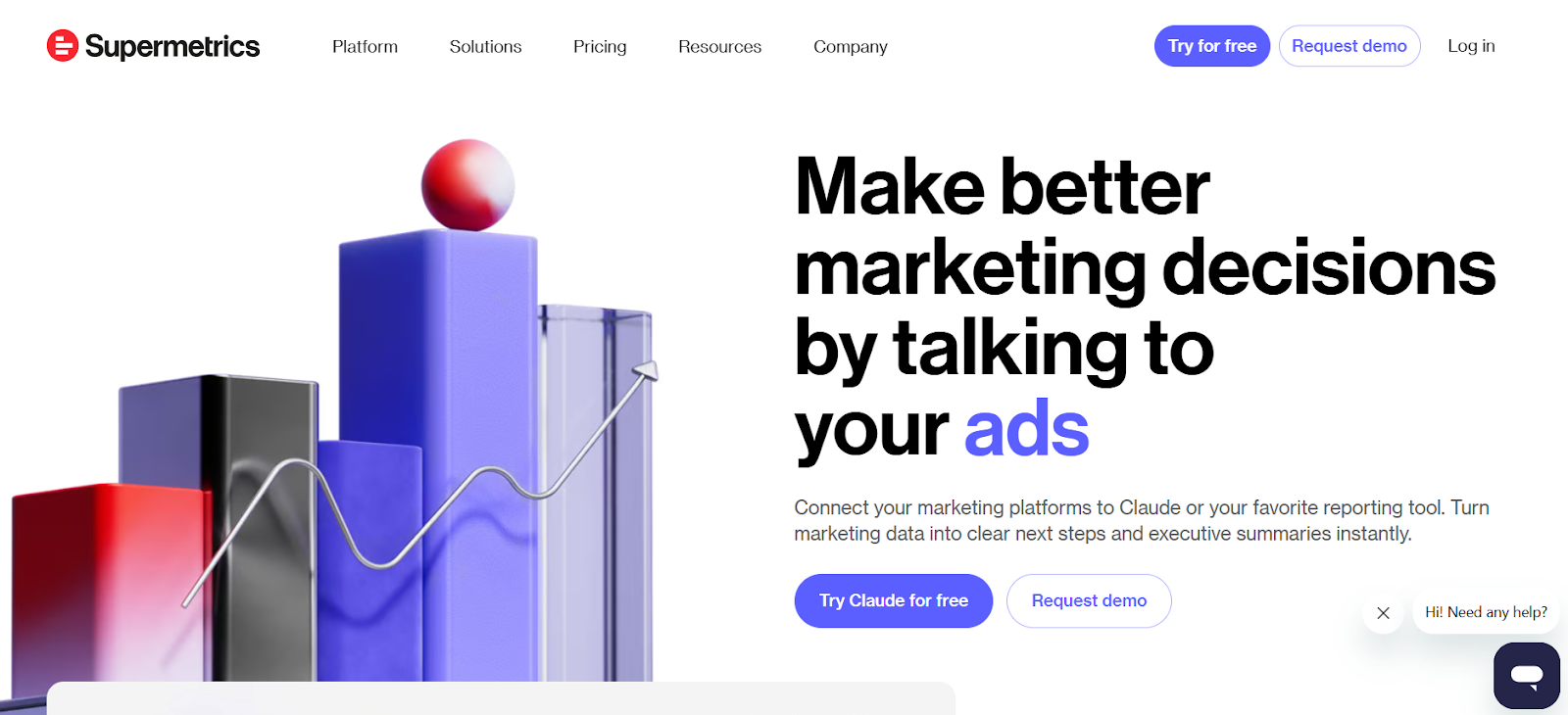
Supermetrics is built for teams that need to move marketing data into reporting tools like Google Sheets, Looker Studio, or data warehouses.
Instead of creating dashboards itself, it focuses on extracting and delivering clean data from multiple platforms, making it a strong choice for agencies with established reporting workflows.
Key features
Data extraction to reporting tools: Pulls data from platforms like Google Ads, Meta Ads, and GA4 into tools such as Google Sheets, Looker Studio, and Power BI.
Wide connector library: Supports a large number of marketing and sales data sources, including SEO, paid media, and CRM platforms.
Flexible data destinations: Send data to spreadsheets, BI tools, or warehouses like BigQuery and Snowflake.
Automated data refresh: Schedule updates from weekly to hourly depending on your plan.
Pricing
Plan
Price (monthly)
Data sources
Refresh frequency
Starter
€37/month
3
Weekly
Growth
€199/month
7
Daily
Pro
€499/month
10
Hourly
Enterprise
Custom
Custom
On-demand
Where Supermetrics shines
Strong choice for data pipelines – Ideal for agencies that already use tools like Looker Studio or spreadsheets and need reliable data extraction.
Highly flexible integrations – Works with a wide range of platforms across marketing, analytics, and sales.
Scales with advanced setups – Supports data warehousing and API access for more complex reporting environments.
Where Supermetrics falls short
No native dashboards – Requires external tools for visualization and reporting.
Costs can increase with scale – Pricing grows as you add more data sources, accounts, or destinations.
Requires technical setup – Best suited for teams comfortable working with spreadsheets, BI tools, or data warehouses.
If you look at Supermetrics reviews, a common theme is the need to manage multiple tools and setups, this is where tools like Reporting Ninja remove most of the manual work.
Customer reviews
“It's usually very easy to connect data sources to accounts and start pulling data where you need it to be.” -Gregory J., verified G2 user
Who Supermetrics is best for
Agencies that already use Looker Studio, Google Sheets, or BI tools for reporting.
Teams that need flexible data extraction and pipeline control rather than built-in dashboards.
8. Funnel.io – Best for enterprise data aggregation
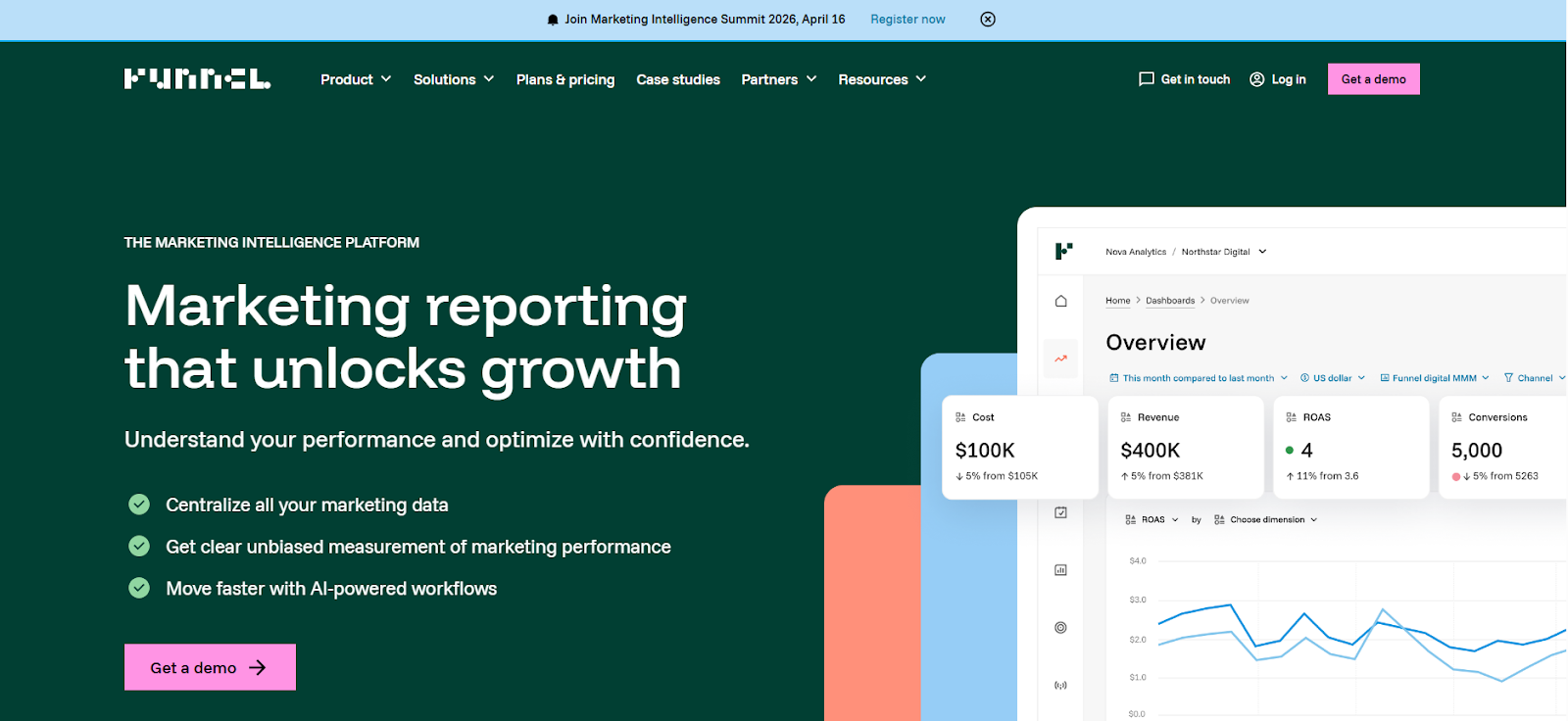
Funnel.io is built for teams that need to collect and organize large volumes of marketing data across multiple platforms. It focuses on data aggregation and normalization rather than report building, making it a strong fit for complex reporting setups.
Key features
Advanced data aggregation: Connects 120+ to 500+ marketing platforms depending on the plan.
Data normalization: Cleans and standardizes data for consistent reporting across channels.
Flexible exports: Sends data to tools like Looker Studio, Power BI, Google Sheets, and data warehouses.
Helps standardize data across platforms, reducing reporting inconsistencies.
Where Funnel.io falls short
Higher cost compared to most alternatives.
No native dashboards, requires external reporting tools.
Setup can require technical resources.
Customer reviews
“Very good platform to review performance of difference marketing channels in one place. Else it’s very hard to review that in each individual channel.” -Raza R., verified G2 user
Who Funnel.io is best for
Large agencies and enterprises with complex data workflows and multiple reporting tools.
9. Improvado – Best for large-scale marketing data
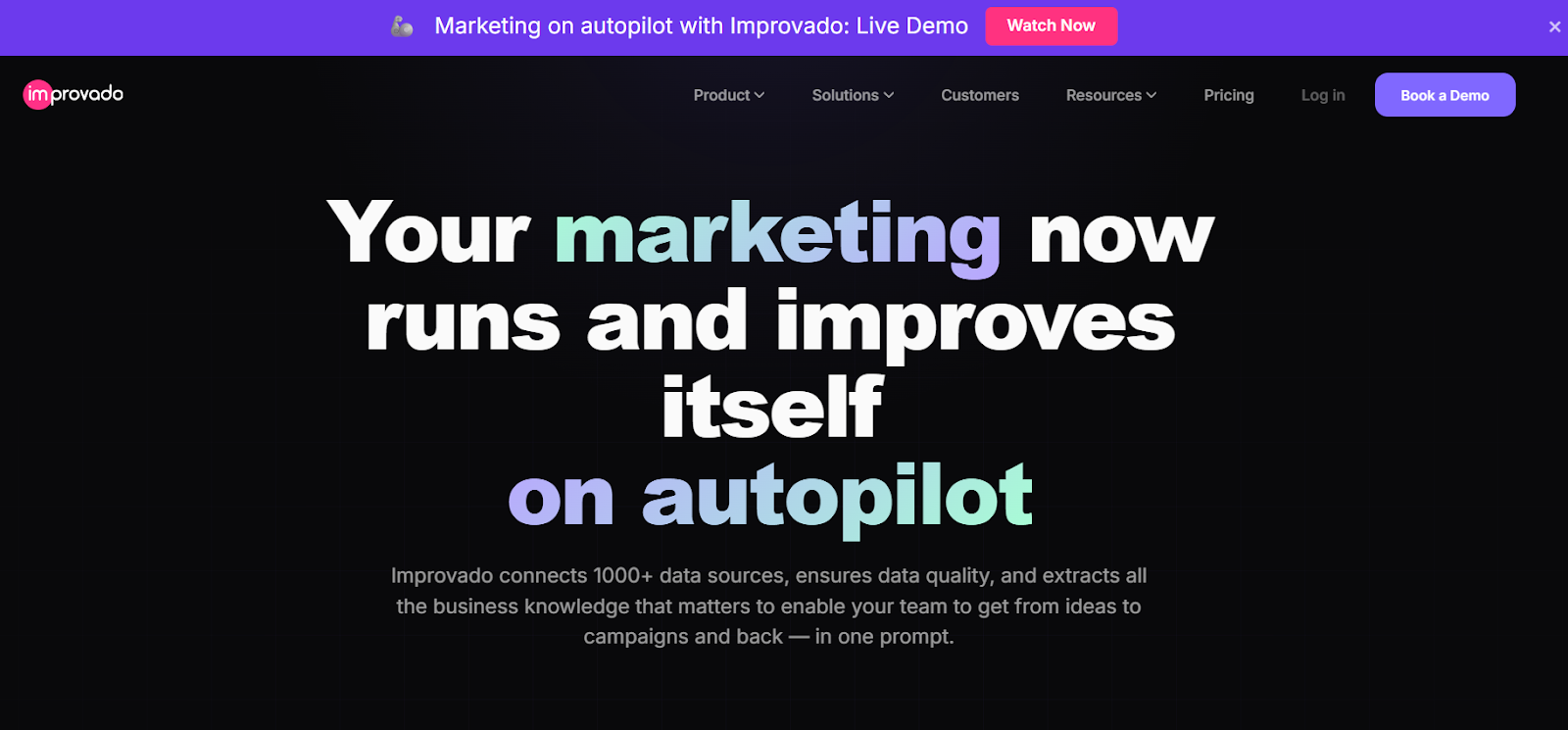
Improvado is built for companies that need to centralize, transform, and analyze large volumes of marketing data across multiple platforms. It focuses on enterprise-level data pipelines, automation, and AI-driven insights rather than simple reporting.
Key features
Large-scale data integration: Connects 500+ marketing and sales data sources.
Data transformation and normalization: Cleans and harmonizes data for consistent cross-channel reporting.
AI-powered insights: Generates automated analysis and performance insights.
Flexible data destinations: Sends data to BI tools, dashboards, and data warehouses.
Pricing
Plan
Price
Growth
Custom pricing
Advanced
Custom pricing
Enterprise
Custom pricing
Where Improvado shines
Strong fit for enterprise data operations and complex reporting setups.
Handles large data volumes with advanced transformation and automation capabilities.
Where Improvado falls short
Custom pricing and setup make it less accessible for smaller teams.
Requires technical resources to fully implement and manage.
Customer reviews
“While customizable, some users may find the extent of customization options insufficient for highly specific needs.” -Jack M., verified G2 user
Who Improvado is best for
Large organizations and agencies with complex data pipelines and advanced analytics needs.
10. Windsor.ai – Best budget data connector
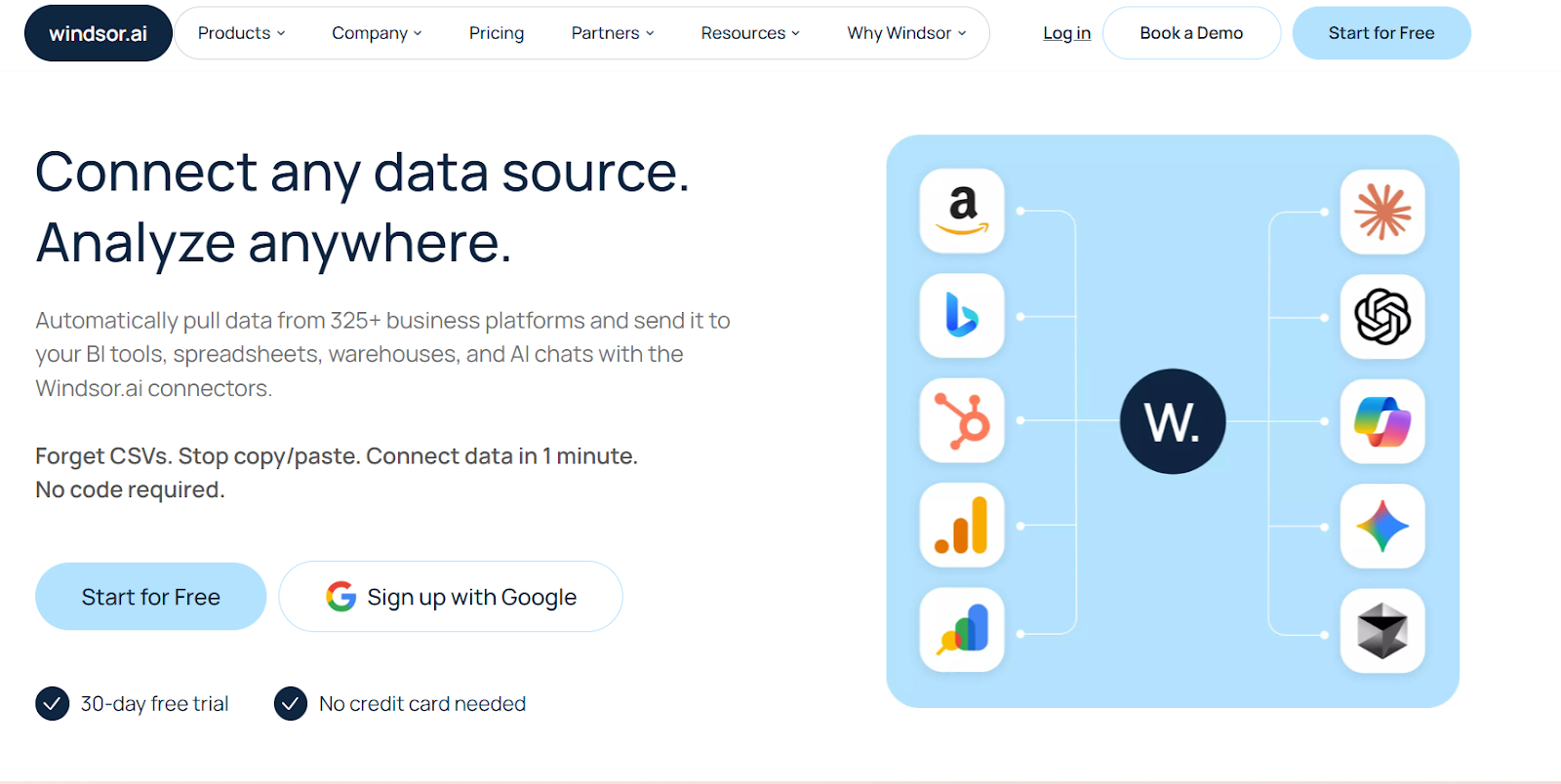
Windsor.ai is a cost-effective data integration tool designed for teams that need to connect multiple marketing data sources without high subscription costs. It focuses on data extraction and syncing rather than full reporting, making it a practical option for agencies using external BI tools.
Key features
Wide connector library: Supports 300+ data sources, including Google Ads, Meta Ads, GA4, and more.
Flexible data syncing: Schedule data refreshes from daily to near real-time depending on the plan.
Unlimited BI integrations: Send data to tools like Looker Studio, Power BI, and data warehouses.
AI-powered analysis: Includes built-in AI features for basic performance insights.
Pricing
Plan
Price
Basic
$23/month
Standard
$118/month
Plus
$299/month
Professional
$598/month
Enterprise
Custom pricing
Where Windsor.ai shines
Affordable entry point for data integration.
Strong connector coverage with no extra cost per integration.
Where Windsor.ai falls short
Limited native reporting and dashboard capabilities.
Interface and usability are less refined compared to premium tools.
Customer reviews
“The platform has a slight learning curve if you’re not used to working with data connectors or APIs. However, once you get past the setup, everything runs smoothly.” -Admin T., verified G2 user
Who Windsor.ai is best for
Agencies and teams looking for a low-cost alternative to tools like Supermetrics for data extraction.
11. Databox – Best for KPI dashboards
Databox is a reporting and dashboard tool designed for agencies that want to track performance metrics in real time and present them in a clear, visual format. It combines pre-built dashboards, goal tracking, and automated reporting, making it a strong option for teams focused on KPI monitoring.
Key features
Pre-built KPI dashboards: Ready-to-use templates for marketing, sales, and business performance.
Goal tracking and alerts: Set targets and monitor performance with automated alerts and insights.
Wide integrations: Connects with 130+ tools, including Google Ads, GA4, HubSpot, and more.
Automated reporting: Schedule reports and share dashboards with clients.
Pricing
Plan
Price
Agency Starter
$99/month
Agency Pro
$199/month
Agency Growth
$499/month
Agency Premium
$999/month
Where Databox shines
Strong choice for KPI tracking and performance dashboards.
Easy to set up with pre-built templates and visual reports.
Where Databox falls short
Customization is more limited compared to advanced BI tools.
Costs can increase as you add more data sources and features.
Customer reviews
“While it has the major business integrations and connections, it needs more connections to work in certain industries.” -Nancy S., verified G2 user
Who Databox is best for
Agencies that want simple, visual dashboards with built-in KPI tracking and reporting.
Reasons to consider an alternative to AgencyAnalytics
While AgencyAnalytics is a popular automated reporting tool, it may not be the best fit for every agency. In many AgencyAnalytics review discussions, agencies cite limitations around customization, pricing scalability, and multi-source flexibility. Whether you need more customization, scalability, or deeper integrations, there are strong alternatives that better align with specific needs.
Limited flexibility in report customization
AgencyAnalytics provides structured templates, which can be useful for quick reporting, but agencies that require fully customizable layouts, branding, or advanced data manipulation may find it restrictive.
How Reporting Ninja solves this: Offers full white-label customization, flexible layouts, and advanced reporting options that allow agencies to create fully branded, tailored reports for clients.
Pricing scales up quickly
For growing agencies, AgencyAnalytics’ pricing structure can become expensive as you add more client accounts and data sources. While the entry plan starts at a lower price, key features like custom metrics, full client branding, and custom domains are only available on the $179 per month plan or higher, making it costly for agencies that need white-label reporting and deeper customization.
How Reporting Ninja solves this: Unlike AgencyAnalytics, Reporting Ninja includes all product features in every plan, ensuring agencies get premium automation, full branding capabilities, and unlimited integrations without hidden costs or plan restrictions.
Lacks deep multi-source data connections
While AgencyAnalytics supports multiple integrations, some agencies may find its data connections limited compared to platforms with more extensive API access, advanced BI tools, or deep custom metric capabilities.
How Reporting Ninja solves this: Supports seamless multi-platform integrations, allowing agencies to pull data from a wide range of marketing, advertising, and analytics tools for more comprehensive reporting.
Final thoughts
A reporting tool should do more than just compile data—it should free up your team’s time, adapt to your agency’s needs, and make client communication seamless. If your current platform feels like a compromise, it’s worth exploring an option that works smarter.
With Reporting Ninja, agencies can automate reports, customize every detail, and scale without hidden costs or limitations. Instead of wrestling with templates or manual updates, you get reports that work on autopilot—exactly how you need them.
Ready to streamline your reporting and focus on what matters?
The best option depends on your needs. Reporting Ninja is a strong fit for agencies needing automation, white-labeling, and cost-effective multi-channel reporting.
Is there a free alternative to AgencyAnalytics?
Yes. Looker Studio is a free option that offers customizable dashboards, but it requires manual setup and often paid connectors for non-Google data.
Are AgencyAnalytics competitors cheaper?
Sometimes. Tools like Reporting Ninja or Windsor.ai can be more cost-effective, while platforms like Funnel.io or Improvado are typically more expensive.
Which tool is best for multi-channel marketing reporting?
Reporting Ninja is a strong choice for multi-channel reporting, as it combines multiple data sources into automated, client-ready dashboards and reports.
Do I need technical skills to use these tools?
Sometimes. Tools like Looker Studio, Supermetrics, or Funnel.io may require technical setup, while Whatagraph or DashThis are easier to use.
Elevate your marketing reports to the next level
Sign up for a 15 days free trial. No credit card required.
By clicking “Accept”, you agree to the storing of cookies on your device to enhance site navigation, analyze site usage, and assist in our marketing efforts. View our Privacy Policy for more information.